User Manual of WNAP-6325
-19-
3.3 Installing the AP
Please install the AP according to the following Steps. Don't forget to pull out the power plug and keep your
hands dry.
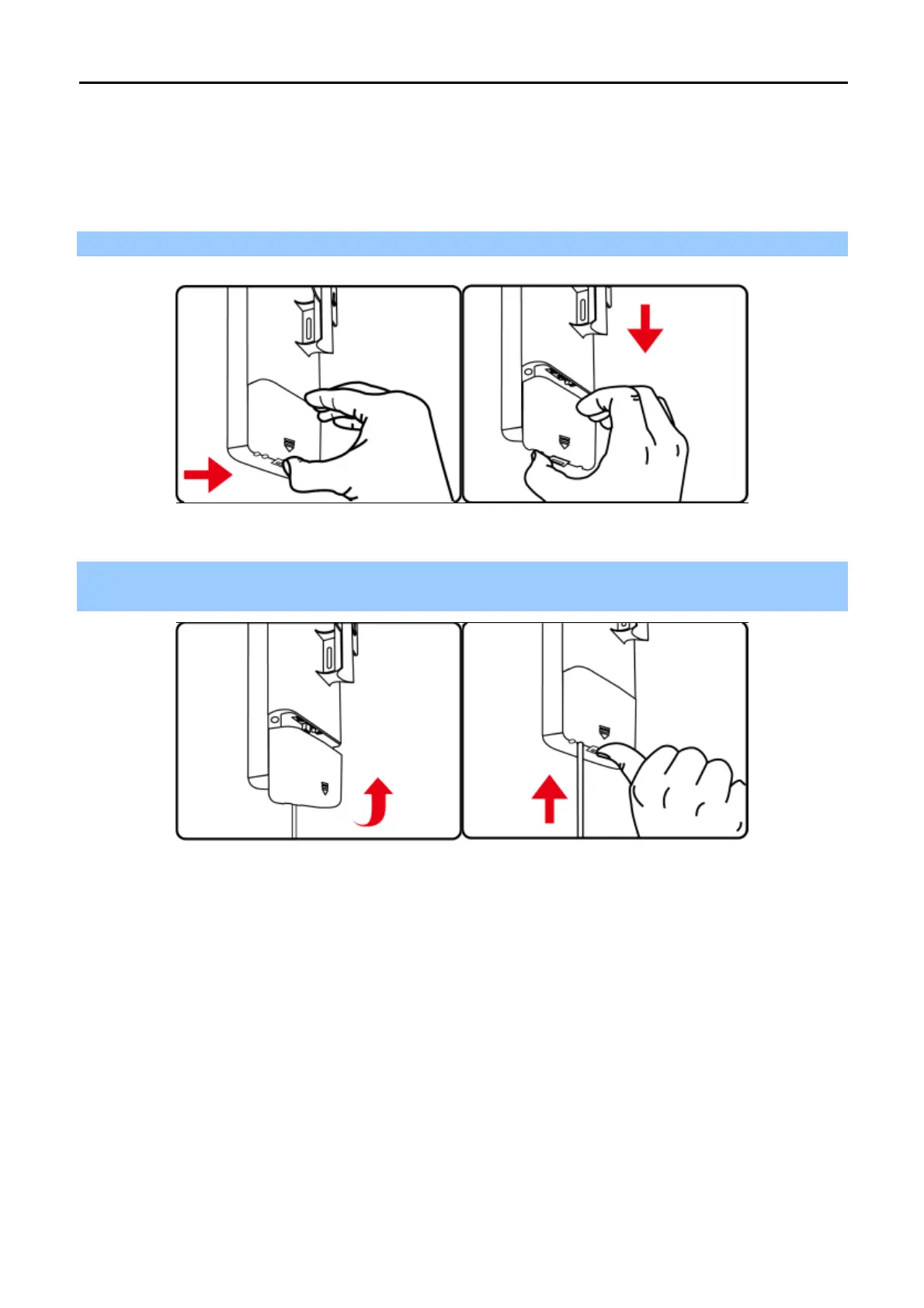
Step 1. Push the latch on the bottom of the WNAP-6325 to remove the sliding cover.
Figure 3-1 Connect the Antenna
Step 2. Plug the RJ45 Ethernet cable into the PoE LAN Port of the WNAP-6325. Then, slide back the cover of
the WNAP-6325 to finish the installation.
Figure 3-2 Connect the Ethernet cable



 To Next Page