User Manual of WNAP-6325
-69-
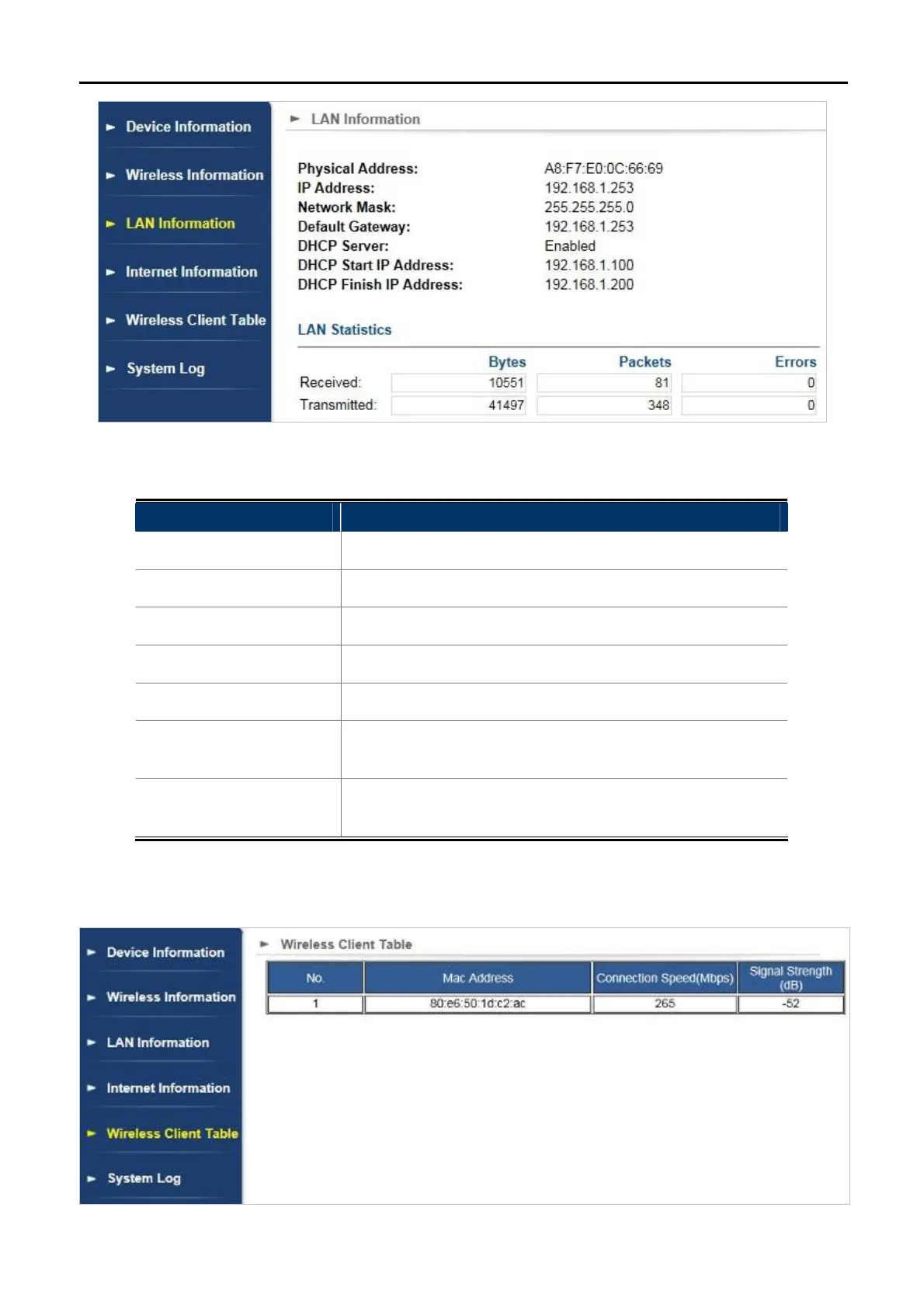
Figure 5-50 LAN Information
The page includes the following fields:
Object Description
Physical Address
Displays AP’s LAN MAC address.
IP Address
Displays IP of AP.
Network Mask
Displays Network Mask of AP.
Default Gateway
Displays Gateway IP of AP.
DHCP Server
Enable or Disable DHCP server.
DHCP Start IP Address
Enter the starting IP address for the DHCP server’s IP
assignment.
DHCP Finish IP
Address
Enter the ending IP address for the DHCP server’s IP
assignment.
5.4.4 Wireless Client Table
Click “Device Status” “Wireless Client Table” and the following page will be displayed.
Figure 5-51 Wireless Client Table



 To Next Page