User Manual of WNAP-6325
-36-
Object Description
Select Encryption
Select the encryption that you need.
None: No security required
WEP: Input 5, 13 (ASCII) or 10, 26 (HEX) character for WEP
key.
WPA: Enter ASCII characters between 8 and 63 character or 8
to 64 hexadecimal characters.
WPA2: Enter ASCII characters between 8 and 63 character or
8 to 64 hexadecimal characters.
WPA-Mixed: Enter ASCII characters between 8 and 63
character or 8 to 64 hexadecimal characters.
None
Authentication is disabled and no password/key is required to connect to the access point.
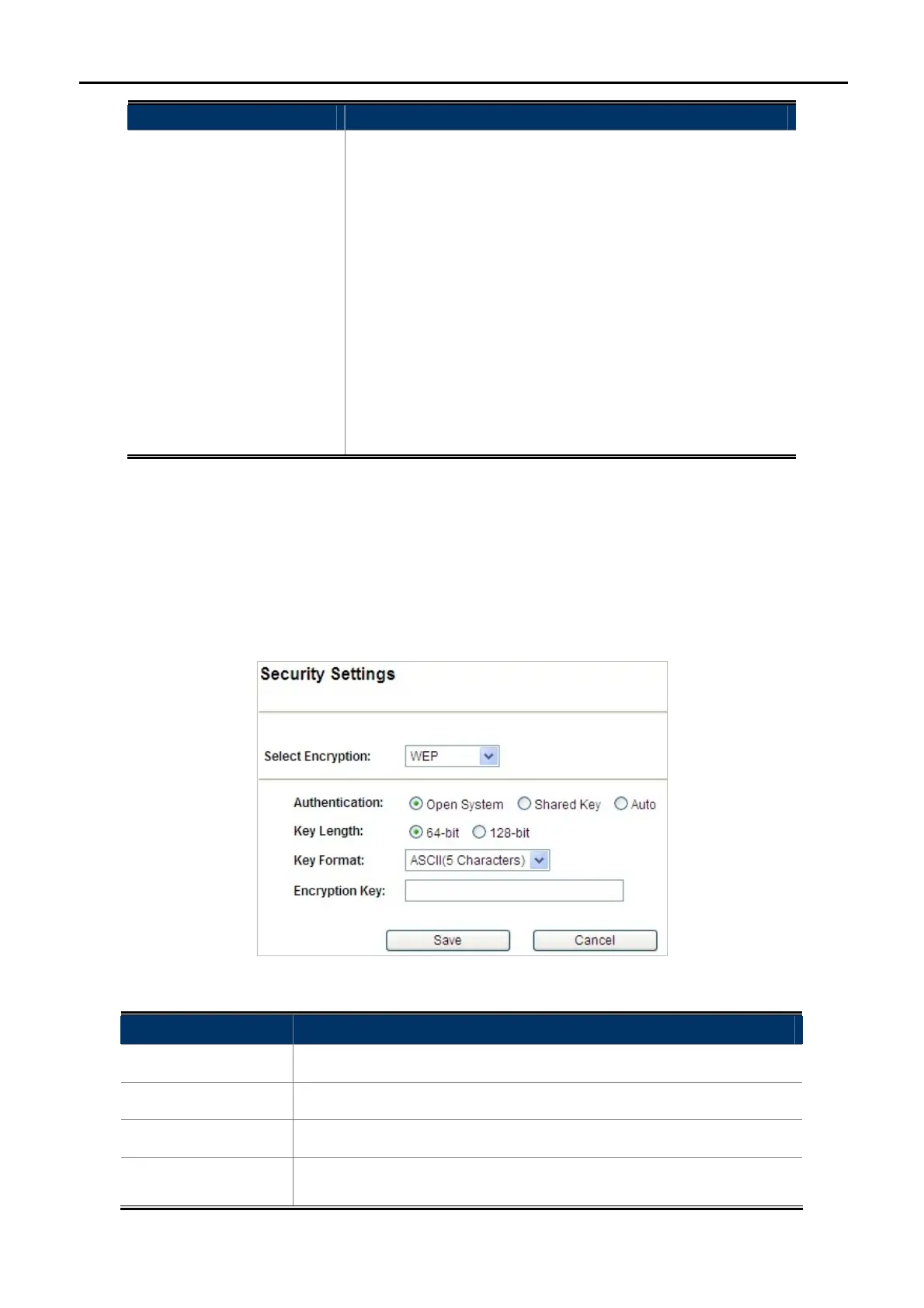
WEP
WEP (Wired Equivalent Privacy) is a basic encryption. For a higher level of security consider using the WPA
encryption.
Figure 5-10 Security Settings – WEP
Object Description
Authentication
You can select Open System, Shared Key or Auto.
Key Length
Choose the WEP key length. You can choose 64-bit or 128-bit.
Key Format
You can choose ASCII or Hex.
Encryption Key
Enter the keys in the fields.



 To Next Page