User Manual of WNAP-6325
-59-
Object Description
Device Name
Enter a name for this access point. Default is WNAP-6325.
POE Passthrough
Enable the POE Passthrough function.
※ When the option “Enable POE Passthrough” in the System
Management page is checked, the LAN2 can supply passive PoE
power to the second WNAP-7325 or WNAP-6325 through the LAN 2.
UPnP
Check to enable the UPnP function.
The UPnP feature allows the devices, such as Internet computers,
to access the local host resources or devices as needed. UPnP
devices can be automatically discovered by the UPnP service
application on the LAN. This option is only available in AP
Router mode.
Syslog
Check to enable Syslog function.
IGMP
Check to enable the IGMP Proxy function.
This option is only available in AP Router mode.
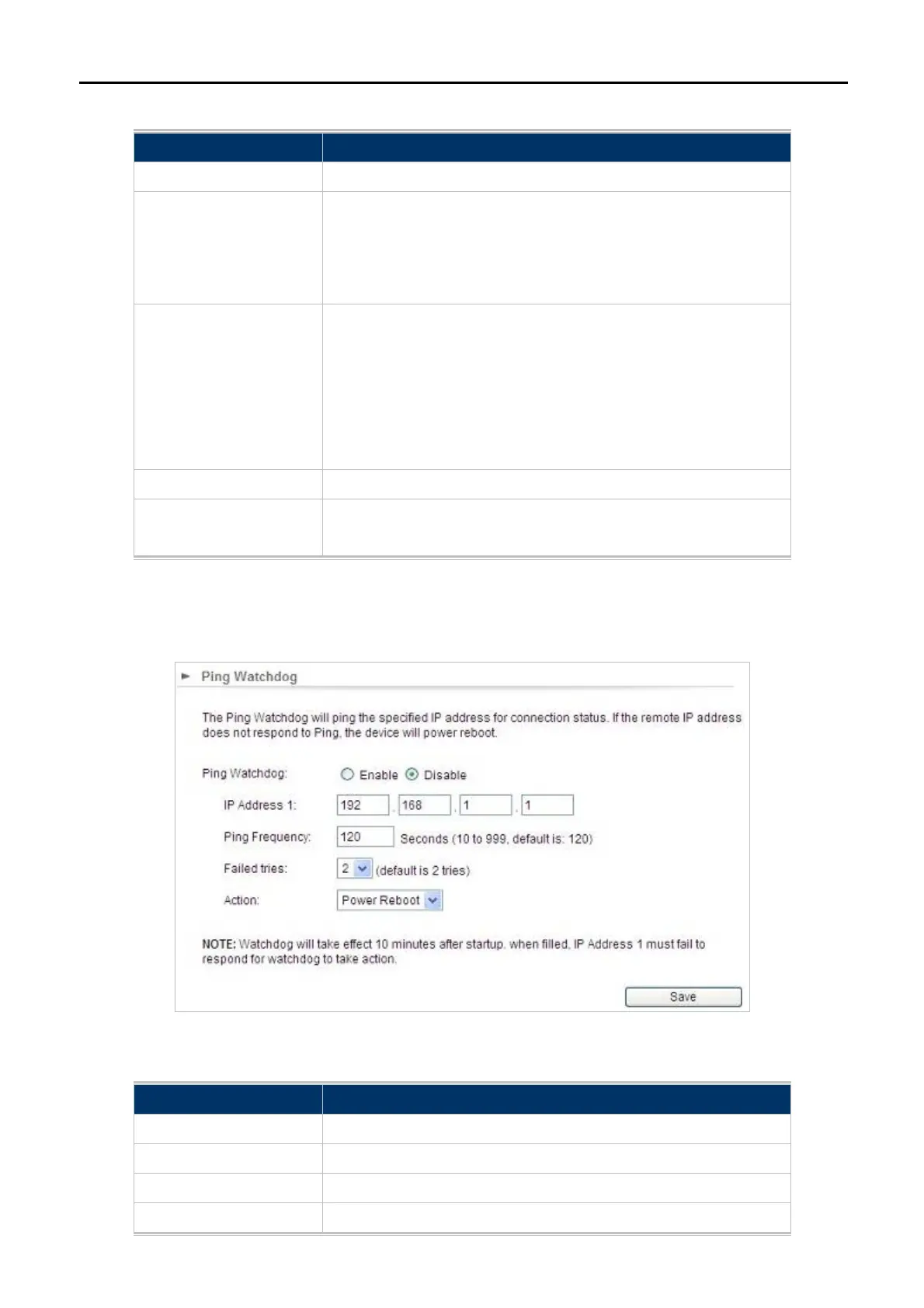
5.2.5 Ping Watchdog
Click “System Configuration” “Ping Watchdog” and the following page will be displayed.
Figure 5-38 Ping Watchdog
Object Description
Ping Watchdog
Enable or Disable this function.
IP Address 1
Enter the IP address which pings every time interval
Ping Frequency
Set times from 10 to 999.
Failed tries
Select failed tries from 1 to 5.



 To Next Page