User Manual of WNAP-6325
-37-
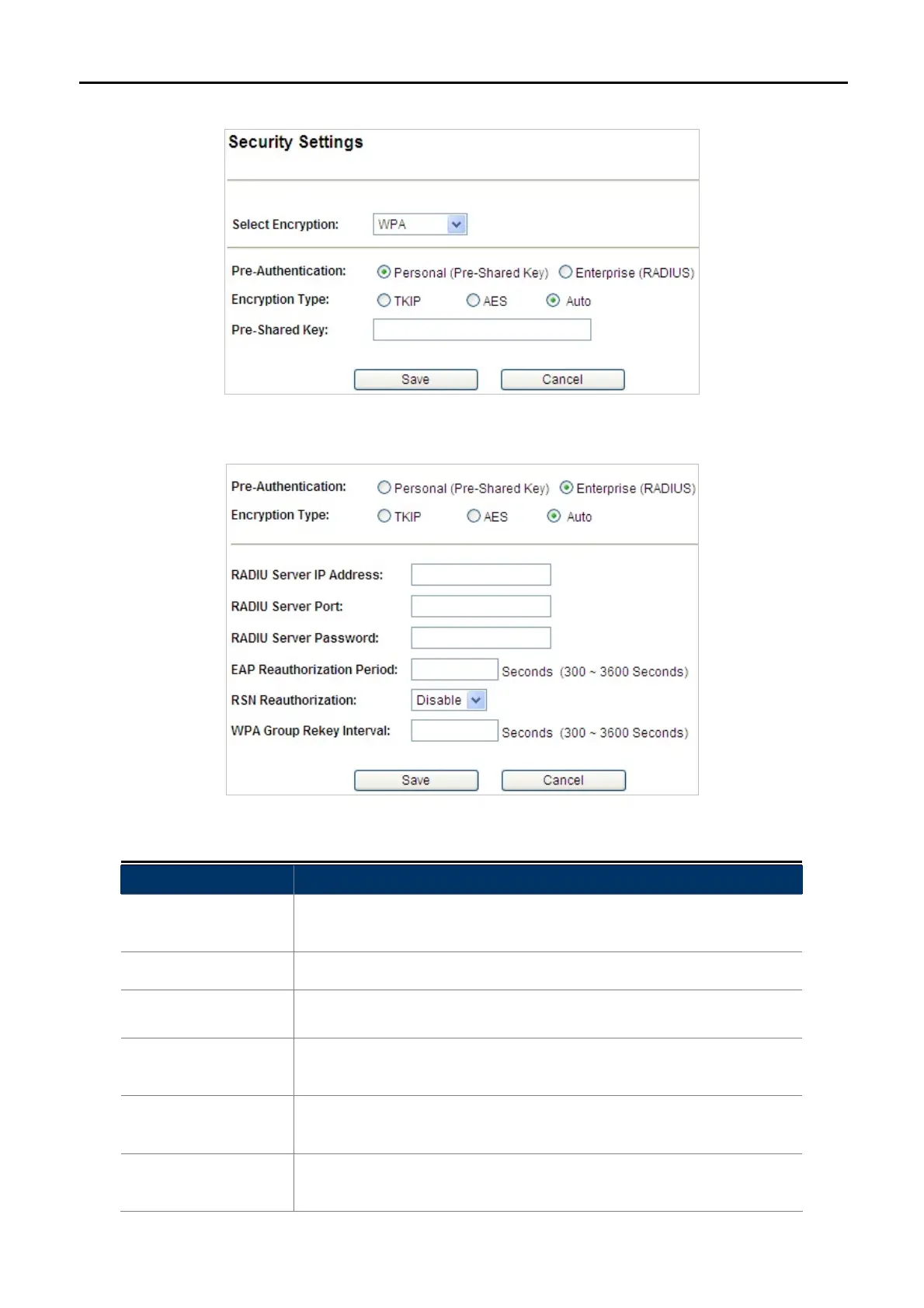
WPA
Figure 5-11 Security Settings – WPA Personal
Figure 5-12 Security Settings – WPA Enterprise
Object Description
Pre-Authentication
Select “Personal (Pre-Shared Key)” or “Enterprise (RADIUS)”
encryption type.
Encryption Type
Set the WPA to be TKIP, AES or Auto.
Pre-Shared Key
Enter the keys in the fields.
RADIU Server IP
Address
Enter the RADIUS server host IP address.
RADIU Server Port
Set the UDP port used in the authentication protocol of the RADIUS
server. Value must be between 1 and 65535.
RADIU Server
Password
Enter a shared secret/password between 1 and 99 characters in length.



 To Next Page