User Manual of WNAP-6325
-39-
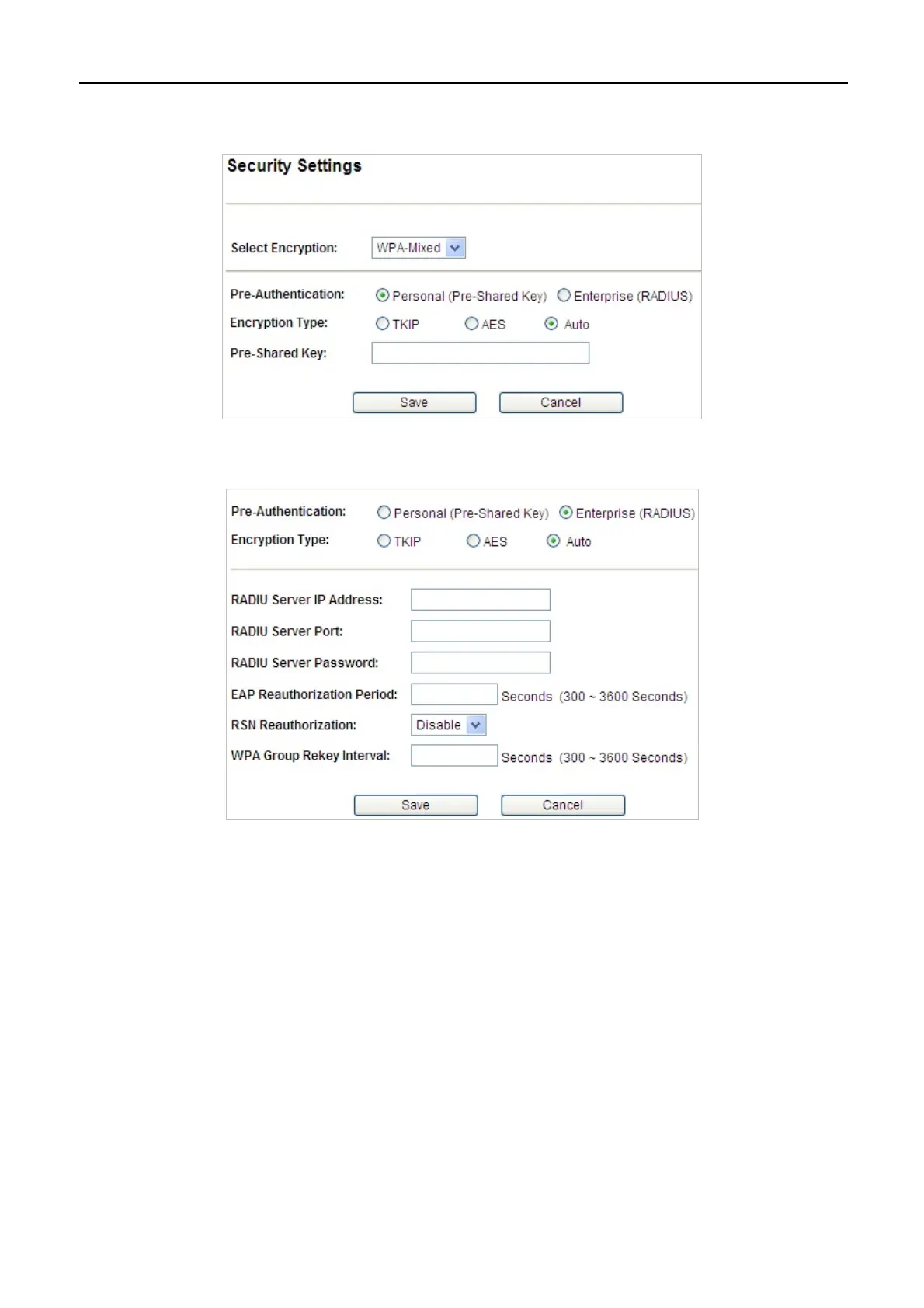
WPA-Mixed
Please refer to WPA for more information.
Figure 5-15 Security Settings – WPA-Mixed Personal
Figure 5-16 Security Settings – WPA-Mixed Enterprise
5.1.8 Advanced Settings
Choose the operation mode you require, and then enter “Advanced Settings” by clicking Setup button next to it
and the following page will be displayed. This section allows you to configure the wireless advanced settings.



 To Next Page