User Manual of WNAP-6325
-84-
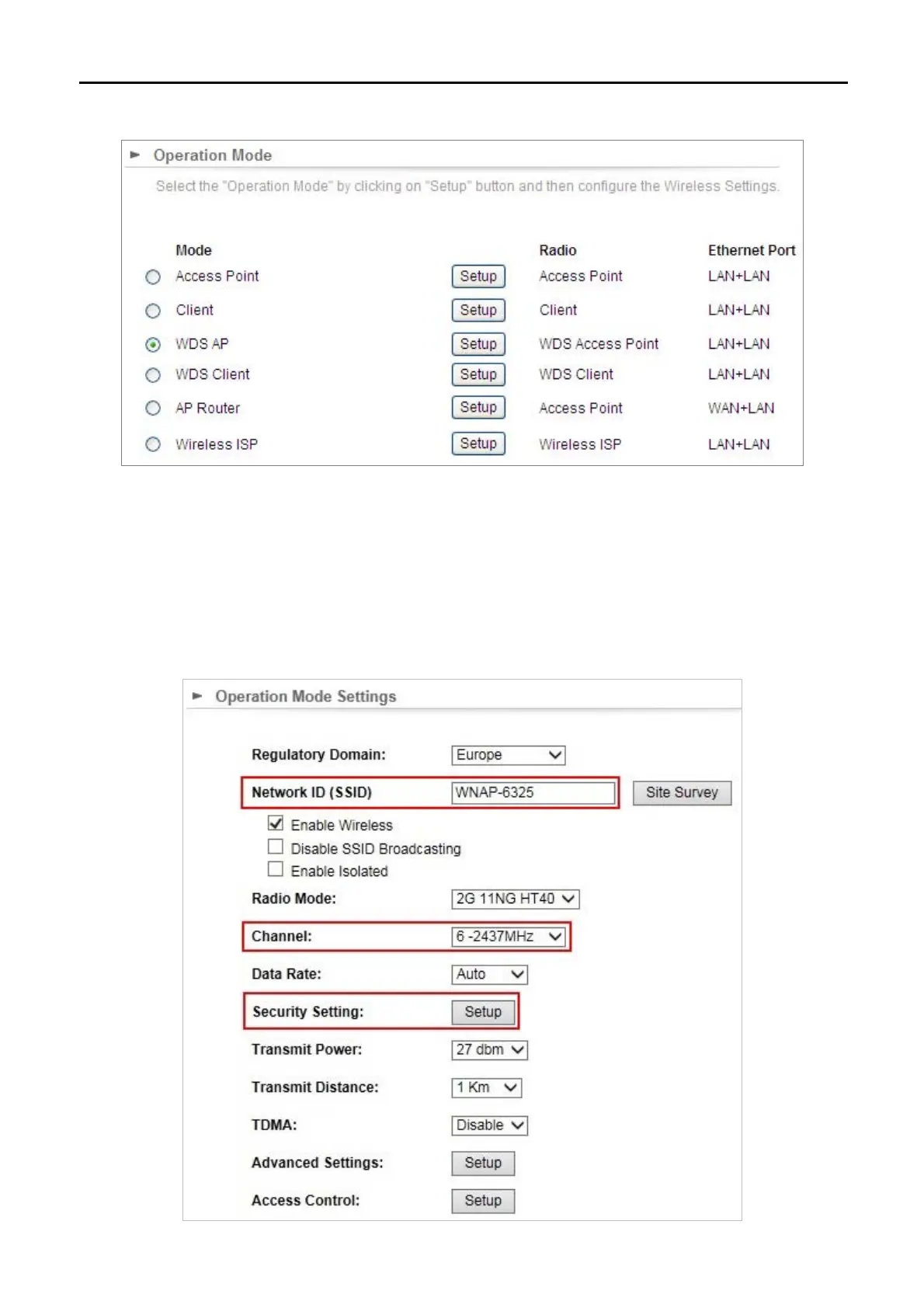
Step 2. In AP-1, go to “Operation Mode” to configure it Access Point Mode.
Step 3. Click “Setup” to configure the following parameters and then click Save & Restart to save the settings.
4)
Network ID (SSID): set to a unique value
5) Channel: set to a fixed one
6)
Security Setting: strongly suggested to configure it.
In this case, we configure it to WPA2-PSK, AES



 To Next Page