The external mains switch shall disconnect the mains power supply from
both the mains and the neutral lines. The switch must be capable of being
locked in the off position.
2
.4.6 Grounding
The dental unit must always be connected to a grounded outlet to fulfil the
safety directives stated.
2.4.7 Power supply cable
The quality and cross-section area of the mains power cable must fulfil the
requirements of the local standards (must be e.g. IEC-approved (CE
marked), UL / CSA approved).
2.4.8 Power consumption
The idle (instruments in holders, chair not moving) power consumption is
less than 300VA. Maximum power consumption is 1450VA, and occurs
when the chair backrest and lifting mechanisms are moving simultaneously.
2.4.9 Cabling for options
Some optional features (monitor, Planmeca ProX etc.) require cables
between the dental unit and PC or other equipment. Make sure that the
needed cables are routed through the service pipe inside the floor.
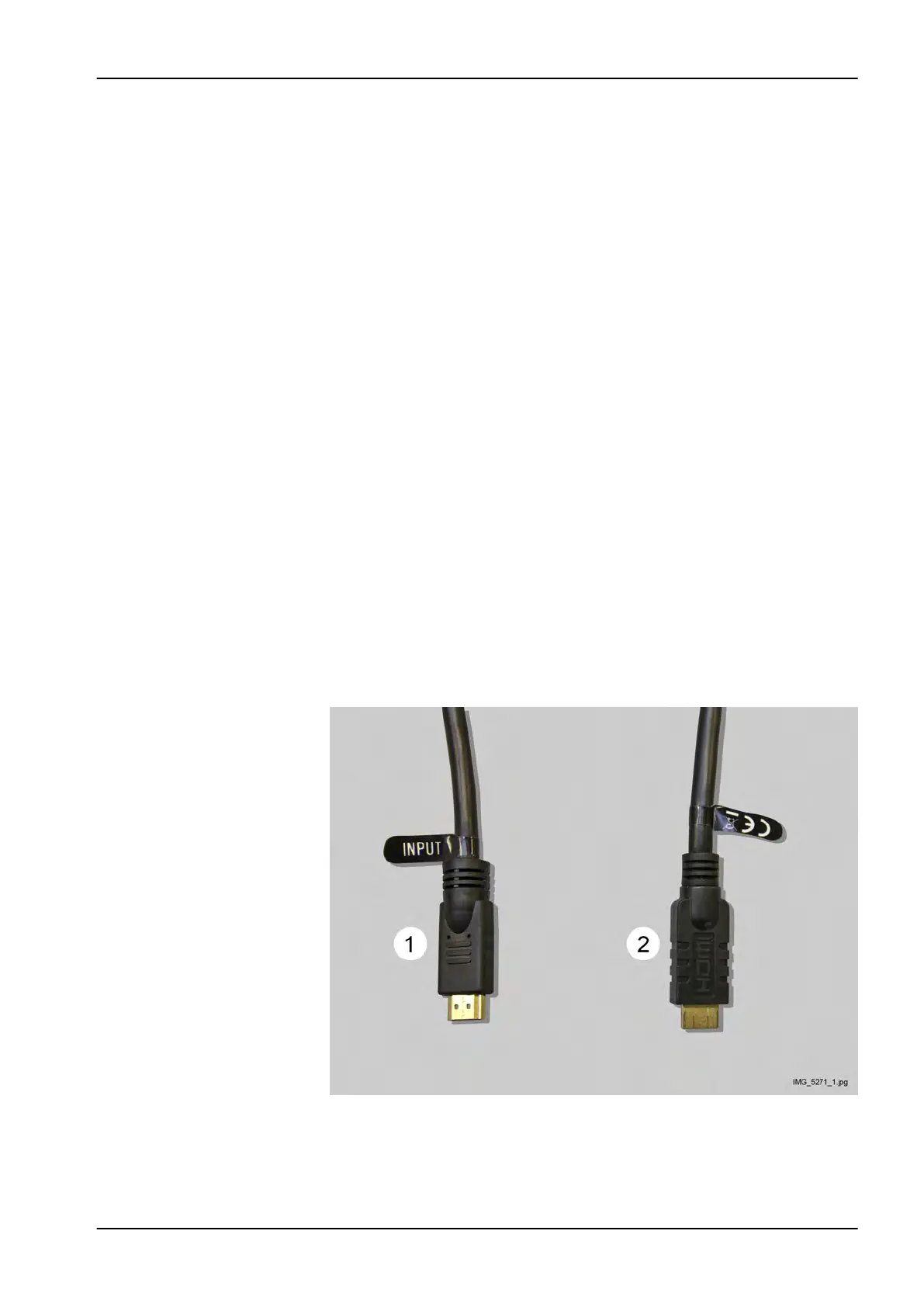
Monitor HDMI cable
Note the direction of the HDMI cable supplied with the dental unit (part
number 10030561). The end marked with text “INPUT” (1) must be
connected to the PC. The other end of the cable (2) is connected to the
HDMI cable located inside the junction box.
NOTE
The HDMI cable supplied with the dental unit is an active HDMI cable. Do
NOT connect another active cable to this cable.
2 Pre-installation requirements
Installation manual Planmeca Compact i3 7












 To Next Page