Patients
Managing Patients in Planmeca Romexis
Creating new patients
1 In Patient Management, click the Add Patient button.
The Add Patient screen opens.
2 Enter the necessary information and add a face photo if desired.
Note: The obligatory elds are in bold text. See the Romexis User Manual for more
information.
3 To save the patient into the database click the Save button in any section.
Note: The changes are not saved unless Save button is used.
Note: To view the newly created patient on the list, perform new patient search.
Searching Patients
Patients can be searched by ID or by name.
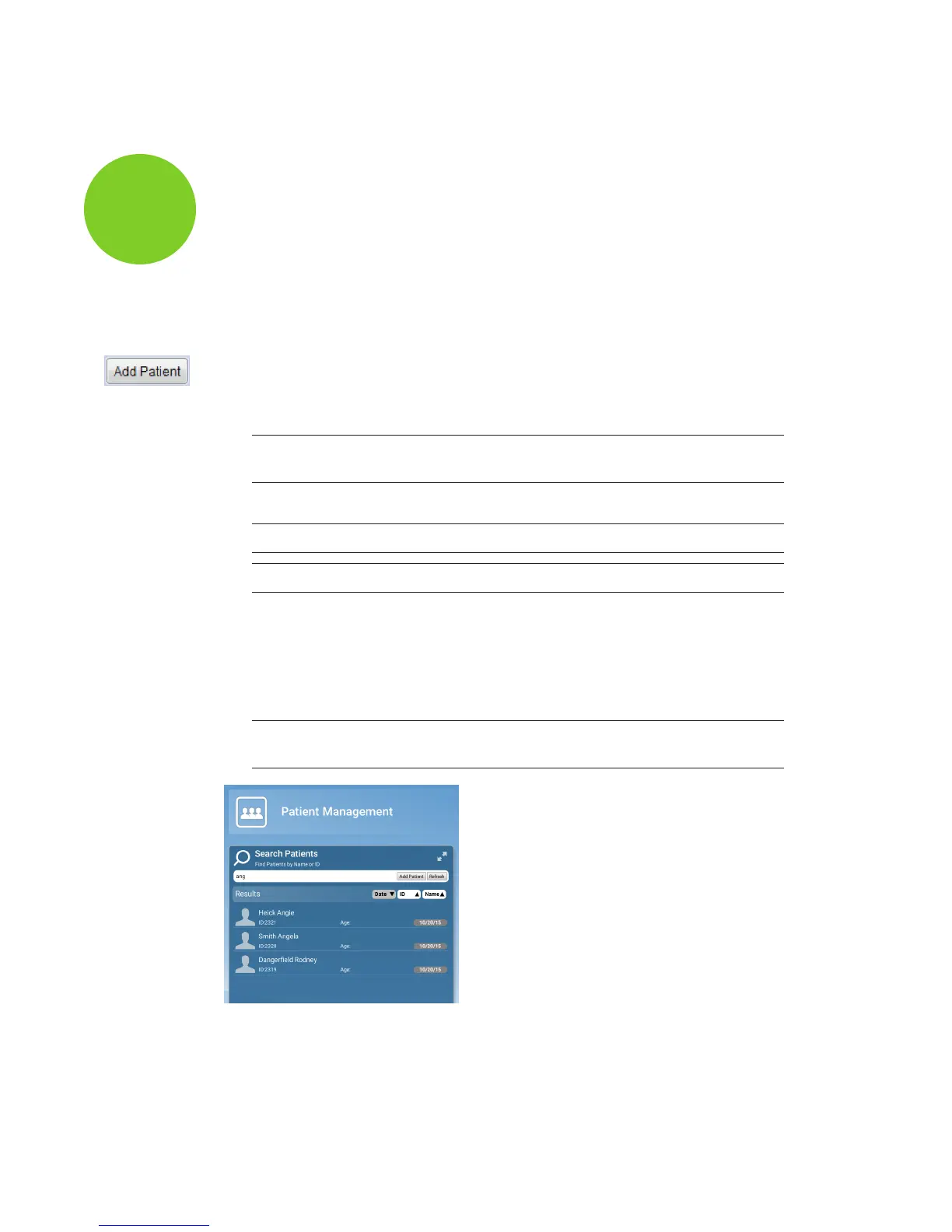
In Patient Management, type any part of the patient’s name or ID number into the Search eld.
Matching items automatically appear as you type.
Note: The system looks for the letters or numbers anywhere in the patient’s name
or ID. Angela, Angie, and Dangereld are all matches for “ang” in the Search eld.
Sorting patients
Patients in the patient list can be sorted by the Date their records were previously accessed,
their ID number, or their last Name.
10828200.B Patients 17
E4D
Planmeca
4














 To Next Page