Retract
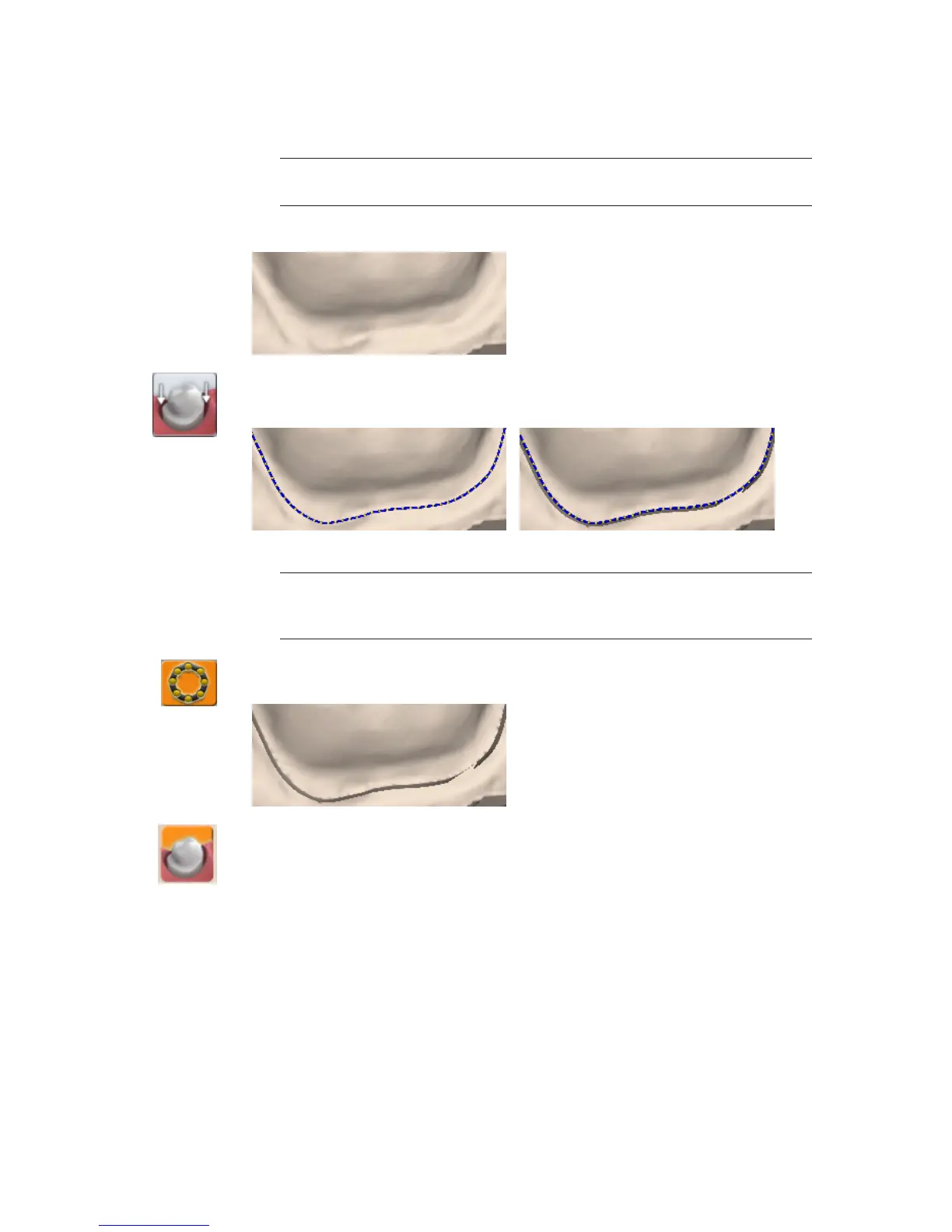
Use the Retract tool on STL export cases with a subgingival or equigingival margin. This tool
ditches the 3D model since the margin line does not convert to STL.
Note: ICE View is not converted to STL format and cannot be used as a visual aid
by the recipient of your case.
Without virtual ditching, the margin may be dicult for your recipient to see.
1 After the margin has been drawn and edited, click Retract.
The system virtually removes part of the model outside of the drawn margin.
Margin drawn - No ditching Margin drawn - With ditching
Note: Any changes to the margin will require the ditching to be redone. If you are
doing a multiple restoration case, nish all of the margin edits before using the
Retract tool.
2 Click Toggle Margin to view the ditched area without the margin. This is similar to what your
STL recipient will see.
3 Click Toggle Retraction to show/hide the virtual ditching.
42 Margin Tab Planmeca PlanScan User Manual














 To Next Page