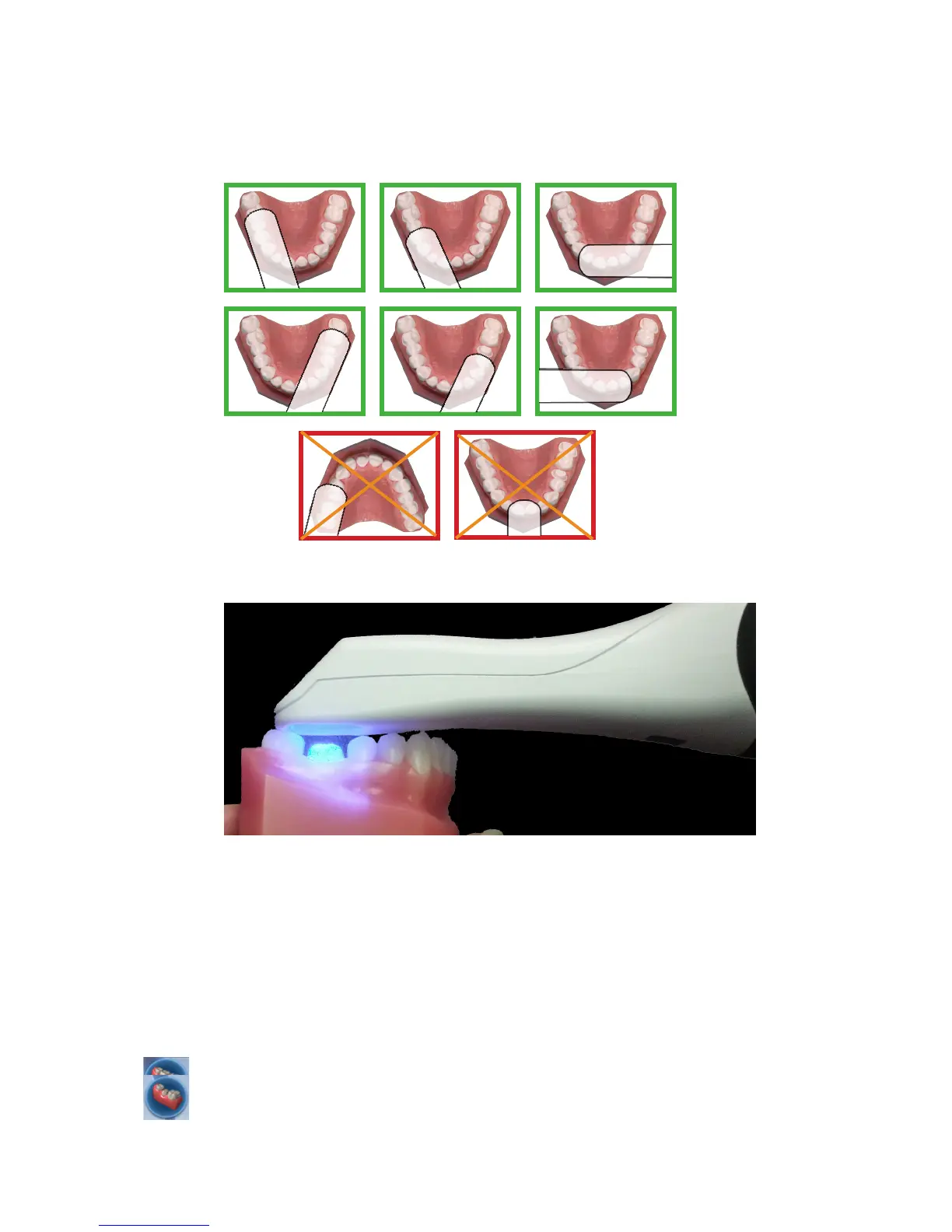
Positioning the Scanner for the First Scan
Position the scanner along the mesial-distal axis with the tip of the scanner pointing towards
the distal. The axis follows the curve of the arch. The pictures below show good and bad
positions along the arch.
Rest the tip of the scanner gently on the teeth during scanning. This will give you the correct
focal depth for the scans.
Scanning Overview
Scan the restoration site using the Planmeca scanner to capture the image of the tooth
(pre-operative or wax-up), preparation, opposing teeth, buccal bite, and/or bite registration.
Scanning the restoration site requires proper site preparation, correct placement and
movement of the scanner, and a sucient number of scans to ensure adequate digitalization of
the restoration site. The basic steps are:
1 Click the Scan tab.
2 Click the desired scanning mode: Pre-op, Prep, Bite Registration, Opposing, or Buccal Bite.
• Pre-op - Used to utilize the patient’s existing dentition or a wax-up as the pre-op model for
creating the restoration.
• Prep - Used to scan the prepared site of the restoration. All free owing blood, saliva, and
10828200.B Scanning 23














 To Next Page