Scanner Tips
Tip can be removed and disinfected while the next tip is being used. See “Cleaning the Scanner
Tip” on page 12 for more information.
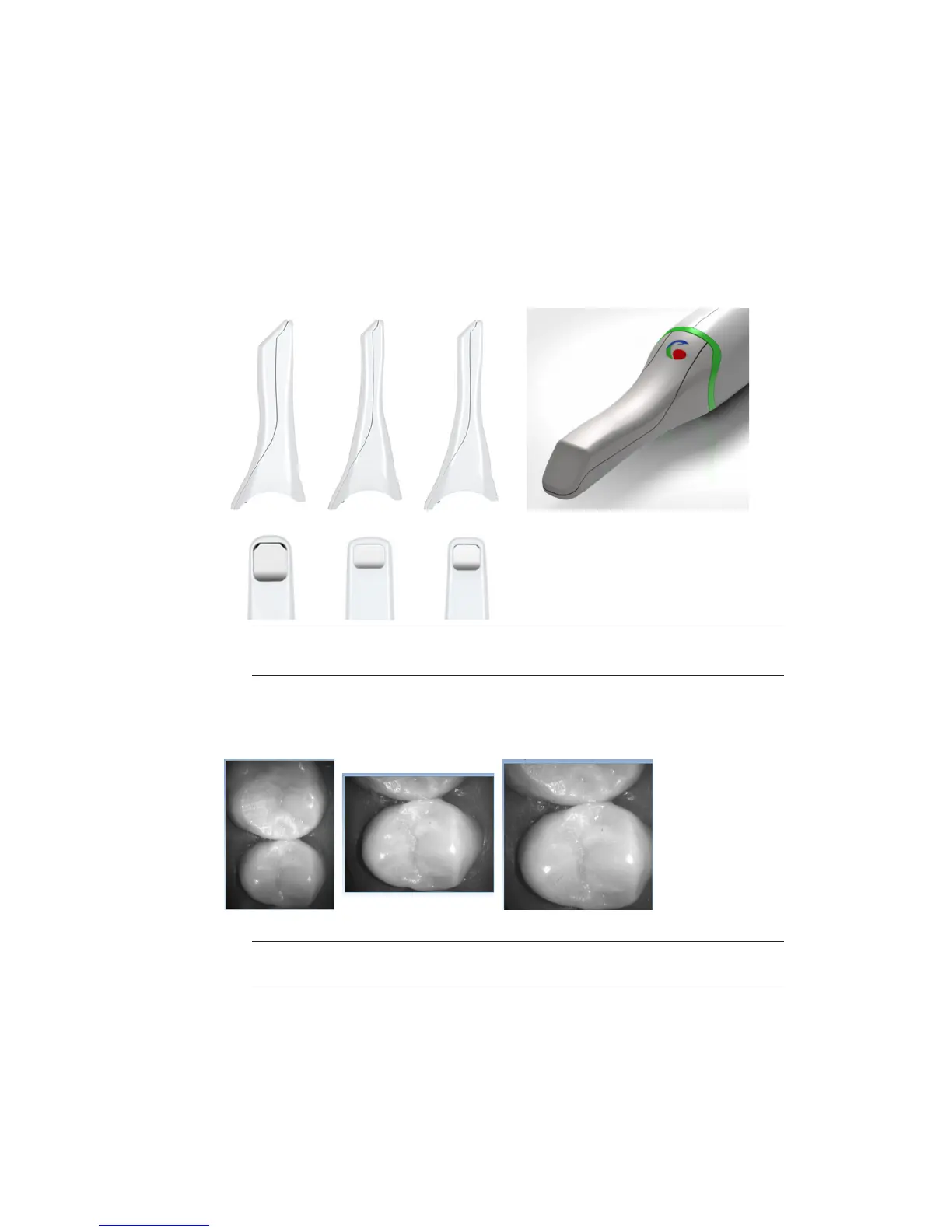
Scanning Tip Sizes
There are three tip options for the scanner. The smaller tips are ideal for molar scanning.
• Standard - 15 x 20 mm
• Landscape - 12.7 x 9.2 mm
• Portrait - 12.5 x 11.8 mm
• Color - 15 x 20 mm
Standard Landscape Portrait
Note: Color scanning requires a Color Activation Kit (sold separately). Contact your
local representative for upgrade details.
The live view shows the dierences in the scanning tips. The standard tip has a higher focal
point and captures more data at once. This can be a problem with active tongues. Landscape
has a horizontal eld of view and portrait is vertical.
Standard Landscape Portrait
Note: Landscape and portrait tips are compatible with PlanCad 5.5 and later. Call
Customer Support for update information 1-800-537-6070.
Standard size color tips have
a color symbol on the back.
10828200.B Scanning 21














 To Next Page