Scanning Buccal/Opposing
The opposing teeth are scanned to acquire bite information for the proposal. The buccal bite is
scanned to align the preparation model with the opposing model.
Scan Opposing
1 On the Setup tab, select Buccal/Opposing.
2 On the Scan tab, select Scan Opposing.
3 Starting with an occlusal view, scan the occlusal surfaces of the opposing dentition. Include the
same number of teeth as the preparation model. Ensure there is good cusp tip data on both the
lingual and buccal sides.
4 Roll to the buccal and scan the buccal side of the opposing dentition. Include gingival data, do
not stop halfway down the tooth.
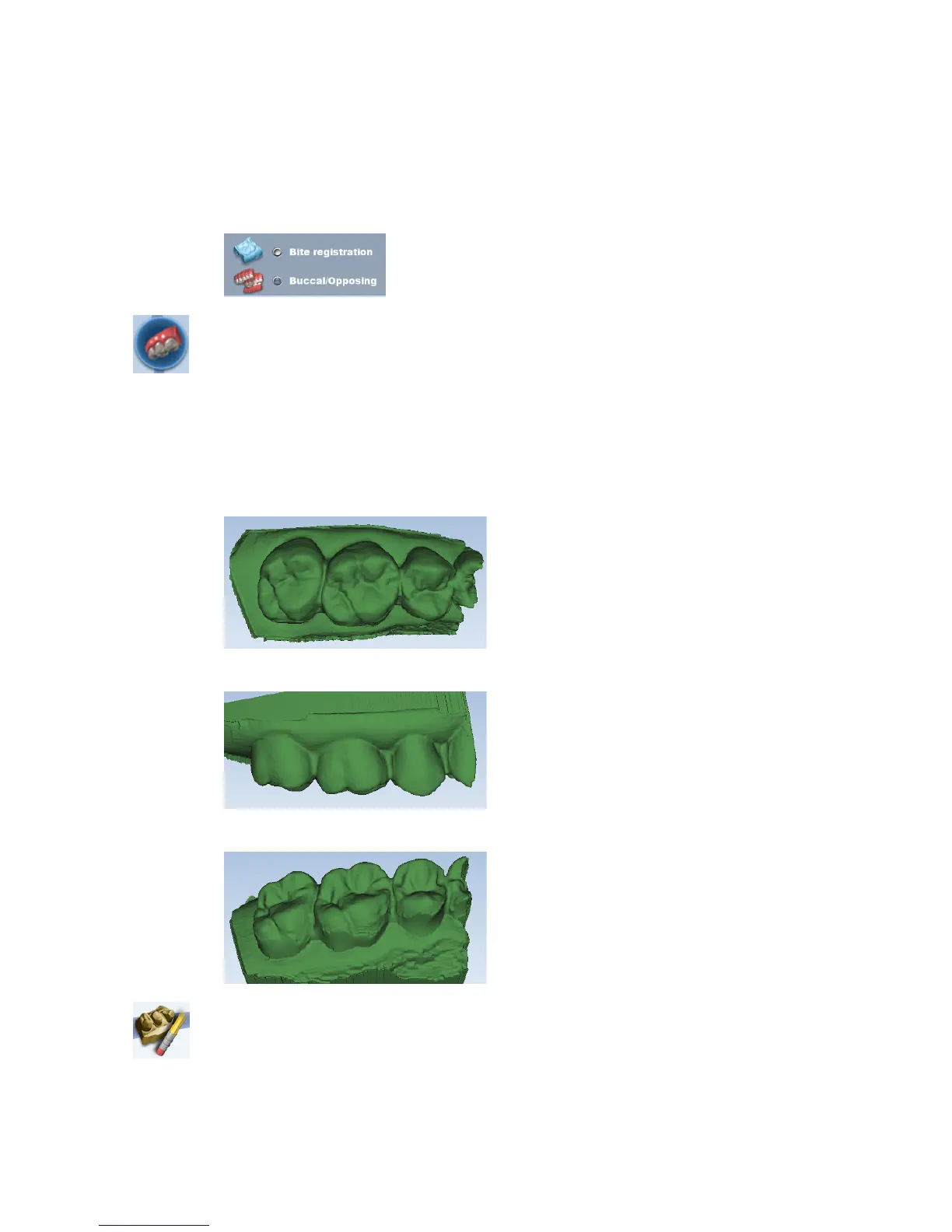
Your model should resemble the following:
• Good occlusal data
• Good buccal data
• Good lingual cusps. Lingual axial data is not needed.
5 Erase extra data from the opposing model.
10828200.B Scanning 31














 To Next Page