Scanner Indicators
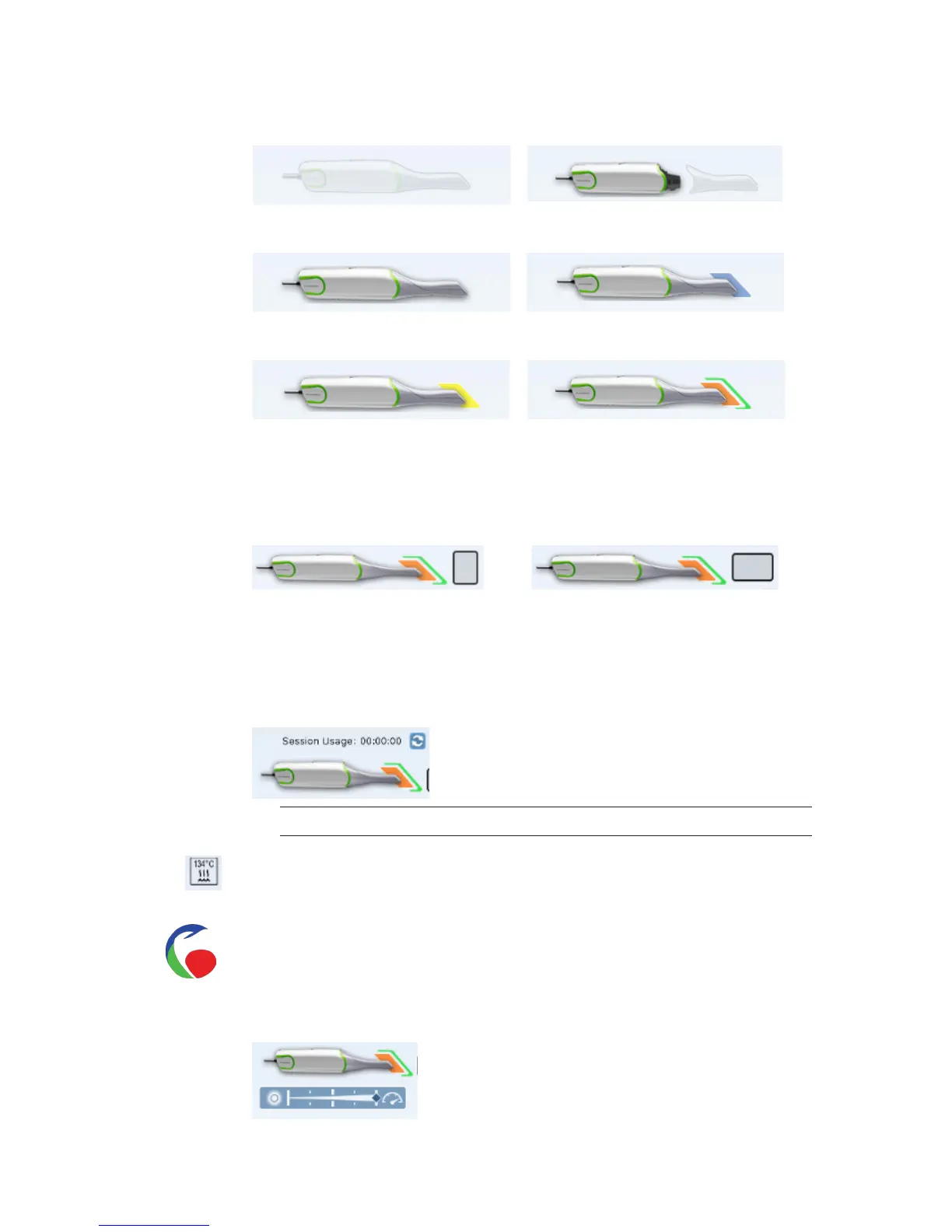
Icons in the lower-left corner of the screen indicate the status of the scanner.
Disconnected
Connected - Cold
Tip Disconnected
Heating - Stage 1
Heating - Stage 2
Ready
Portrait/Landscape Indicators
When a portrait or landscape tip is connected, an icon appears next to the scanner status.
Standard tips do not have an orientation icon.
Portrait Landscape
Session Usage
Session Usage is displayed above the scanner status icon and shows how long you have been
scanning on this particular case. This number refreshes each time the Scan tab is opened or
when you click the Refresh icon next to it.
Note: This feature is only available on new tips.
Autoclave Indicator
The autoclave symbol indicates that an autoclave tip is in use.
Color Indicator
The color symbol indicates that a color tip is in use.
Scanning Speed
The speed can be adjusted if desired. Left is slower, right is faster.
22 Scanning Planmeca PlanScan User Manual














 To Next Page