Planmeca Sovereign 95
INSTALLING THE PYLON AND ARM ACCESSORIES
Installation manual
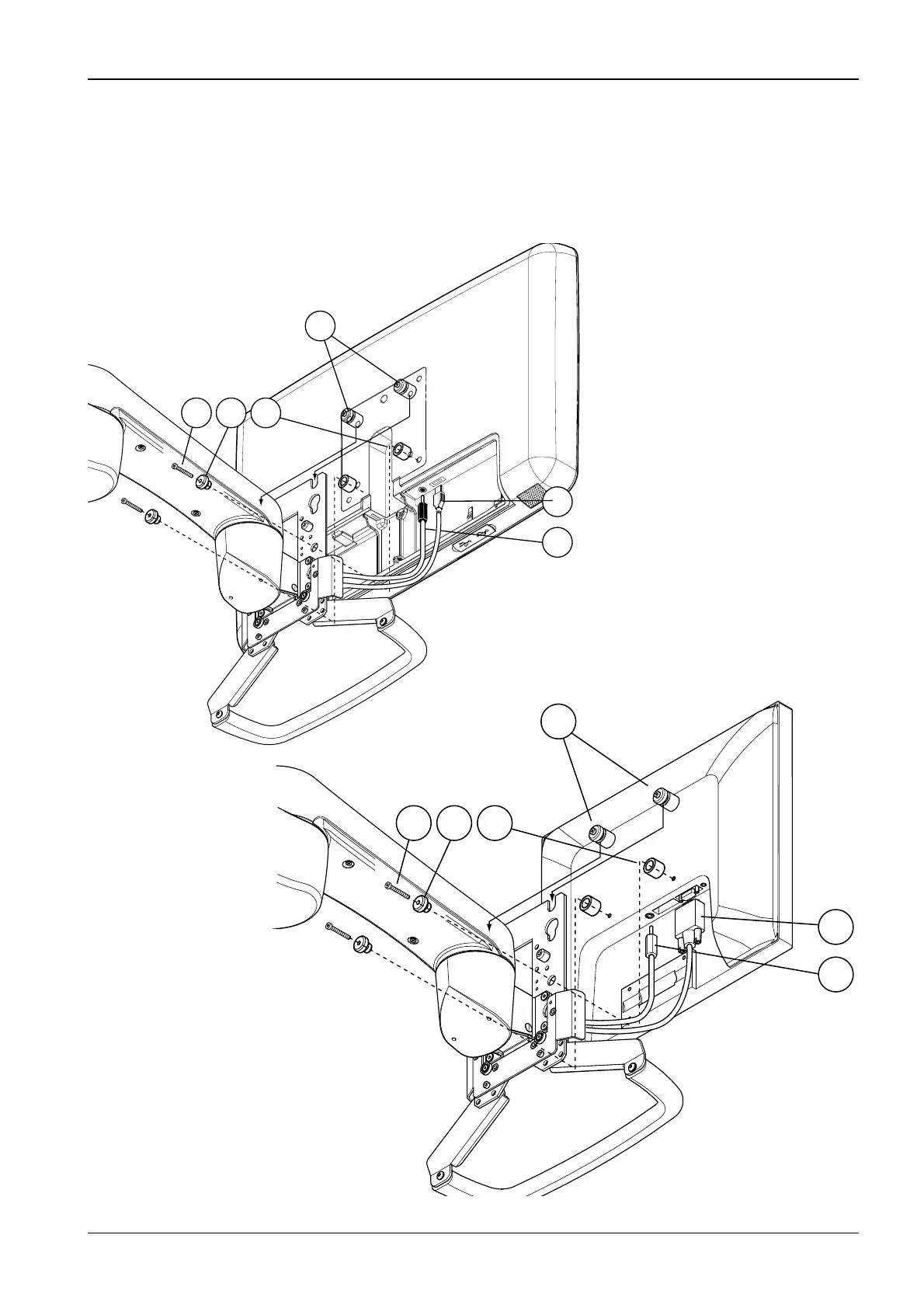
Bring the monitor near to the monitor arm and connect the monitor cables. Connect the VGA /
DisplayPort cable to the monitor connector (1). Connect the power adapter cable to the arm
power cable. Connect the power adapter cable to the monitor connector (2).
Attach the upper monitor attachment bushings tentatively to the monitor using a 3 mm Allen
key. Lift the monitor to its position so that the upper attachment bushings go into the
attachment plate grooves (3). Attach the lower attachment bushings to the monitor as shown
on the figure below (4,5 and 6). Tighten the attachment screws of the upper bushings.
1
2
3
4 5 6
S150.eps
1
2
3
4 5 6
Planmeca white monitor
Planmeca Vision monitor












 To Next Page