16
User Interface
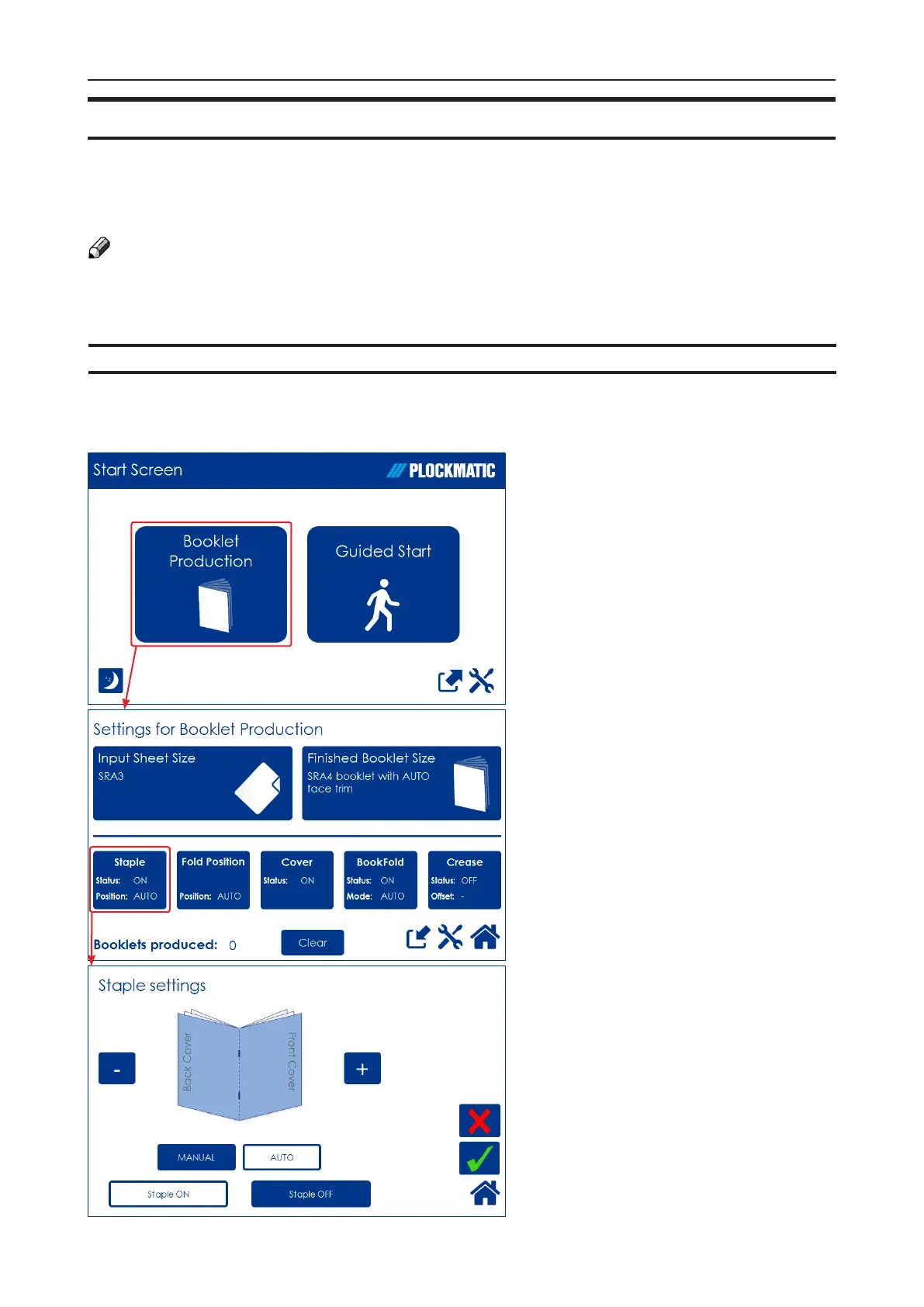
The Start Screen
When the system power is switched
on, the Start screen will be shown.
From here you can choose to set
up Booklet Production, perform a
Guided Start, retrieve stored jobs or
access the General System Settings.
Settings for Booklet Production
Pressing the [Booklet Production]
button in the Start Screen opens
the Settings for Booklet Production
screen. From here you can reach all
detailed settings for setting up the job.
A counter shows the number of
booklets produced. Clear will reset.
Detailed Settings
Pressing, for example, the [Staple]
button in the Settings for Booklet
Production screen opens the Staple
settings screen. Here you can
perform detailed settings concerning
stapling. Explore this and other
settings more thoroughly in section 2,
“Making Booklets.”
The control panel is of touch screen type. Point at the screen and press the “button” to
reach the desired function or change the desired setting.
The Plockmatic BLM50 or BLM35 Production Booklet Maker System is controlled from a panel
located on the Booklet Maker. The control panel will allow you to set up, adjust and operate the
complete system. An optional “Alive logo” makes the state of system visible from a distance.
NOTE:
Depending on modules and features installed, the screen may look different from what you
see here. Some functions are greyed out or not visible at all and remaining buttons may
stretch to t the screen. This manual will most often show a fully congured system.
Control Panel



 To Next Page