39
2. Making Booklets
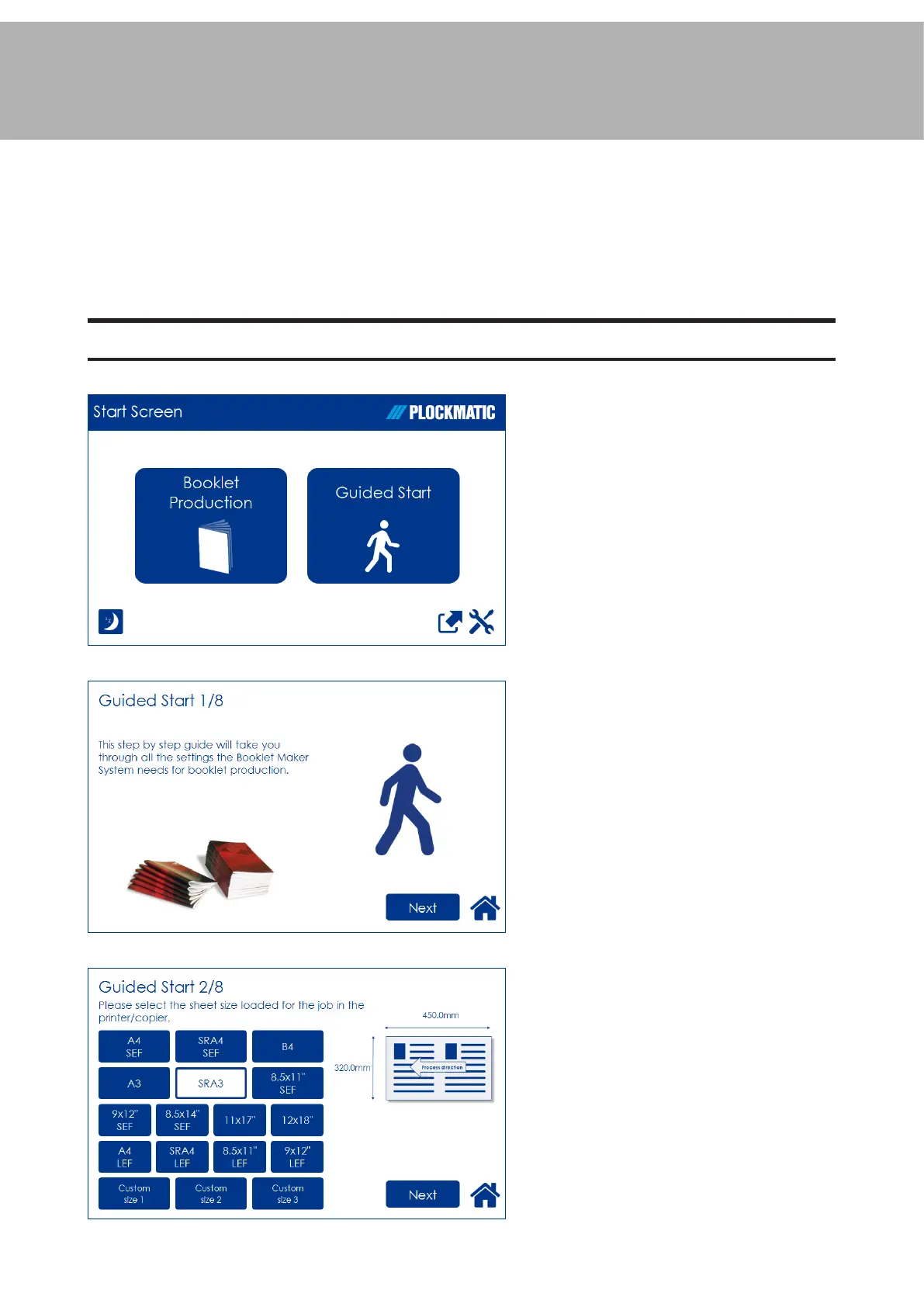
Guided Start
Guided Start is a function that takes you through all the basic settings the Booklet Maker
System needs to start booklet production in a few easy steps. Customizing settings and
ne adjustments are described later in this chapter.
Guided Start, step by step
Guided Start
Press the [Guided Start] button to
enter the Guided Start procedure.
Guided Start 1/8
This is the rst of up to 8 screens.
Depending on how the system is
congured and your selections
during this procedure, the number of
screens may be less than 8.
Conguration of the system also
affects the information shown and
button size will adapt to t screen.
To proceed from one screen to
another, press the [Next] button.
Guided Start 2/8
Select the sheet size loaded for the
job by pressing the corresponding
button.
For other sizes, follow “Custom sheet
size” described in section “Basic
Settings” below.



 To Next Page