47
2
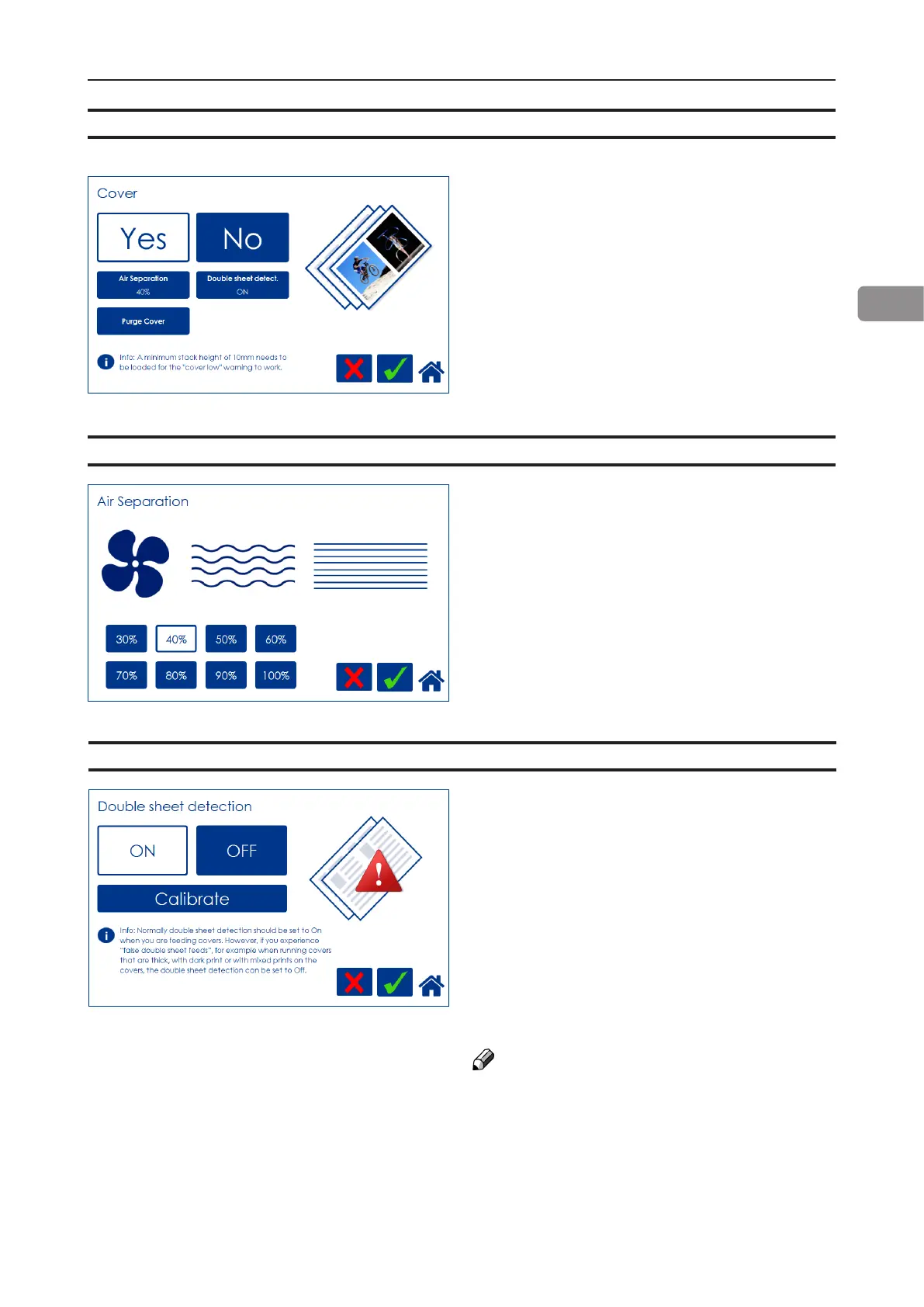
From the Settings for Booklet Production
screen, press the [Cover] button. Press the
[Yes] button and conrm by pressing the green
[check] button.
Air Separation
Cover
You may want to increase the Air ow when
running thick, heavy covers. From the Cover
screen, press the [Air separation] button.
Set the desired amount of air ow by pressing
the corresponding button and save setting by
pressing the green [check] button. Default set-
ting is 40%.
Double Sheet Detection
From the Cover screen, press the [Double
sheet detection] button.
Set the detection to On or Off by pressing
the corresponding button and save setting by
pressing the green [check] button.
Normally, double sheet detection should be set
to “On” when you are feeding covers. However,
if you experience “false double sheet feeds”,
for example when running covers that are thick,
with dark print or with mixed prints on the
covers, the double sheet detection can be set
to Off.
NOTE:
Misfeed detection will work regardless of how
Double Sheet detection is set.



 To Next Page