82
7
A
B
Maintaining Your Machines
Never attempt any maintenance function that is not specically described in this documentation.
The Feed rollers need to be cleaned regularly when in use, and if the unit has not been
used for a period of time. How often this should be done, depends on the paper type and
print quality.
An increasing number of misfeeds, or double feeds, is one indication of the need to clean
the Feed Rollers.
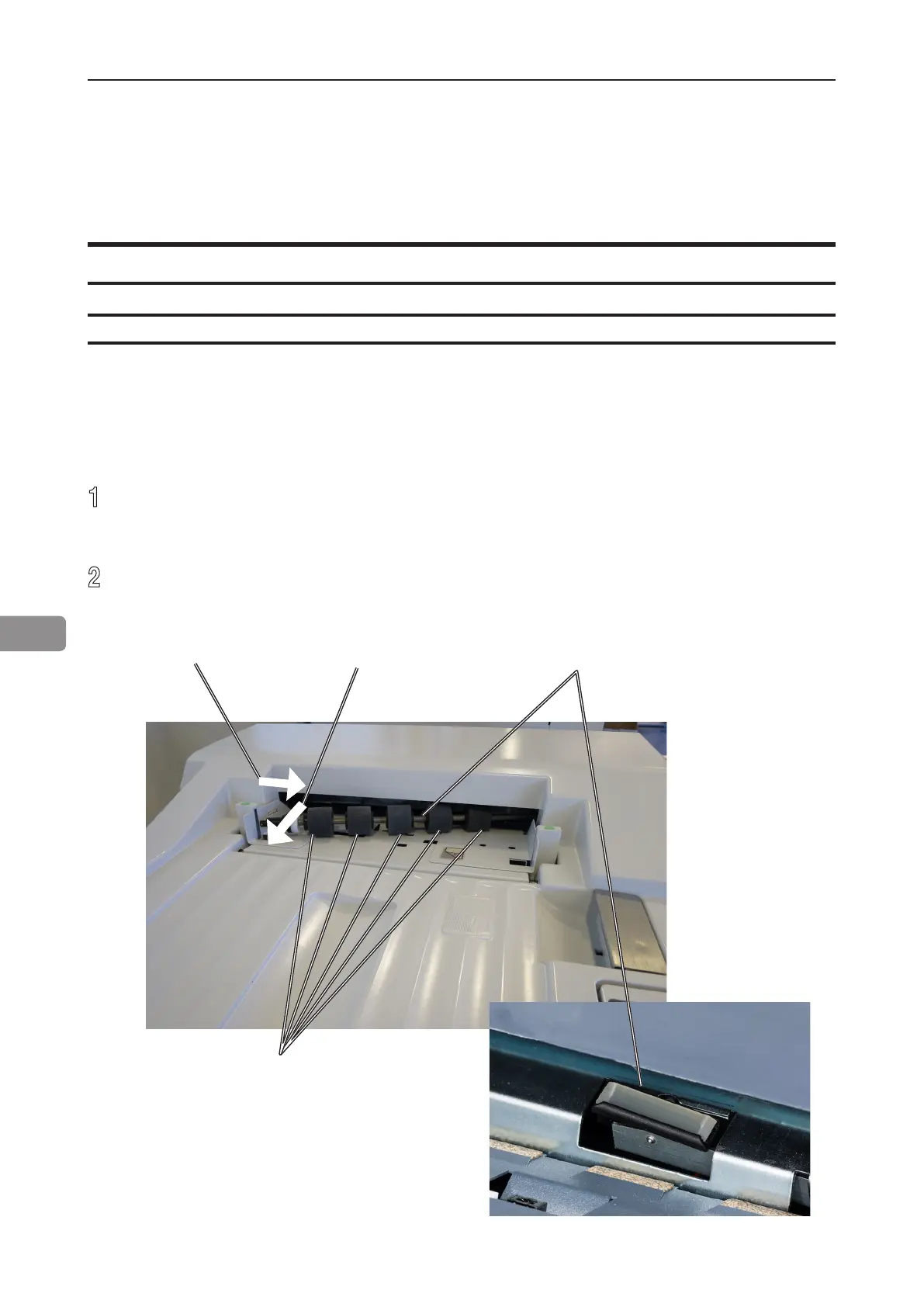
1
Remove the feed roller assembly by pressing it to the front of unit (A). The non
operator side end of the feed roller assembly will now be released (B) and the
assembly can be removed.
2
Clean the Feed rollers and the Paper separator pad with water and a clean lint free
cloth.
Cleaning feed rollers and paper separator pad
Cover Feeder
Feed rollers
Lift out this side
Paper separator pad
Press toward front.



 To Next Page