33
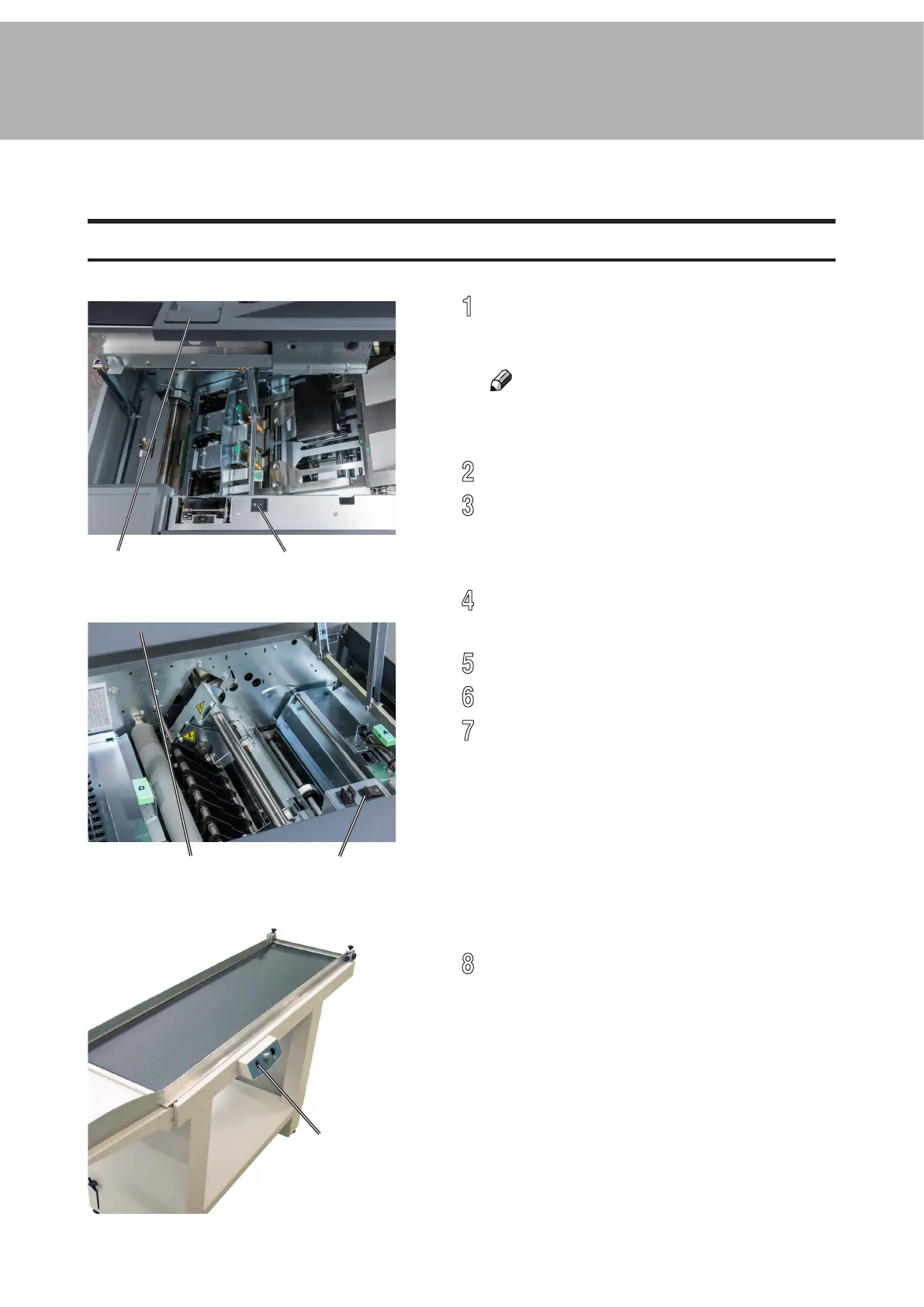
[A] [B]
[C] [D]
[E]
Turning On / Off the Main Power
RCT, Booklet Maker, BookFold Module, Trimmer & BST Module
1
Make sure that the Booklet Maker, RCT
module (optional) and BST power cords are
plugged into the wall outlet.
NOTE:
BookFold (optional) and/or Trim (optional)
Modules are both powered from the Booklet
Maker.
2
Open the Booklet Maker top cover [A].
3
Set main power switch [B] on Booklet Maker
to ON position. If a BookFold Module and
Trimmer are attached, they will be powered
on via the Booklet Maker main power switch.
4
Close the Booklet Maker top cover.
5
Open the top cover of the RCT [C].
6
Set the main power switch [D] to ON position.
7
Close the RCT top cover.
8
Set main power switch [E] on the BST
Module to ON position.
1. Basics



 To Next Page