52
2
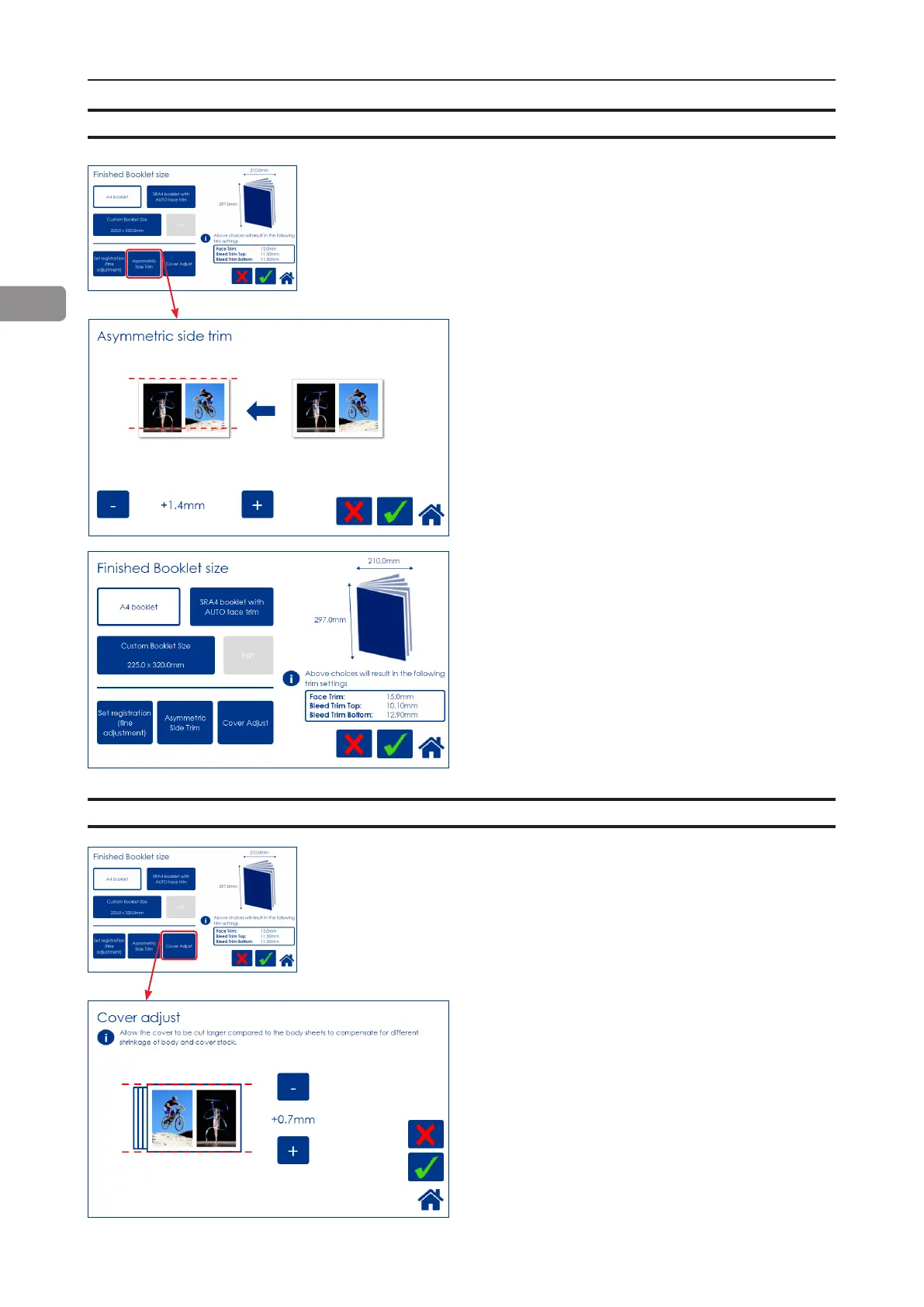
Bleed Trimmer - Asymmetric Side Trim
Choose Asymmetric Side Trim if you want to
offset the bleed trim. Move using the [+] and [-]
buttons and press the green [check] button to
save setting.
Settings as in the example above would result
in a booklet with trim settings shown in the im-
age to the left.
Bleed Trimmer - Cover Adjust
Choose Cover Adjust to compensate for different
shrinkage of body- and booklet cover stock. This
can occur under some conditions and can be
caused by different paper stocks shrinking due to
the heat and pressure of the fusing process.
Adjusting these settings can improve booklet
appearance, especially if the cover is dark and
the body sheets are bright.
The shown example will make the cover sheet
0.7mm bigger than the body stock.
From the Finished Booklet size screen, press
the [Asymetric Side Trim] button.
From the Finished Booklet size screen, press
the [Cover Adjust] button.



 To Next Page