TECHNICAL INFORMATION
Note: To help service personnel, take note of
operating conditions if a problem occurs. As an
example, note such things as weather (hot, cold,
wet, dry, snow, rain, etc.), driving conditions
such as driving up a grade or on a flat surface,
vehicle load, etc. Also take note of transmission
fluid level and temperature, air pressure and
other factors that can influence the diagnosis.
EATON TRANSMISSION FAULT CODES
Retrieve AutoShift fault codes by enabling the
system’s self-diagnostic mode or using a PC-
based service tool, such as the Service Ranger.
• Place the transmission in Neutral;
• Set the parking brake;
• Turn the ignition key to ON but do not start
the engine. If the engine is already running,
you may still retrieve codes, but do not
engage the starter if the engine stalls.
Retrieving Active Fault Codes
07044
To retrieve active codes, start with
the key/lever in the ON position.
Turn the key/lever OFF and ON
two times within five seconds
ending with the key/lever in the
ON position.
After five seconds, the service light begins
flashing two-
digit fault codes. If no codes are
active, the service light will flash code 25 (no
codes).
Observe the sequence of flashes on the service
light and record the codes. A one to two second
pau
se separates each stored code and the
sequence automatically repeats after all the
codes have been flashed.
Retrieving Inactive Fault Codes
07045
To retrieve inactive (intermittent)
codes, start with the key/lever in
the ON position. Turn the
key/lever OFF and ON four times
within five seconds ending with
the key/lever in the ON position.
After five seconds, the service light begins
flashing two-
digit fault codes. If no codes are
active, the service light will flash
codes).
Observe the sequence of flashes on the service
light and record the codes. A one to two second
pause separates each stored code and the
sequence automatically repeats after all the
codes have been flashed.
Clearing Fault Codes
The following procedure clears all inactive codes
from the ECU’s memory (active fault codes are
automatically cleared when the fault has been
corrected).
Note: PC-based tools such as Service Ranger
can be used to clear codes.
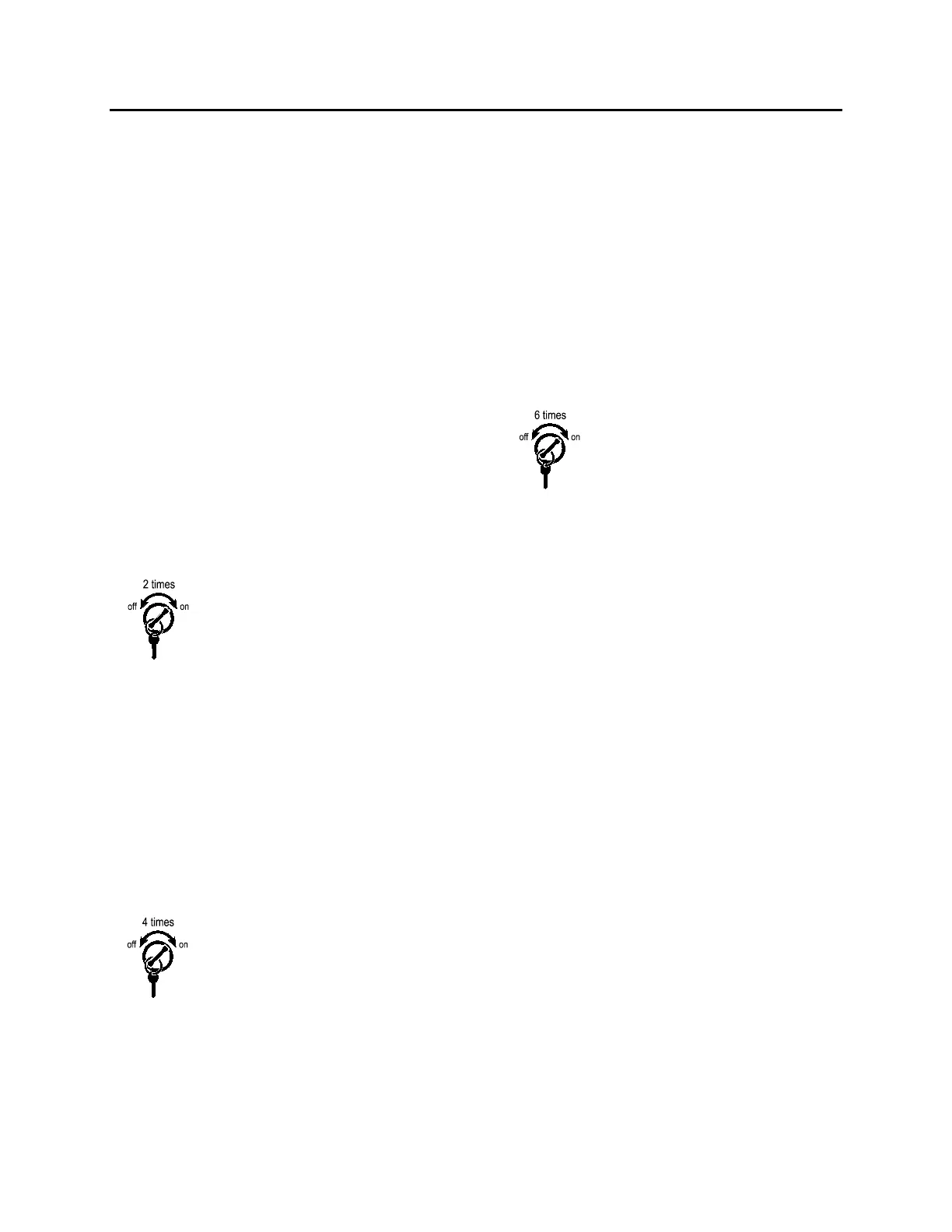
07046
To clear inactive codes, s
tart with
the key/lever in the ON position.
Turn the key/lever OFF and ON
six times within five seconds
ending with the key/lever in the
ON position.
If the codes have been successfully cleared, the
service light will come on and stay on for five
seconds.
Turn the key/lever to the OFF position and allow
the system to power down.
135



 To Next Page