CONTROLS AND INSTRUMENTS
Galley
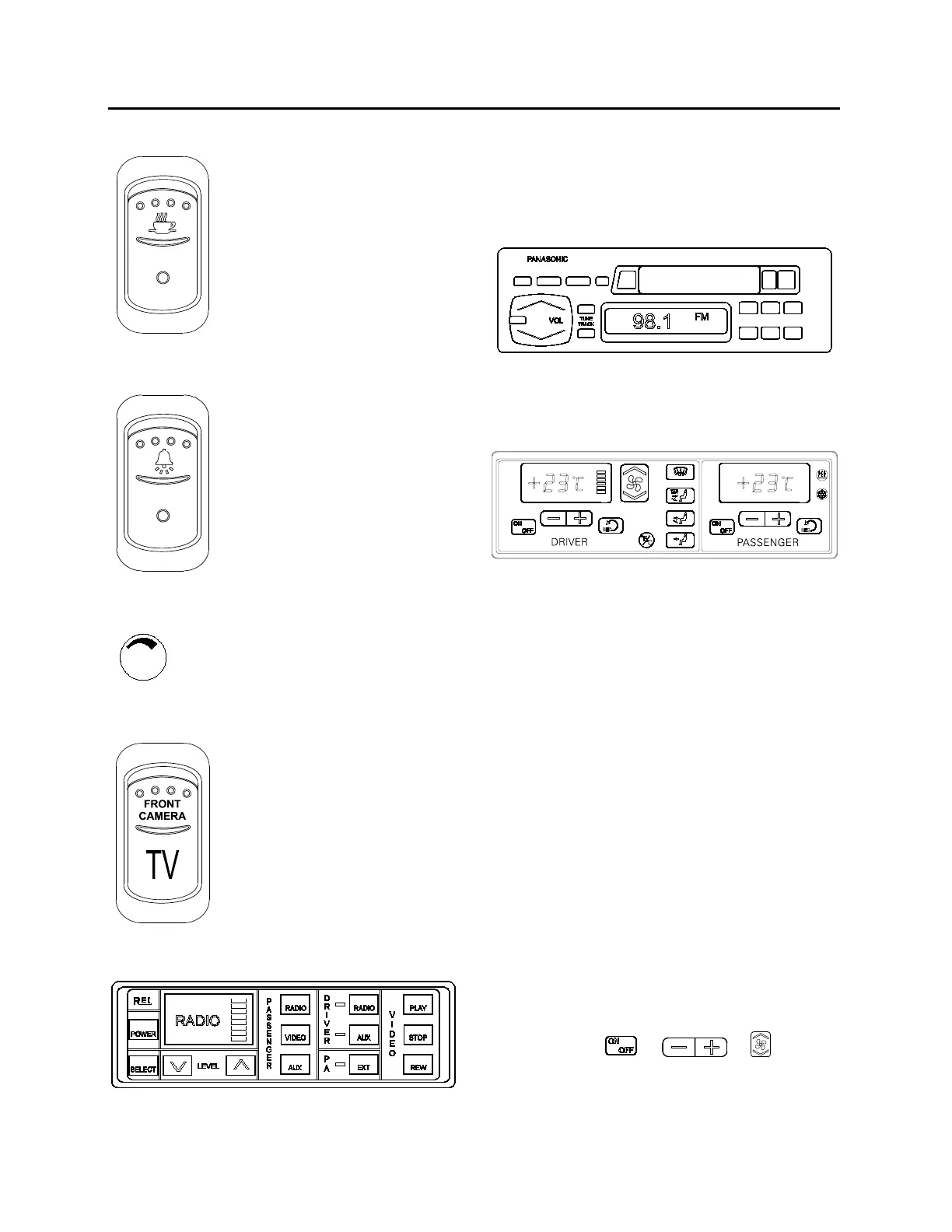
This switch activates the
optional galley’s electrical circuit.
Stop / Service Chime (Optional)
Press this switch to enable the
stop / service chime. Even
when the chime circuit is not
enabled, the buttons in the
overhead panels will illuminate if
depressed by the passengers.
Brightness Control
Adjusts the brightness
dashboard instruments and switches.
Front Camera (Optional)
Press this switch to turn ON the
forward looking camera and
display the road ahead on the
passenger TV monitors. When
the front camera is not enabled,
the TV circuit reverts to the VCR
output.
CONTROL HEAD
23070
The control head enables the driver to
independently control audio entertainment and
volume level in the passenger and driver’s areas.
The video cassette player, the P.A. system and
auxiliary systems, such as a DVD player are also
controlled by the control head panel.
RADIO
23178
Due to the availability of several radio brands,
refer to the manufacturers operating instructions.
HVAC CONTROL UNIT
22148
The vehicle is slightly pressurized by the central
HVAC system to prevent dust and moisture from
entering. Air flow and controls divide the vehicle
into two areas: driver’s area with defroster and
cabin area.
Fresh air is fed in each area and has a separate
return air and discharge air duct.
Note: To operate the air conditioning system
when stationary, run engine at fast idle. When the
system is running, keep windows and door
closed.
To prevent battery run-down, the central A/C and
heating systems will not operate if the charging
system is not working properly.
When the A/C system is running, park at least 4
feet (1,5 m) from other vehicles or buildings to
allow sufficient air flow through the condenser
core.
Separate driver and cabin heating, ventilation and
air conditioning controls are located on this panel.
To operate, the vehicle’s engine must be running.
The driver’s or the cabin’s units may be turned
ON by pressing
or or buttons.
All parameters set before turning the system OFF
will be kept in memory for the next power ON.
The HVAC module performs a self diagnosis
every time it is turned ON. Codes are shown on
36



 To Next Page