32
Chapter 3 Operational Procedures
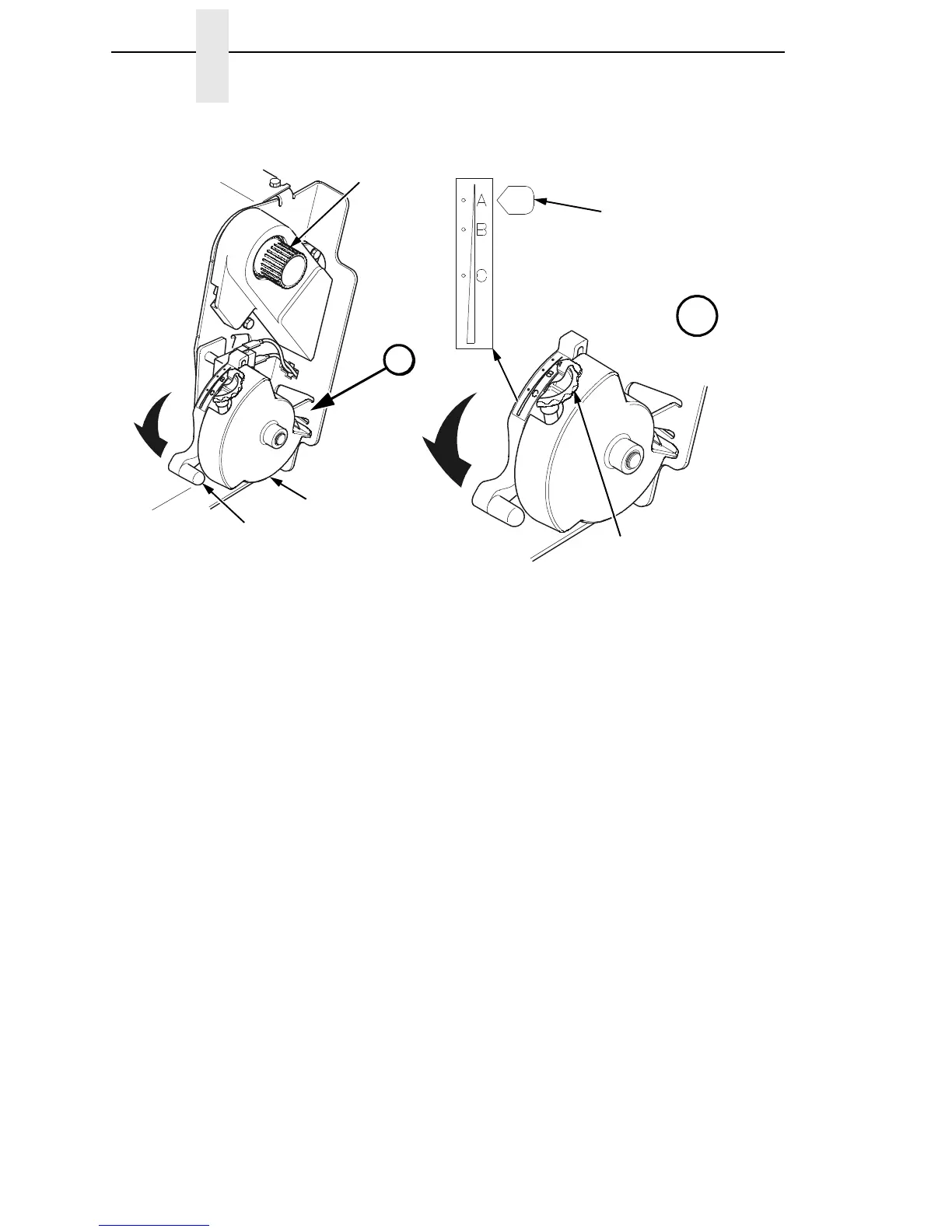
Figure 8. Setting the Platen Lever
9. Turn the platen stop knob clockwise or counterclockwise to match the
paper thickness. (The A-B-C scale corresponds approximately to 1-, 3-,
and 6-part paper thickness).
NOTE: If you are using the same thickness of paper, there is no need to
readjust.
10. Lower the platen lever until it stops.
11. Press ON LINE/CLEAR to remove the “LOAD PAPER” fault message
from the display.
12. Press PAPER ADVANCE several times to make sure the paper feeds
properly beyond the tractors and over the lower paper guide. Feed
sufficient paper to ensure the paper stacks correctly.
13. Close the printer top cover. Close the cabinet front door.
14. Press ON LINE/CLEAR to place the printer in online mode and resume
printing.
183445a
183444a
183446a
Platen Lever
Vertical Position
Knob
Platen Stop
Knob
A
A
Platen
Stop
Paper Thickness
Indicator













 To Next Page