Reload Paper
35
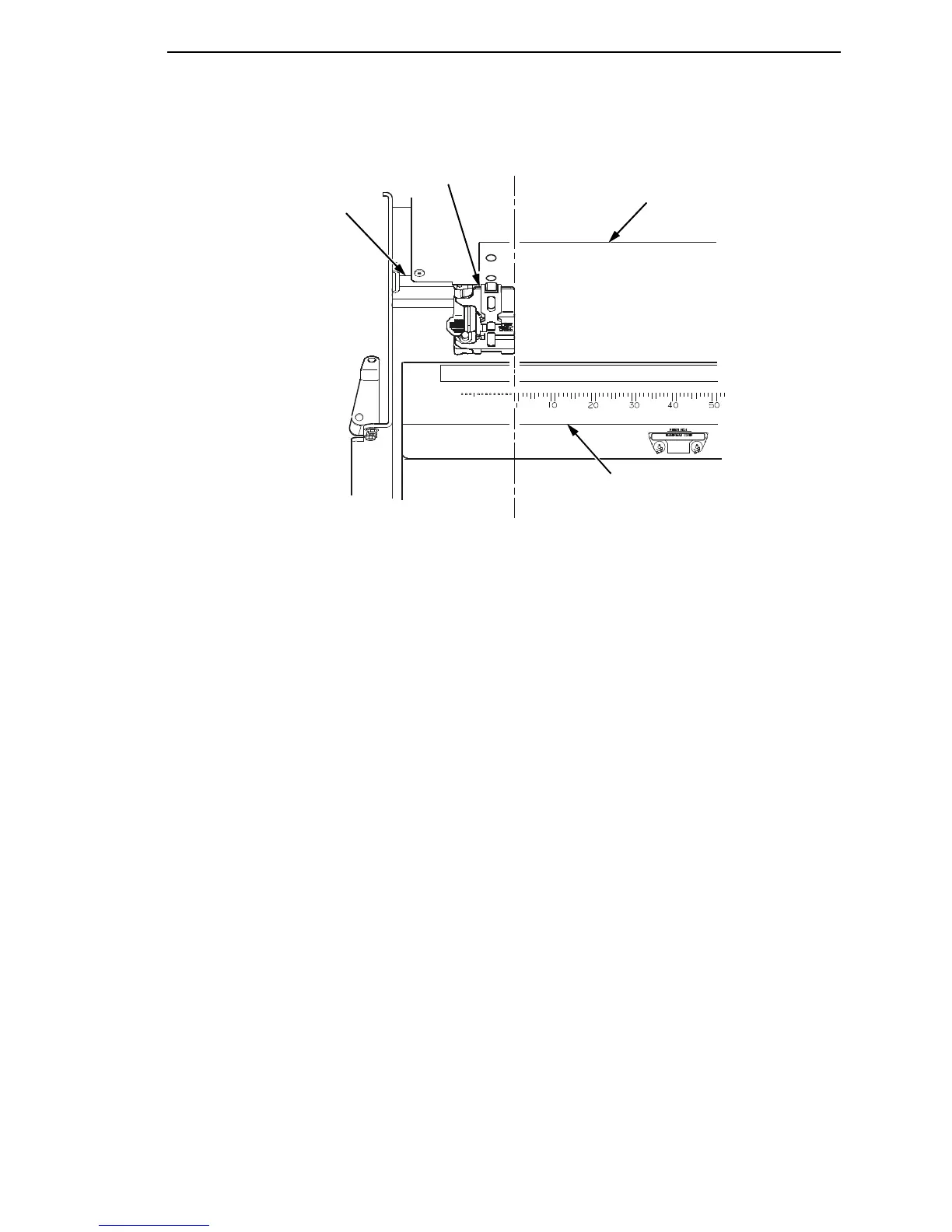
Figure 11. Positioning the Left Tractor to Avoid Damage
CAUTION
To avoid damage to the printer caused by printing on the platen, always
position the left tractor unit directly to the left of the “1” mark on the
paper scale.
21. Normally, you should not need to adjust the position of the left tractor.
If adjustment is necessary, unlock the left tractor. Slide the tractor until it
is directly to the left of the number “1” on the paper scale and lock it.
(You can also use the paper scale to count columns.)
183442a
Paper
Paper Scale
Tractor
Tractor
Splined Shaft













 To Next Page