34
Chapter 3 Operational Procedures
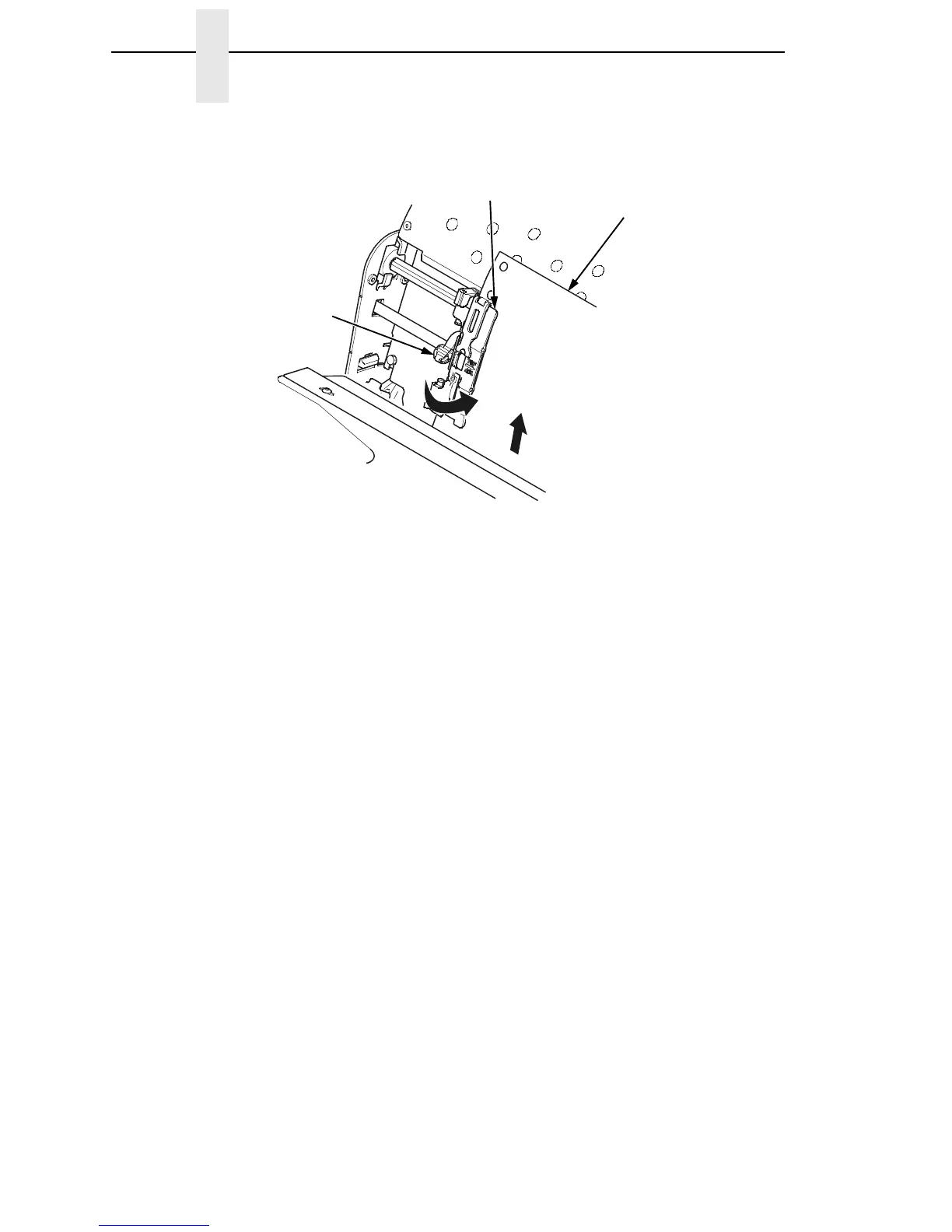
Figure 10. Loading Paper on the Left Tractor
18. Pull the paper above and behind the ribbon mask. See Figure 4 on
page 23 for the ribbon mask location.
19. Load the paper on the left tractor.
20. Close the tractor door.
183441a
Paper
Left Tractor Door
Left Tractor Lock













 To Next Page