Connecting WLAN
For the WLAN connection, you do not need to install or configure anything.
The WLAN adapter is already connected to the Priva Gateway’s USB port when the cabinet is delivered.
When the Priva Gateway is switched on, the WLAN adapter installs itself and the wireless network
is set up automatically.
After a restart of the Gateway, it may take a few minutes before the wireless network is
available.
Data for wireless network
PRIVADA-XXXXXXX
(or the name configured by the customer)
Network name
welcome@privaPassword
Factory settings for WLAN adapter
192.168.137.1IP address
255.255.255.0Subnet mask
EnabledDHCP
PRIVADA-XXXXXXXSSID
WPA2-PSKWLAN security protocol
Using the alarm output
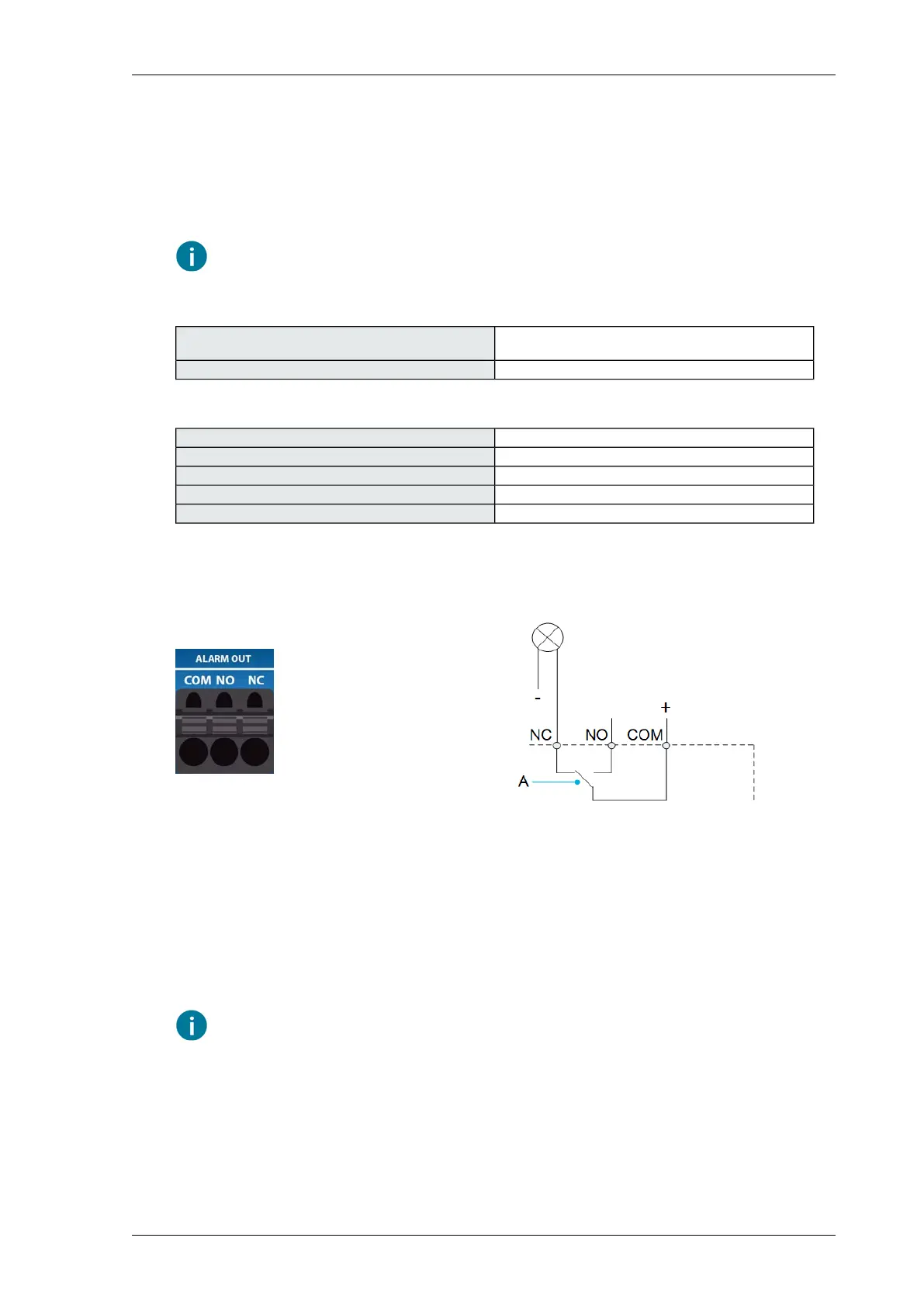
The alarm output is a relay that is controlled based on alarms within the network of controllers. This
alarm output is also activated if there are communication problems within the network. The
connection depends on the alarm reporter. The Normally Closed (NC) relay is generally used, and
is therefore open if there is no supply voltage or if there is an alarm.
Faults in the controller can be sent to the outside as alarm signals via the controller’s on-board alarm
output (A). This way, you are quickly informed about an active alarm or fault in the system by a lamp
or alarm dialer that is connected to the alarm output. The alarm signal stops when it is acknowledged.
Also when the alarm itself is no longer active, but was not acknowledged yet, the alarm signal remains
active until it is acknowledged.
The buzzer in the Compass control cabinet is connected to analog output 1. This output
switches synchronously with the alarm output.
21Installing Priva Compass - 00.014
Compass system installation steps



 To Next Page