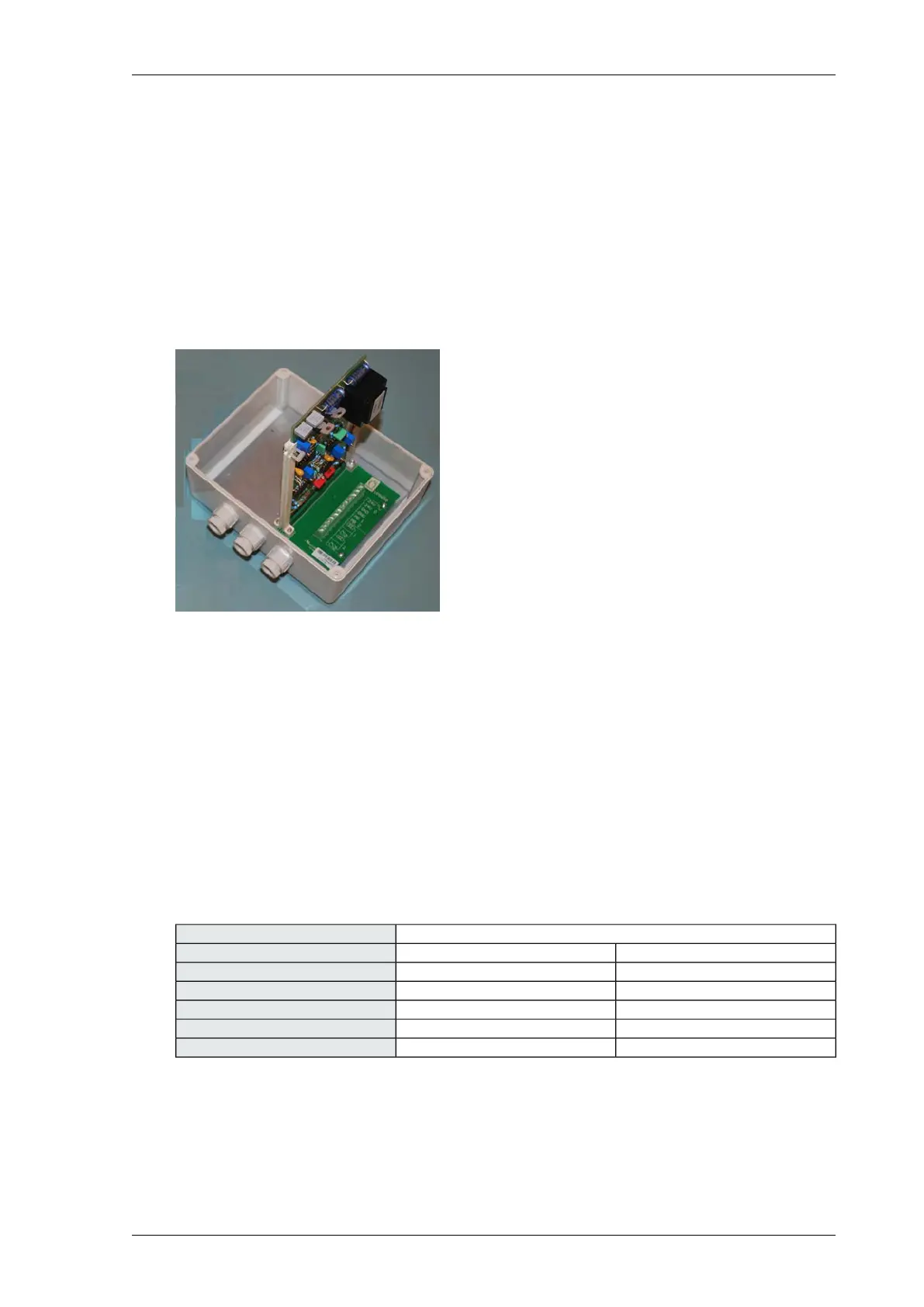
EC-DSS interface
Operation of EC-DSS interface
The EC-DSS interface allows you to connect EC sensors or drain sensor systems (DSS). You can
connect two EC sensors or drain sensor systems to one EC-DSS interface. The EC-DSS interface can
be expanded with a second EC interface board 8658 and connection board 9943 to enable you to
connect two more EC sensors or drain sensor systems.
Connecting the EC-DSS interface
1. Unscrew and open the interface.
2. Feed the cabling through the cable glands.
3. Connect the wiring of the EC sensor or DSS to the connector terminals of the interface. Use a
4-core shielded cable with cores of 0.34 mm² (diam. 0.64 mm).
4. Connect the wiring of a second EC sensor or DSS to the connector terminals of the interface.
Use a 4-core shielded cable with cores of 0.34 mm² (diam. 0.64 mm).
5. Connect the wiring of a universal input of the Priva Blue ID module to the connector terminals
of the interface. Use a 4-core shielded cable with cores of 0.8 mm (0.5 mm²).
6. Connect the wiring of the power supply to the connector terminals of the interface. Use a 2-core
shielded cable with cores of 0.8 mm (0.5 mm²).
7. Screw the interface closed.
EC cable to EC-DSS interface
EC-DSS interfaceEC cable
Measuring cell 2Measuring cell 1Core colour
3 (EC)6 (EC)White
2 (Common)5 (Common)Yellow
Do not connectDo not connectGrey
1 (Temperature)4 (Temperature)Green
2 (Common)5 (Common)Brown
91Installing Priva Compass - 00.014
EC-DSS interface



 To Next Page