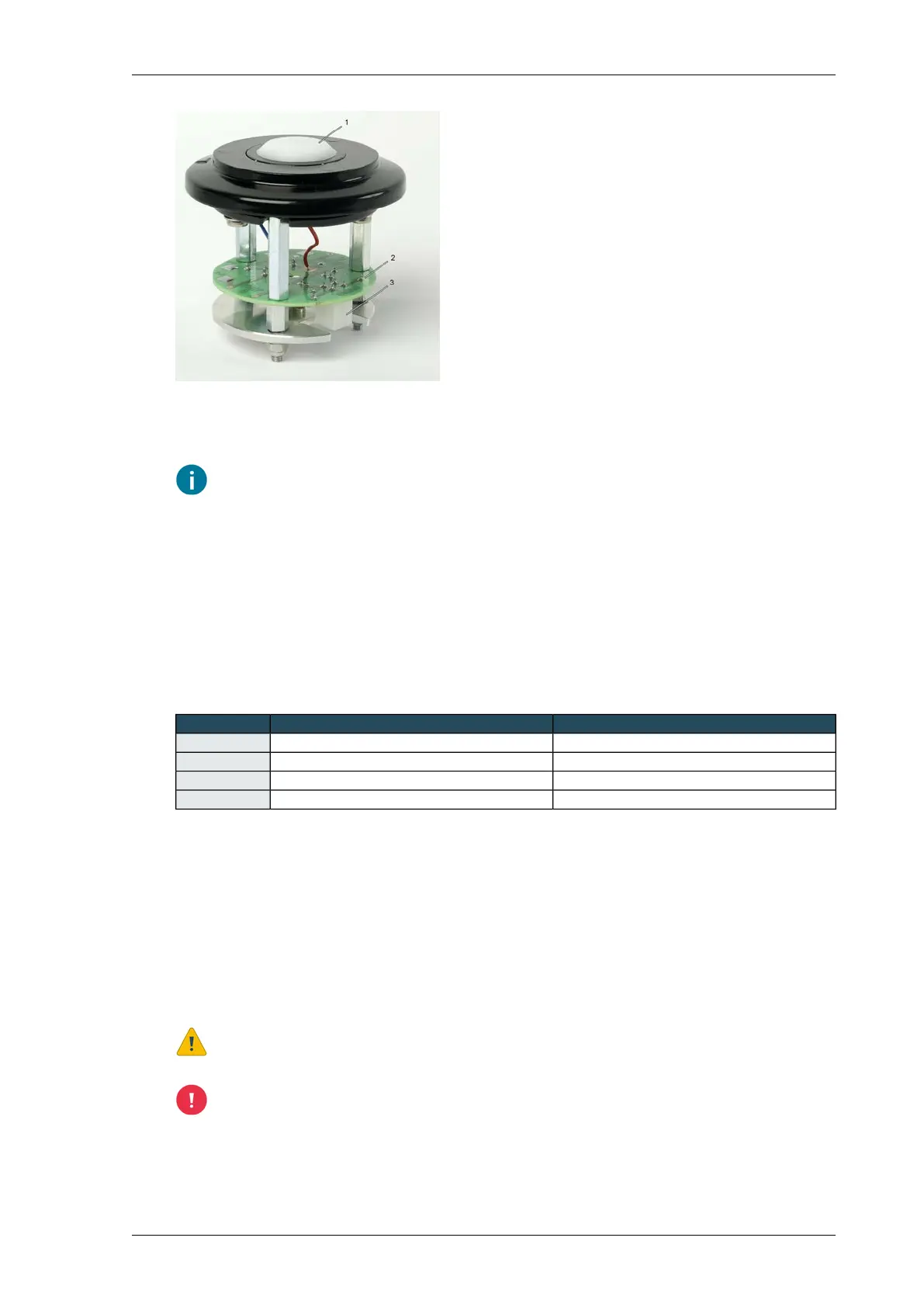
Interior of Linear light sensor
3. Connector1. Cap with photodiode
2. Printed circuit board (9583)
The Linear light sensor is supplied with a 10-metre shielded cable. It is recommended that
you do not shorten this cable when mounting the unit. Coil the remaining length of cable
or leave a loop; This ensures that the cable will not be too short in the event of eventual
extensions with supports and mast components.
Connecting
Linear light sensor LS2
1. Connect the Linear light sensor LS2 to a universal input of the Priva Blue ID hardware.
2. Connect the cable as shown in the table below.
ConnectionFunctionColour
24 VDCpower supplyWhite
0 VDCpower supplyBrown
UIsensor signalGreen
FGSensor GND (not electrically isolated)Yellow
Linear light sensor LSWI2
Connect the Linear light sensor to a universal input via the Meteorological station interface WI2. See
also Connecting sensors to the Weather interface WI2 (page 58).
Maintain linear light sensor
Clean the Linear light sensor's port at least once a year, or earlier if the Linear light sensor develops
measurement deviations. Clean the unit with a damp cloth and a little mild detergent if so required.
Do not use aggressive cleaning and/or abrasives!
Make sure that no moisture, dirt or dust enters the housing when opening the Linear light
sensor. This can negatively impact the measurement.
65Installing Priva Compass - 00.014
Linear light sensor LS2 and LS2WI



 To Next Page