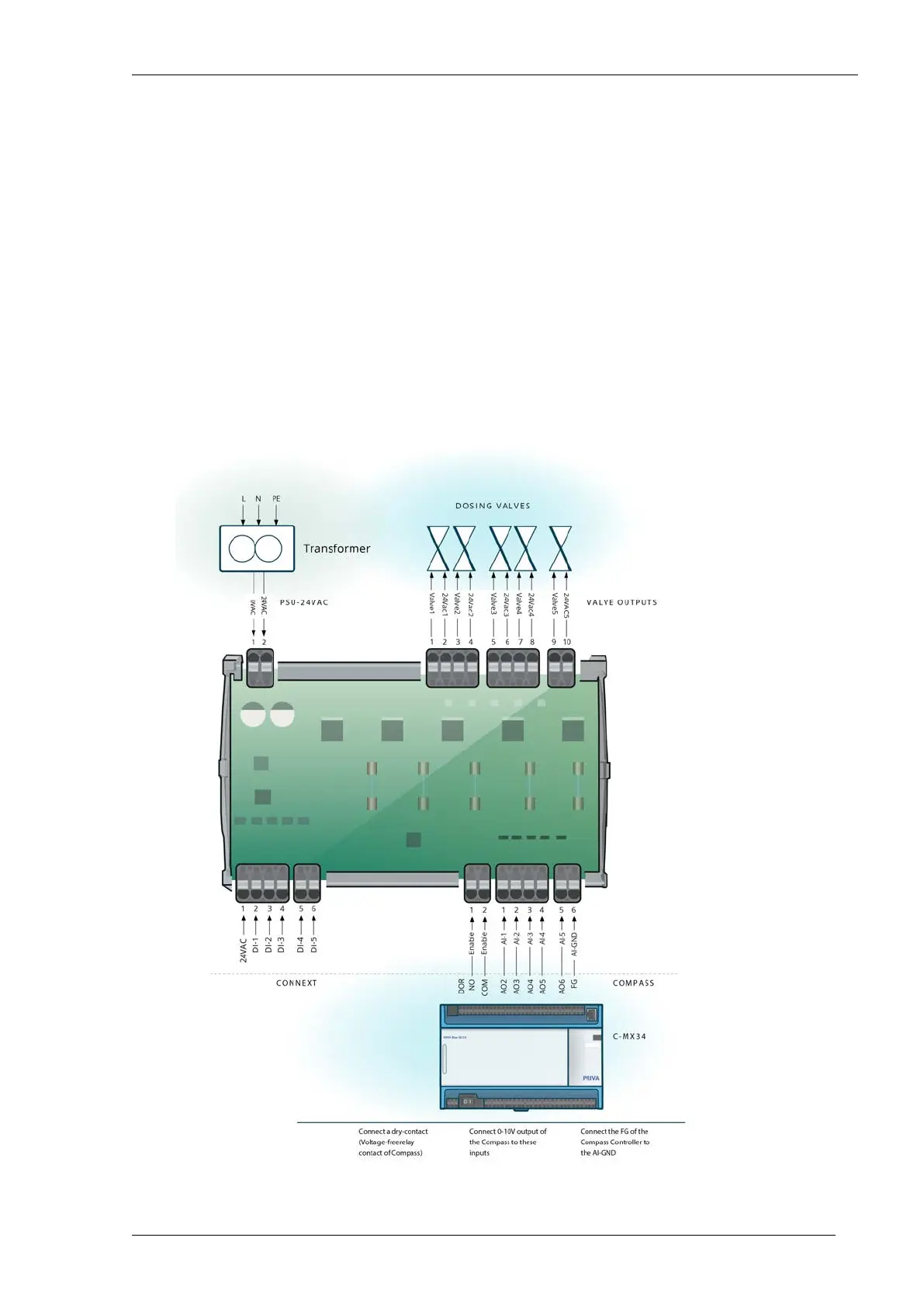
Connecting the Dosing Channel Driver
Position the Dosing Channel Driver close to the dosing channel. The cable from the TRIAC output of
the Dosing Channel Driver to the valve of the dosing channel may be no more than 10 metres long.
1. Use jumper J1 to set the interface for analogue inputs (Converter) for Compass. The jumper
must be open for the use of analogue inputs for Compass.
2. Connect the power supply to the connecting terminals (CN2) of the Dosing Channel Driver. Use
a 2-core shielded cable with cores of 1.4 mm (1.5 mm²).
3. Connect the wiring of the analogue output of the Priva Blue ID module to the connector terminals
(CN1) of the Dosing Channel Driver. Use a 6-core non-shielded cable with cores of 0.8 mm (0.5
mm²). The maximum cable length is 100 metres.
4. Connect the wiring to the 24 VAC TRIACs for the dosing channels to the connecting terminals
(CN7-9) of the Dosing Channel Driver. Use a 2-core non-shielded cable with cores of 0.75 mm.
The maximum cable length is 10 metres.
5. Connect the wiring of the relay output of the Priva Blue ID module to the Enable connector
terminals (CN5) of the interface. Use a 2-core non-shielded cable with cores of 0.8 mm (0.5 mm²).
The maximum cable length is 100 metres.
Installing Priva Compass - 00.01488
Priva



 To Next Page