40
AC Outlets Connections
The M80 features one Switched AC Outlet. It turns ON/OFF with
M80 power (ON/Standby). It can be used to control power on
a device that is to be turned on and o at the same time as the
M80. Devices with clocks and timers (DVR, TiVo, VCR) or that are
connected to the internet for updates, (Media Servers, Satellite
Receivers, Cable Boxes) should be connected to unswitched
outlets.
Only connect one device to the switched outlet. Be sure the
device draws less than 100W.
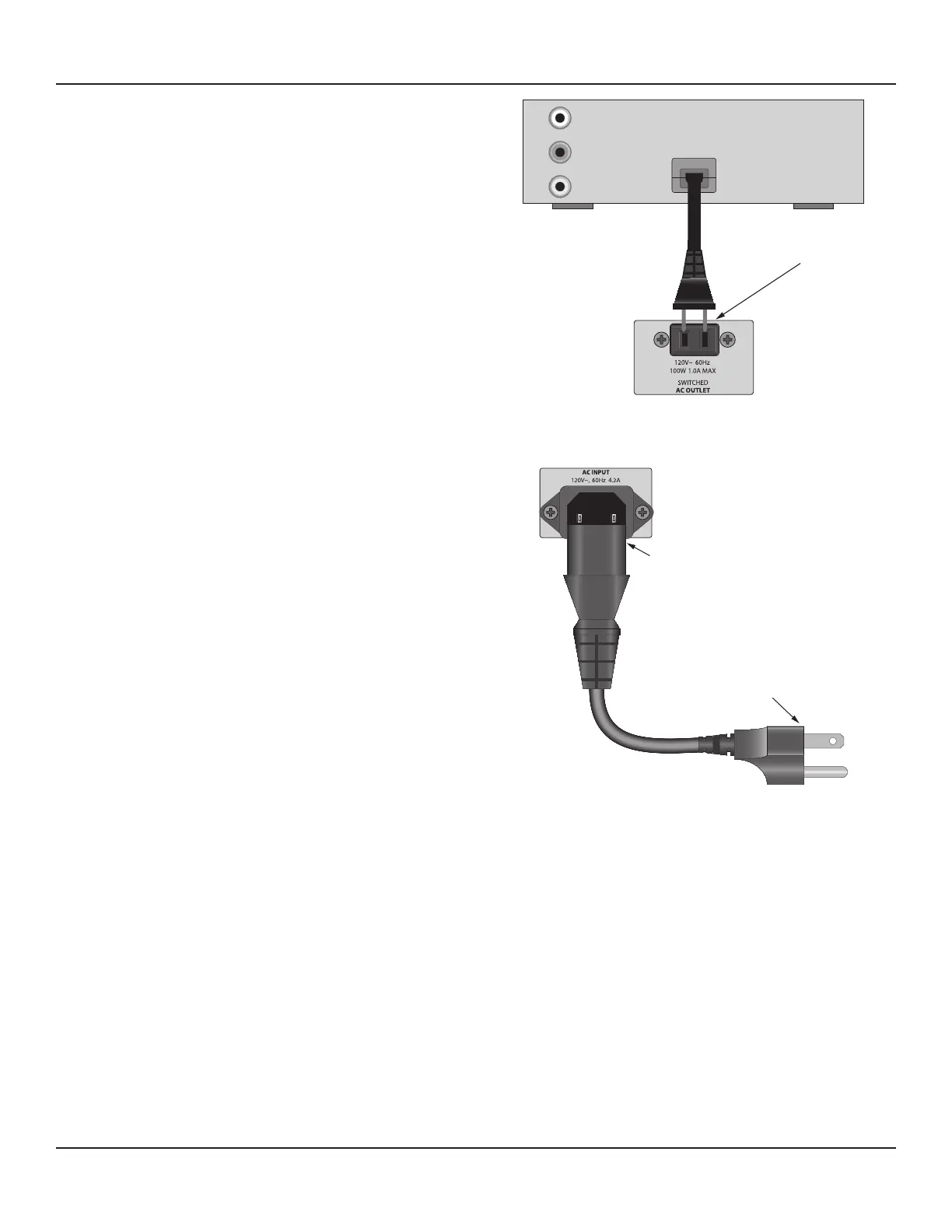
1. Connect the power cord for a ‘switched’ device to the AC
Outlet on the M80 Rear Panel as shown in Diagram 24.
2. Set the mechanical power switch on the ‘switched’ device to
the ON position.
AC Power Cord
1. After all connections have been made and conrmed, con-
nect the female IEC plug into the AC Input on the M80 Rear
Panel and then plug the AC power cord into an unswitched
110V AC outlet. Diagram 25
2. The ON/Standby button will illuminate red around the ON/
OFF button. The M80 is ready for action.
DVD PLAYER
V
L
R
OUT
Power Cord
From Source
To M80 Switched Outlet
Diagram 24 Switched Outlet Connections
M80
Connect to Unswitched
AC Outlet
Connect to
AC INPUT
Diagram 25 AC Power Cord Connections
CONNECTIONS



 To Next Page