84
OPERATING THE M80
DSP Options
When audio and video signals are input to the M80 they each
get processed in dierent sections of the M80 by dierent
processors. The amount of time it takes to process the audio
and video signals isn’t always the same. Additionally, the video
signal typically goes through some additional processing at
the Video Display. This can cause the audio and video to be out
of sync.
Lip Sync Delay
The Lip Sync setting compensates for the dierence
between the time the video image is displayed and the
audio outputs from the speakers. Since the video typically
trails the audio, Lip Sync allows up to a 120ms (0.12 sec-
onds) delay on the audio output to the speakers. Lip Sync
delays all speakers an equal amount so the delay (dis-
tance) settings congured in SmartEQ are not changed.
1. Press the Menu Button on the M80 Front Panel or M80
Remote. The OSD will appear on the Video Display.
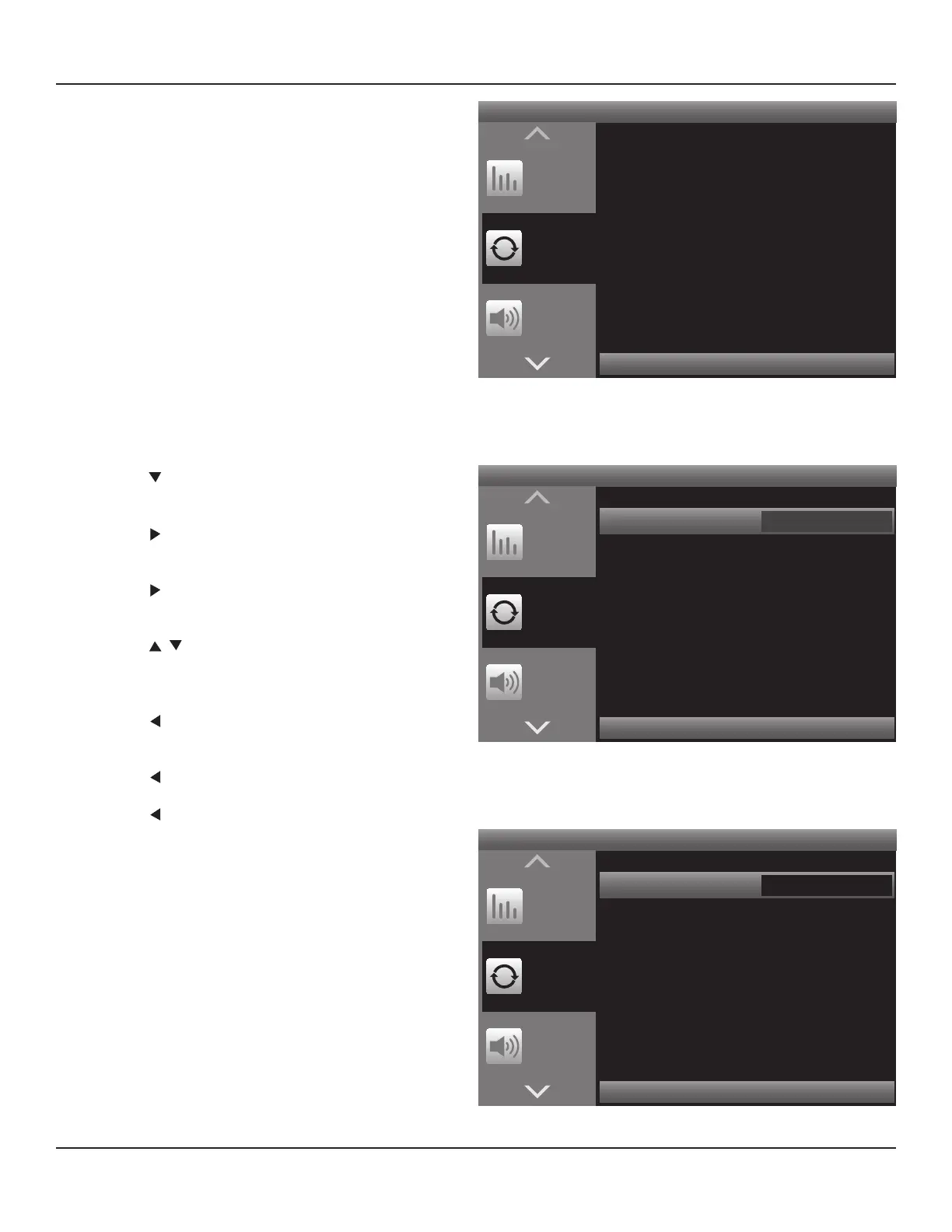
2. Press so DSP Options is highlighted in the OSD
Menu. Diagram 116
3. Press . The Lip Sync Delay line will be highlighted.
Diagram 117
4. Press . The Lip Sync Delay Window become active.
Diagram 118
5. Press to set Delay. (Adjust until the audio and
video on the video display are in sync. Voice (audio)
and lip movement (video) are good indicators.
6. Press so the Lip Sync Delay Window is no longer
active. The setting will save automatically.
10. Press to return to the OSD Menu.
11. Press or Menu to exit the OSD.
Press < to Return Press > to Advance
Tone
Controls
DSP
Options
Listening
Mode
Lip Sync Delay 0 ms
Diagram 117 OSD DSP Options - Lip Sync Highlight
Press < to Return Press > to Advance
Tone
Controls
DSP
Options
Listening
Mode
Lip Sync Delay 0 ms
< >
Diagram 118 OSD DSP Options - Lip Sync Select
Press < to Return Press > to Advance
Tone
Controls
DSP
Options
Listening
Mode
Lip Sync Delay 0 ms
Diagram 116 OSD DSP Options - Lip Sync
Video Setup
These settings will congure the video output from the M80
to the Main Room Video Display. Video Format sets the M80
video output resolution and Picture Setup sets the brightness,
contrast, color and lters. Diagram 119
See section: Video Setup starting on Page 58 for complete
Video Setup Instructions.



 To Next Page