User Manual
75
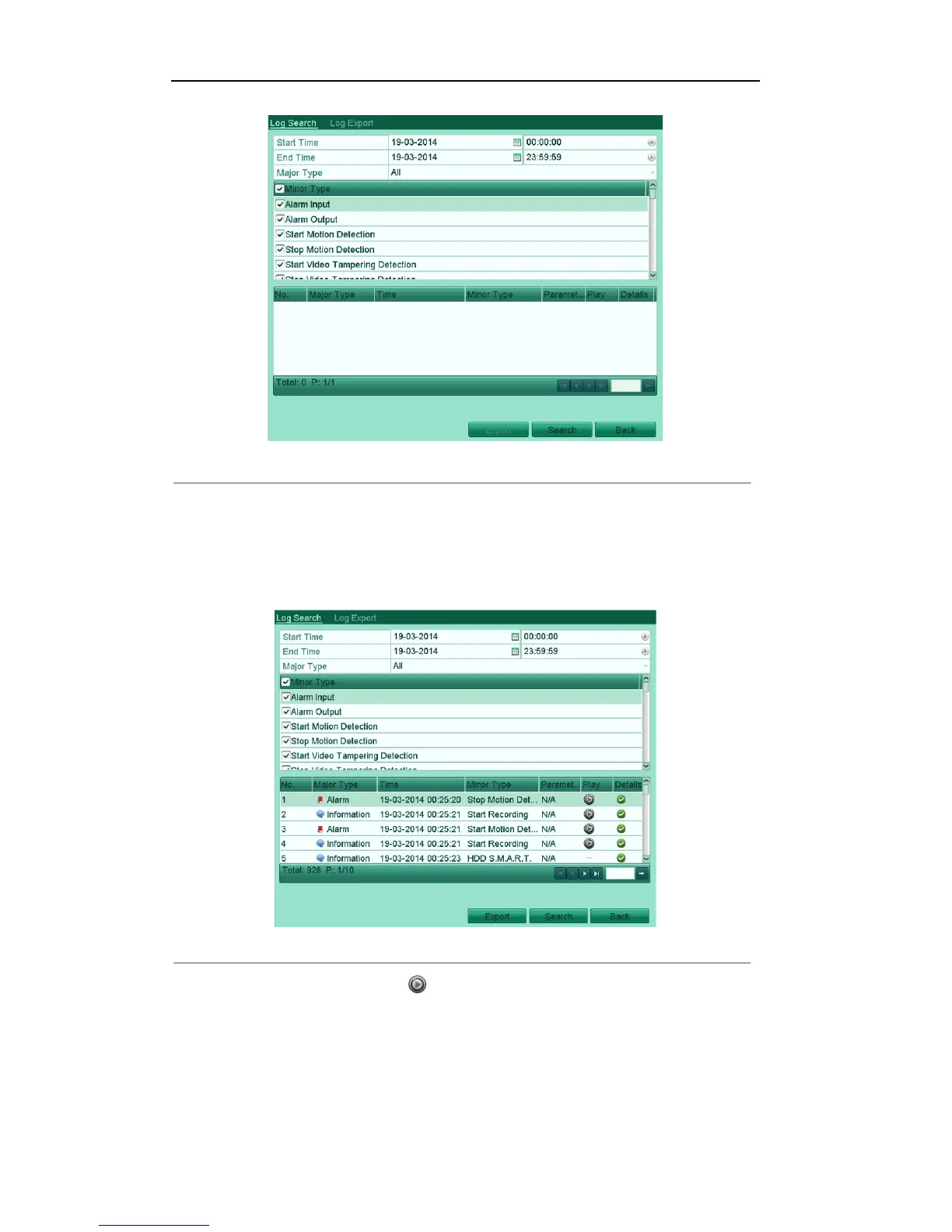
Figure'6.17'Log'Search'Interface'
'
2. Specify the start time and end time for search.
3. Select the major type of the log from the drop-down list. 4 major types are selectable: Alarm, Exception,
Operation and Information.
4. Check the checkboxes to select the minor type of the log for search.
5. Click Search, and the logs matching the search conditions will be displayed on a list.
Figure'6.18'Result'of'System'Log'Search
'
6. Select a log with record file and click button to enter Playback interface.
Note: If there is no record file at the time point of the log, the message box “No result found” will pop
up.



 To Next Page