User Manual
88
USB HDDs, USB writer) or SATA writer.
Steps:
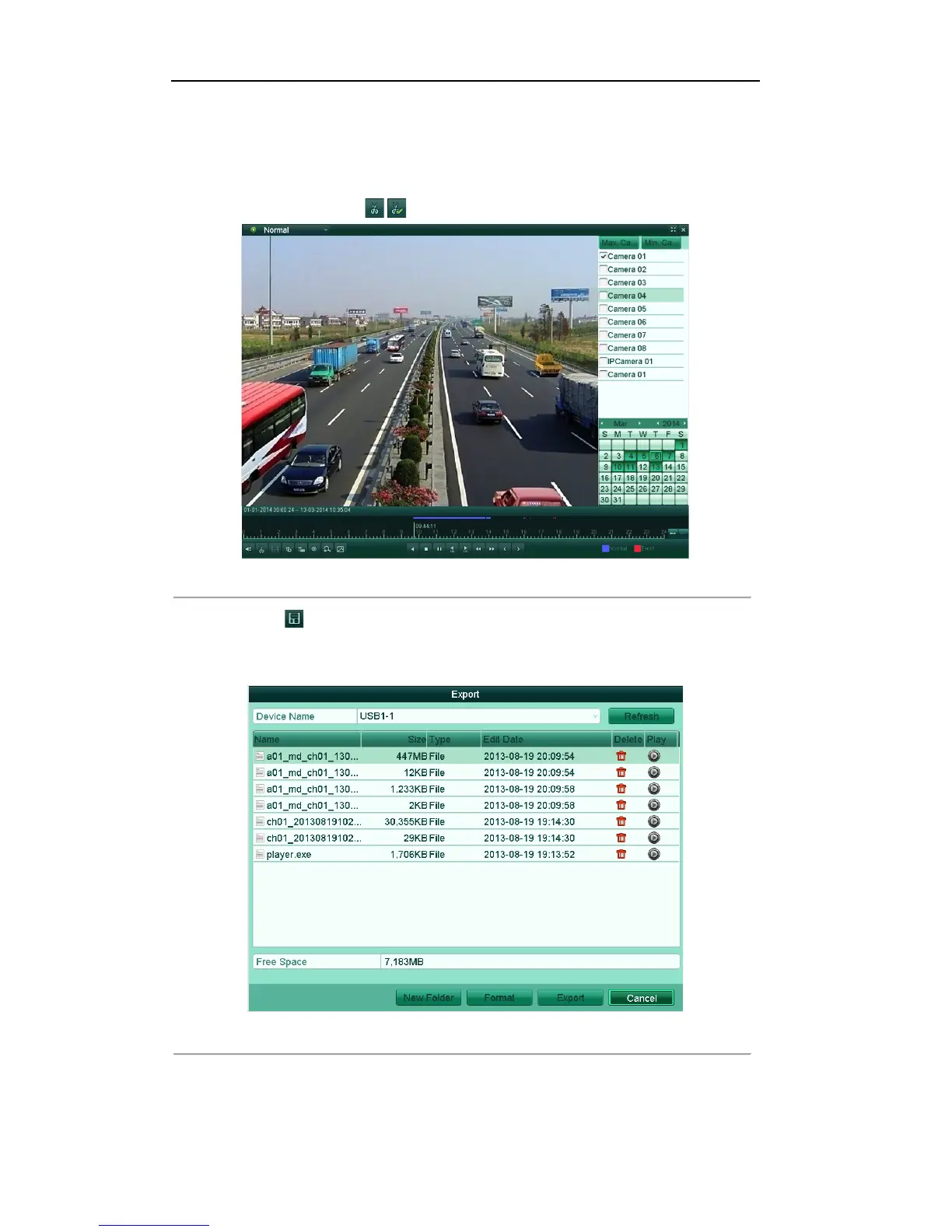
1. Enter Normal Playback/Event Playback/Tag Playback interface, and start the playback. For details, see
Chapter 6.1.2~Chapter 6.1.4.
2. During playback, use buttons / in the playback toolbar to start or stop clipping record file(s).
Figure'7.14'Interface'of'Playba ck'b y'Time
3. Click the icon to enter the Clips Export interface.
Note: A maximum of 1000 clips can be configured and saved.
4. Click the button Export to export the selected video clips to the backup device.
Figure'7.15'Export'Video'Clips'Using'USB'Flash'Drive



 To Next Page