AHD DVR User Manual
38
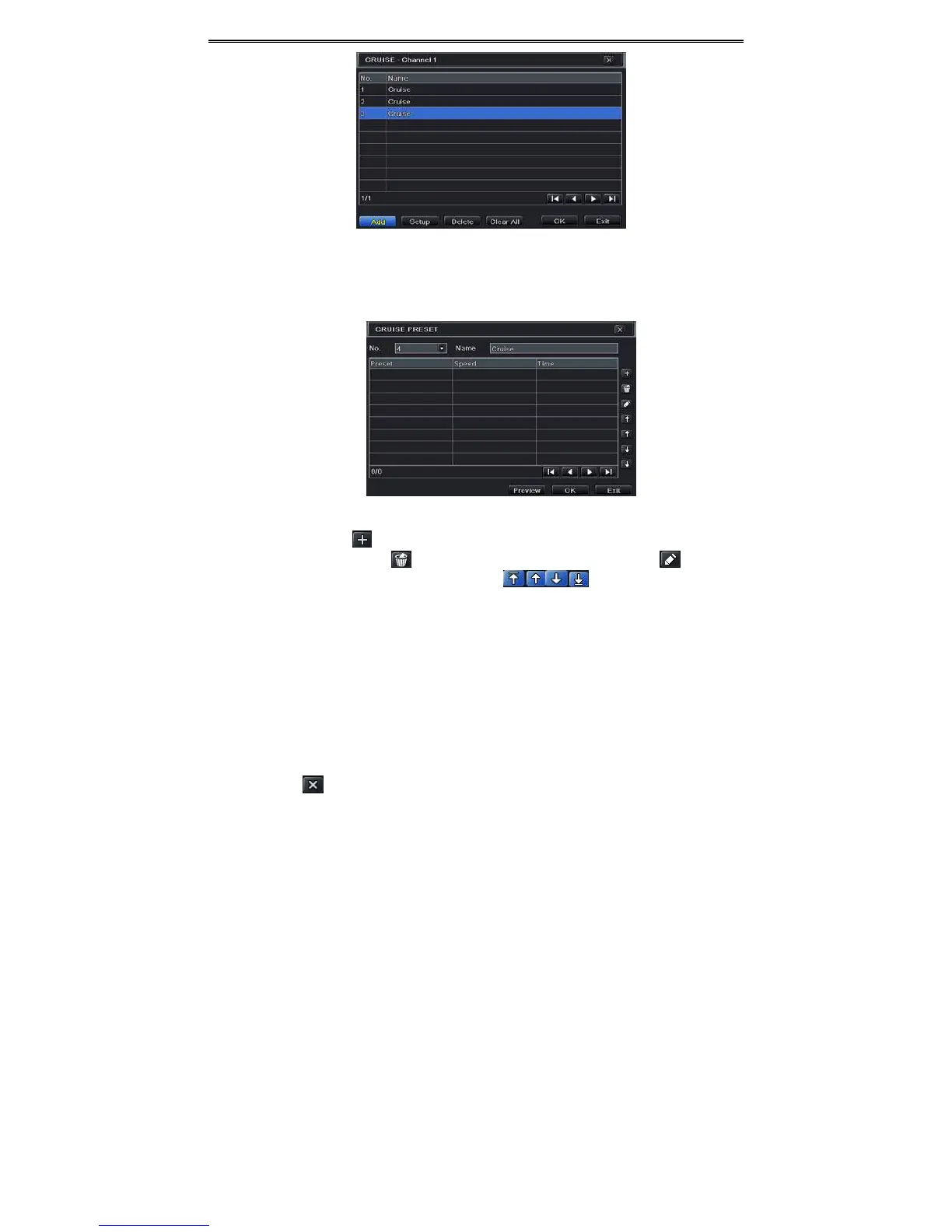
Fig4‐36Cruise Setting
② ClickAddbuttontoaddcruiselineinthelistbox(8cruiselinescanbeaddedatmost).
③ Selectacruiselineandclick“Setup”buttontoseeadialogboxasFig4‐37.
Fig4‐37ModifyingCruiseLine
④ ClickAddicontosetthespeedandtimeofpresetpoint.Selectapresetpointand
thenclickDeleteicontodeletethatpresetpoint.ClickModifyicontomodify
thesettingofapresetpoint.Usercanclickthoseiconstoadjustthe
positionofpresetpoint.ClickPreviewbuttontopreviewthecruiseline.ClickOKbutton
tosavethesetting.
Tosetuptrack:
① IntheAdvancedinterface,clicktrack“Setting”buttontoseeadialogboxasFig4‐38.
② Controlthedomebyrotatingup,upleft,down,rightdown,left,left
down,rightandup
rightandadjusttherotatespeedandthevalueofzoom,focusandirisofthedome.
③ ClickStartRecordbuttontorecordthemovetrackofPTZ.Clickthisbuttonagaintostop
record.
④ ClickStarttrackbuttontoplayrecordedtrack.Clickthisbuttonagaintostopplaying.
⑤ Clickicontoexitthecurrentinterface.



 To Next Page