2.2 Switch Installation
Installing the Switch Without the Rack
1. Install the Switch on a level surface that can safely support the weight of the Switch and its attached
cables. The Switch must have adequate space for ventilation and for accessing cable connectors.
2. Set the Switch on a flat surface and check for proper ventilation. Allow at least 5 cm (2 inches) on
each side of the Switch and 15 cm (6 inches) at the back for the power cable.
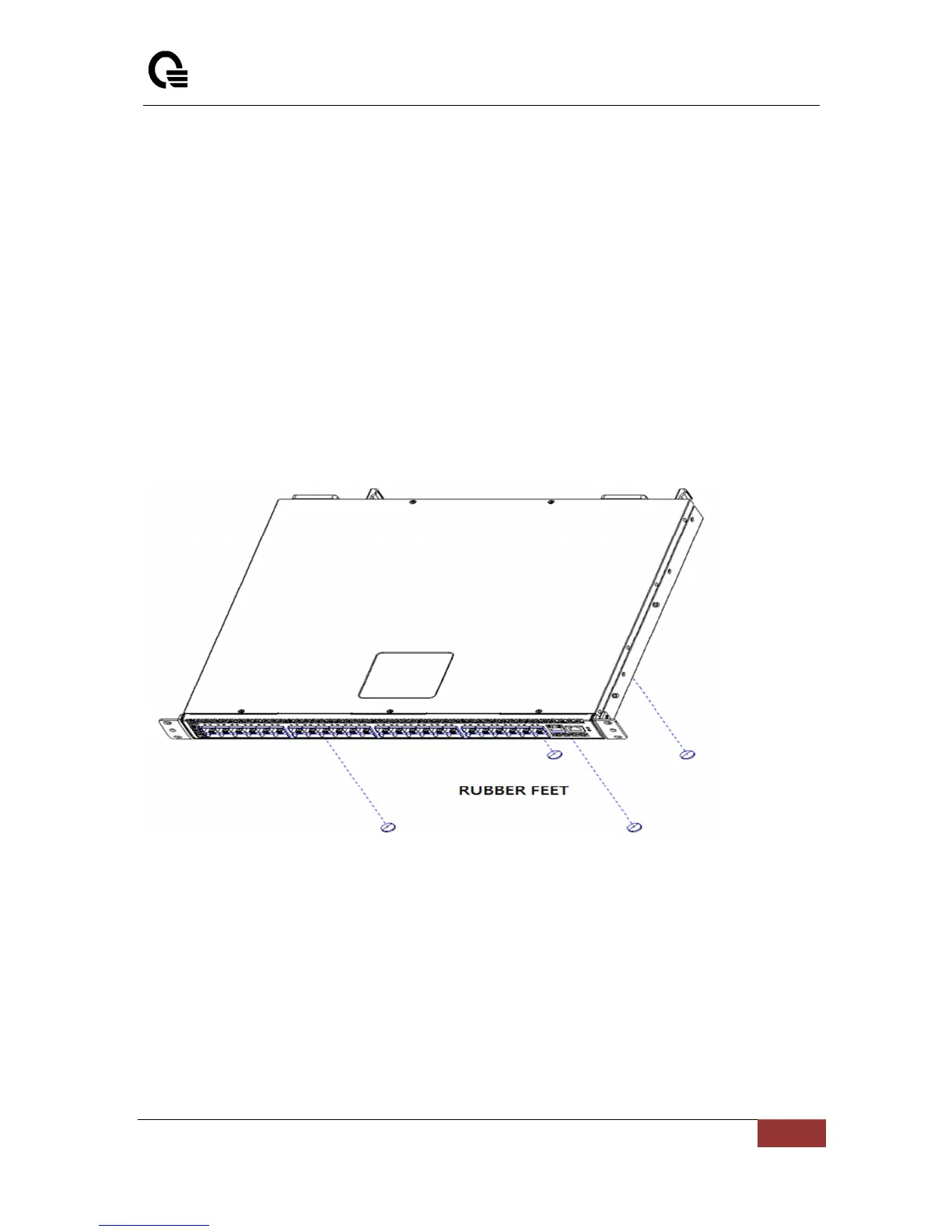
3. Attach the rubber feet on the marked locations on the bottom of the chassis.
The rubber feet are recommended to keep the unit from slipping.



 To Next Page