Setup Setting Up the Back Panel
CubiScan 110-T 6
13 mm wrench
1/8'' in Allen wrench
Bubble level
If any of the components or accessories are missing or defective, contact
Quantronix or your system integrator.
NOTE
A power strip (not included) is recommended for turning power off and on.
Setting Up the Back Panel
Take the following steps to attach the back panel and connect the sensor
cables.
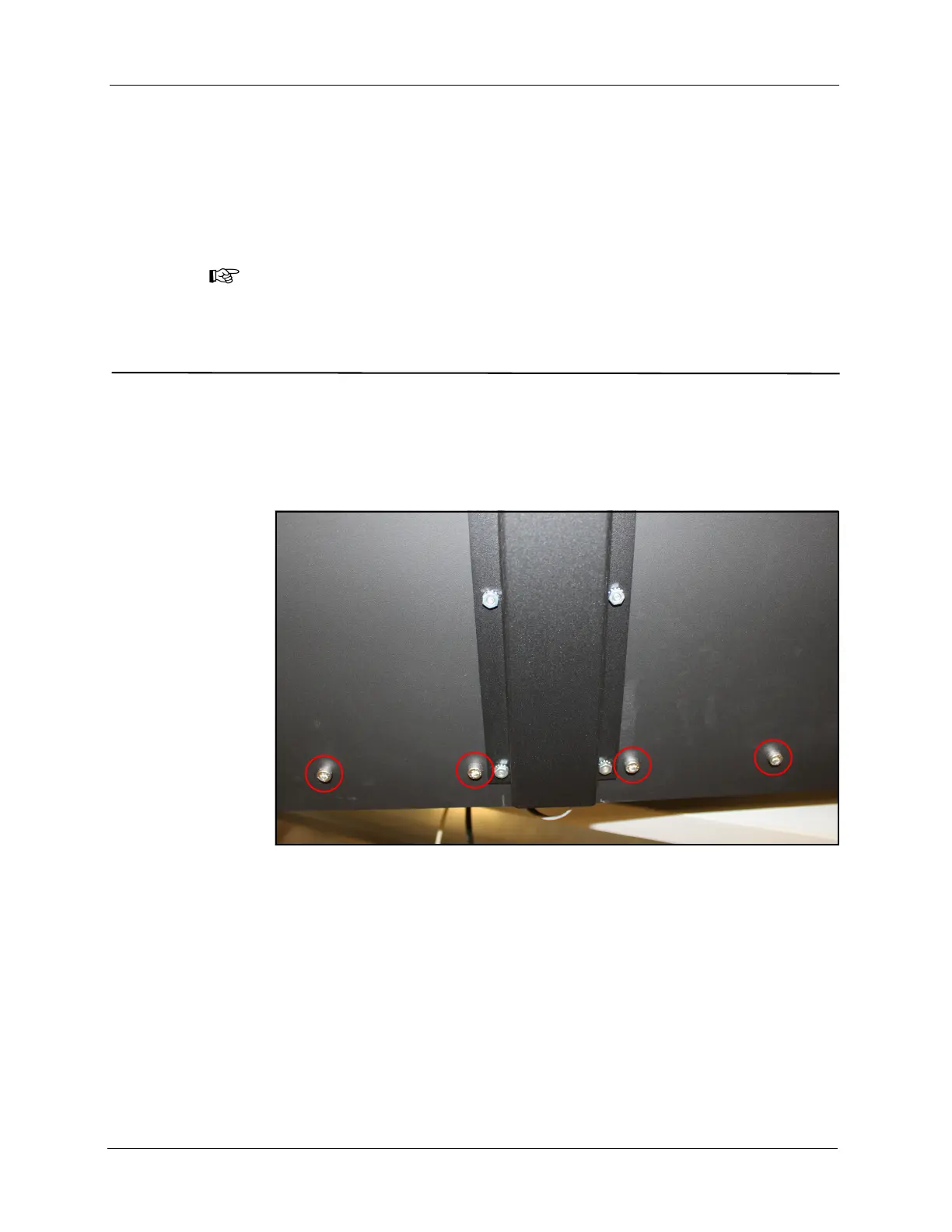
1. Remove the four screws from the back of the CubiScan 110-T.
2. Lift the back panel into its upright position, making sure not to
constrict the three sensor cables protruding from the back of the scale
plate.
3. Use the screws from step 1 to secure the back panel in its upright
position.
4. Insert the plug on each length sensor cable into its socket on the back
(at each end) of the CubiScan 110-T.
Figure 3
Back Panel Screws



 To Next Page