Configuration System Configuration
CubiScan 110-T 24
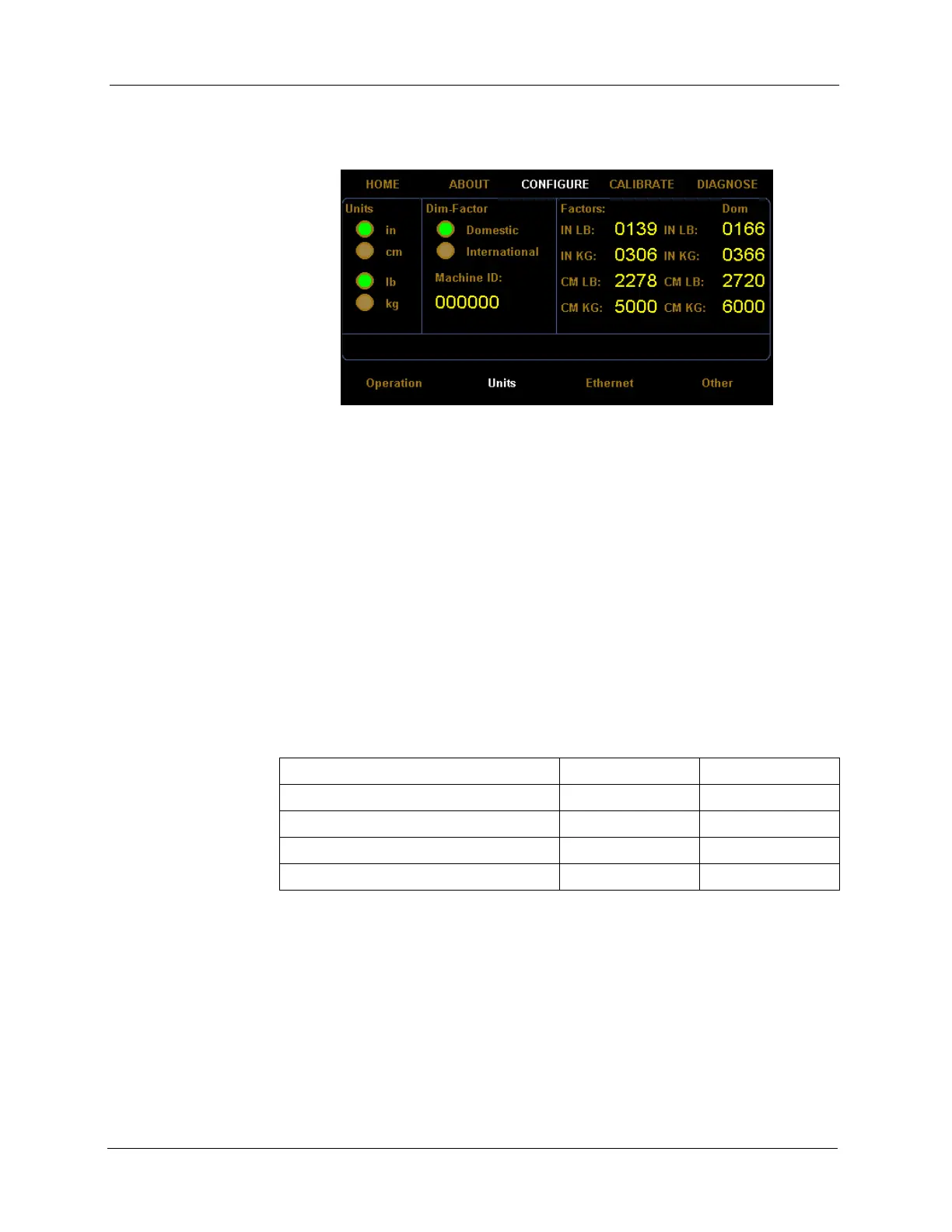
2. The configuration menu is displayed at the bottom of the screen. Select
the
Units option if it is not already selected.
Units In this field you can select the units that will be used. The options are
inches (in), centimeters (cm), pounds (lb), or kilograms (kg).
Dim-Factor In this field you can select the dim factor that will be used. The options are
domestic and international.
Machine ID In this field you can enter a unique ID for your CubiScan 110-T. This can be
helpful if you have more than one CubiScan on site.
Factors In this field you can view or change the current dim factor values.
The following table displays the default dimensional weight factors used by
the CubiScan.
Ethernet
This section discusses the options available on the Ethernet menu.
Complete the following steps to access the Ethernet menu.
Figure 16
Configure Units
Dimensional Factor Domestic International
Cubic inches per pound 166 139
Cubic inches per kilogram 366 306
Cubic centimeters per pound 2720 2278
Cubic centimeters per kilogram 6000 5000



 To Next Page