MAINTENANCE
7-2
WARNING:
To reduce the risk of ignition of hazardous
atmospheres, recharge battery only in area known
to be non- hazardous. Remove and replace battery
only in area known to be non- hazardous.
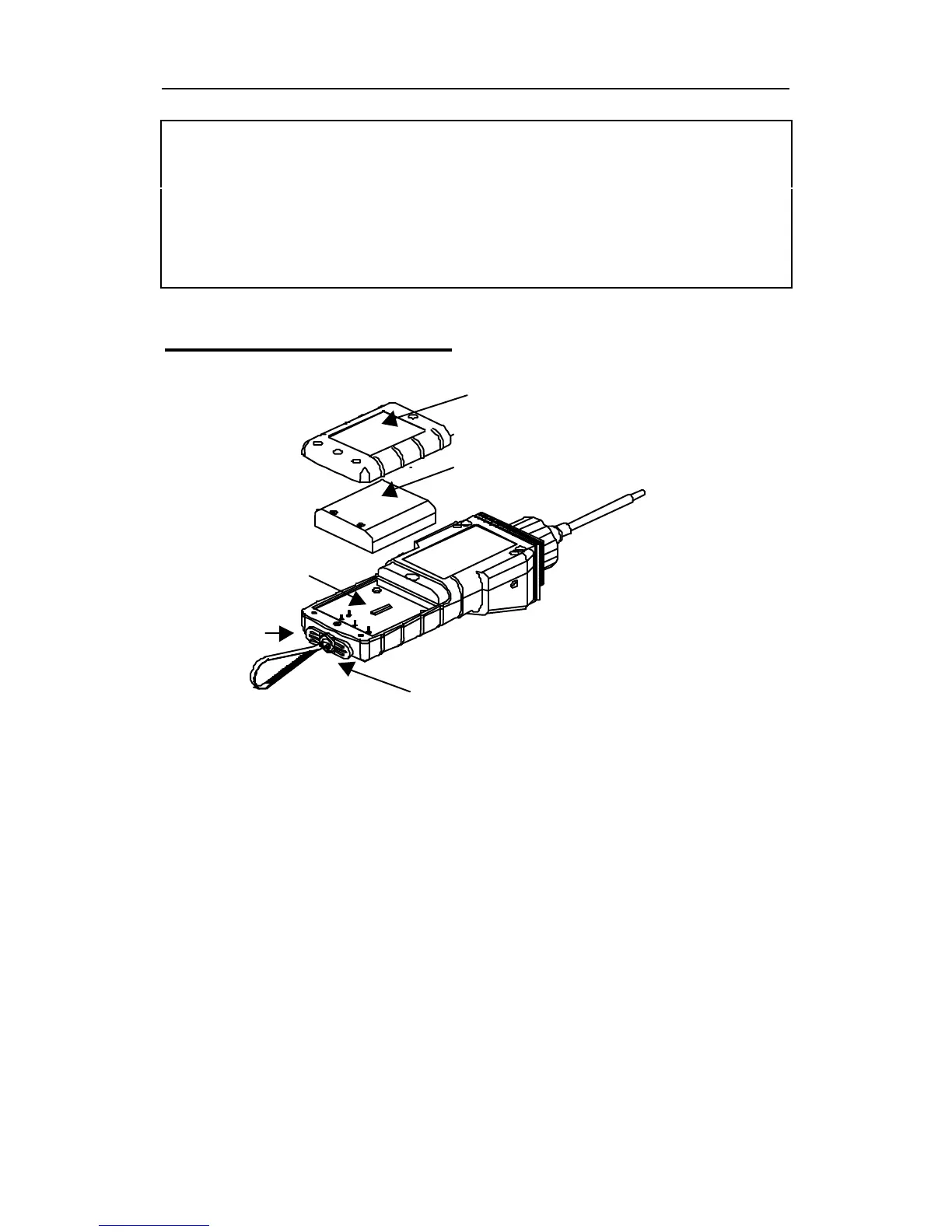
Replacing Battery Pack
Figure 7-1 Battery Replacement
1. Turn off the power of the MiniRAE 2000.
2. Unscrew the two battery compartment screws, located
on the bottom of the monitor, and remove the cover.
3. Remove the battery pack from the battery
compartment.
4. Replace a fully charged spare battery pack inside the
battery compartment. Make sure the battery pack is
oriented properly inside the compartment
5. Close the battery cover and tighten the two screws.
Communication
Connector
Charge
Connector
Battery
Pack
Battery Cover
Battery
Compartment



 To Next Page