RAUMED NeuroSmart Instruction Manual
Manufacturer: RAUMEDIC AG, Hermann-Staudinger-Strasse 2, 95233 Helmbrechts, Germany
zwo-541EN Rev 3 / 2022-05-03
Page 30 of 61
Medium-priority alarms:
• CPP
• Temperature
• Technical alarms with the exception of severe technical alarms
• Sensor alarms
All alarms are configured as non-self-holding alarms, i.e. visual and audible signals are automatically
switched off again once the alarm condition clears. If a new alarm occurs, then the acoustic alarm may
be triggered again dependent on the priority of the new alarm. If different priority alarms exist, the higher
priority alarm signal is signalled (acoustically, optically).
The sole exceptions are the apparatus (device) alarms, alarm button fault, keyboard fault, NFFS (Nand
Flash File System) storage fault and severe device faults.
Alarm button fault and keyboard fault: These remain so that the user can still understand the cause of
the alarm.
Storage fault in NFFS and severe device fault: System generated, continued system operation is no
longer possible. These alarms remain even after the cause has been removed. Once the info message
is seen, this alarm is deleted.
ALARM ACTIVATED:
The system cannot provide any acoustic alarms. Therefore, the user should use this function
with extreme caution
Briefly pressing the alarm button acknowledges the alarm and switches the audible signals off.
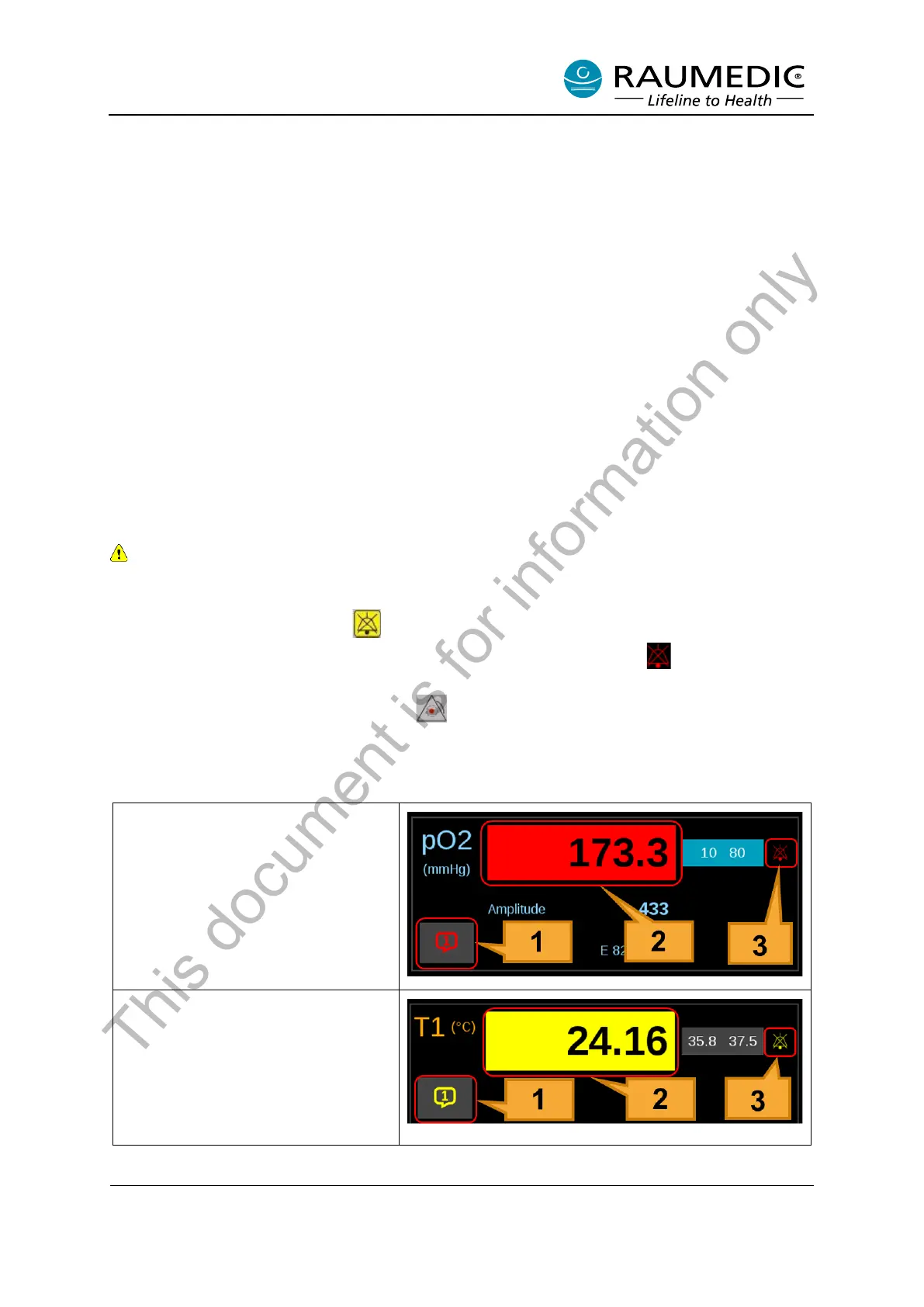
The disabled acoustic alarm is displayed in the overview screen by the symbol alongside the meas-
ured value and shows what has caused the alarm. If the alarm conditions persist, the alarm continues
to be displayed with a high priority (red LED , red speech bubble [1], red value [2], red bell symbol
[3] flash). For a medium-priority physiological alarm, the symbols are accordingly yellow. See Table 15.
Table 15: Indication on the display when an alarm is activated
High-priority alarm activated
Medium-priority alarm activated
This document is for information only



 To Next Page