RED DSMC OPERATION GUIDE
COPYRIGHT © 2014 RED.COM, INC 955-0020_V5.2, REV-G | 45
FEATURE: EDIT LIST
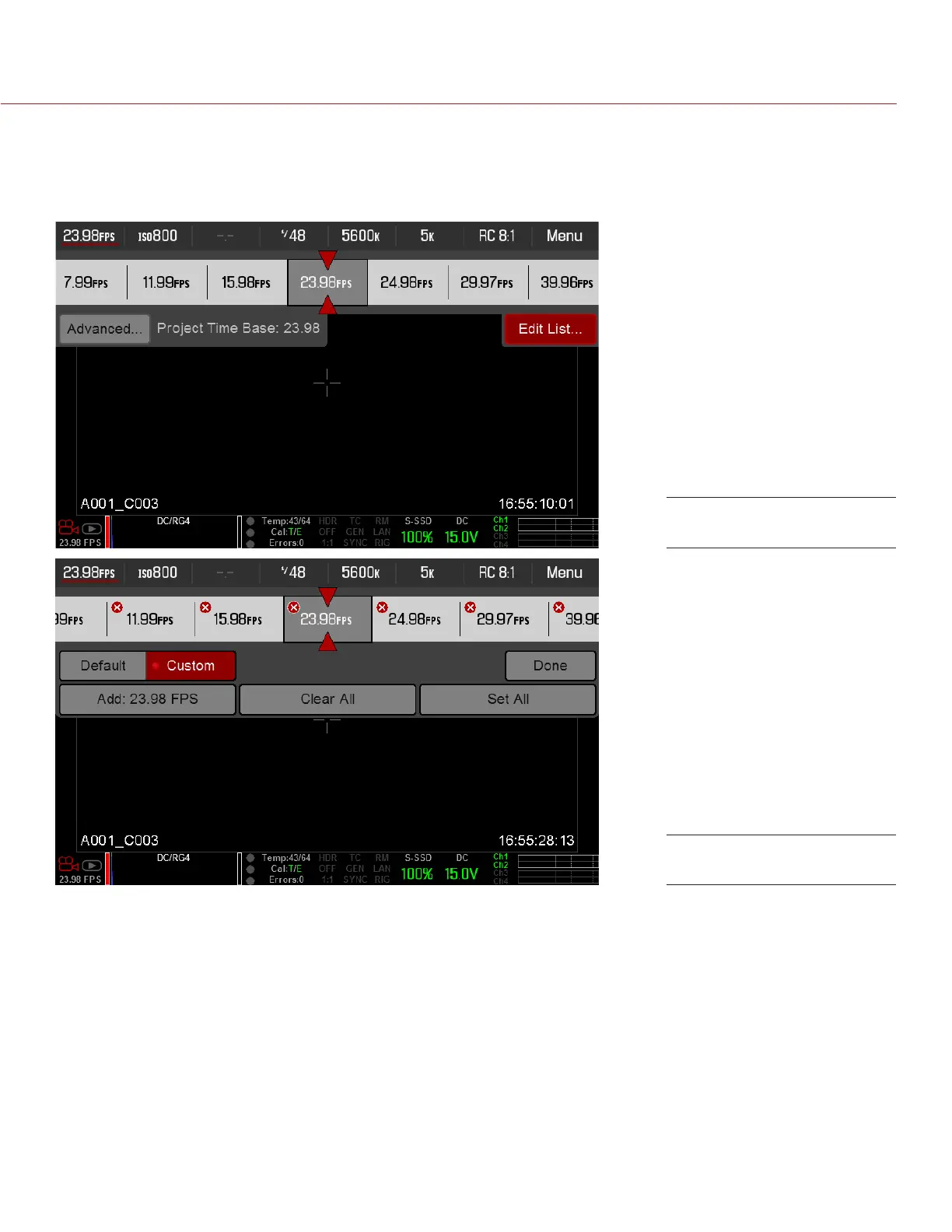
Select the Edit List... button in the Upper Status Row menus to change the values that display for each setting.
For example, if you open the Frame Rate menu and select Edit List..., the camera lets you add or remove values
to available frame rates.
Select “Edit List...” Button
“Edit List...” Menu



 To Next Page