RED DSMC OPERATION GUIDE
COPYRIGHT © 2014 RED.COM, INC 955-0020_V5.2, REV-G | 27
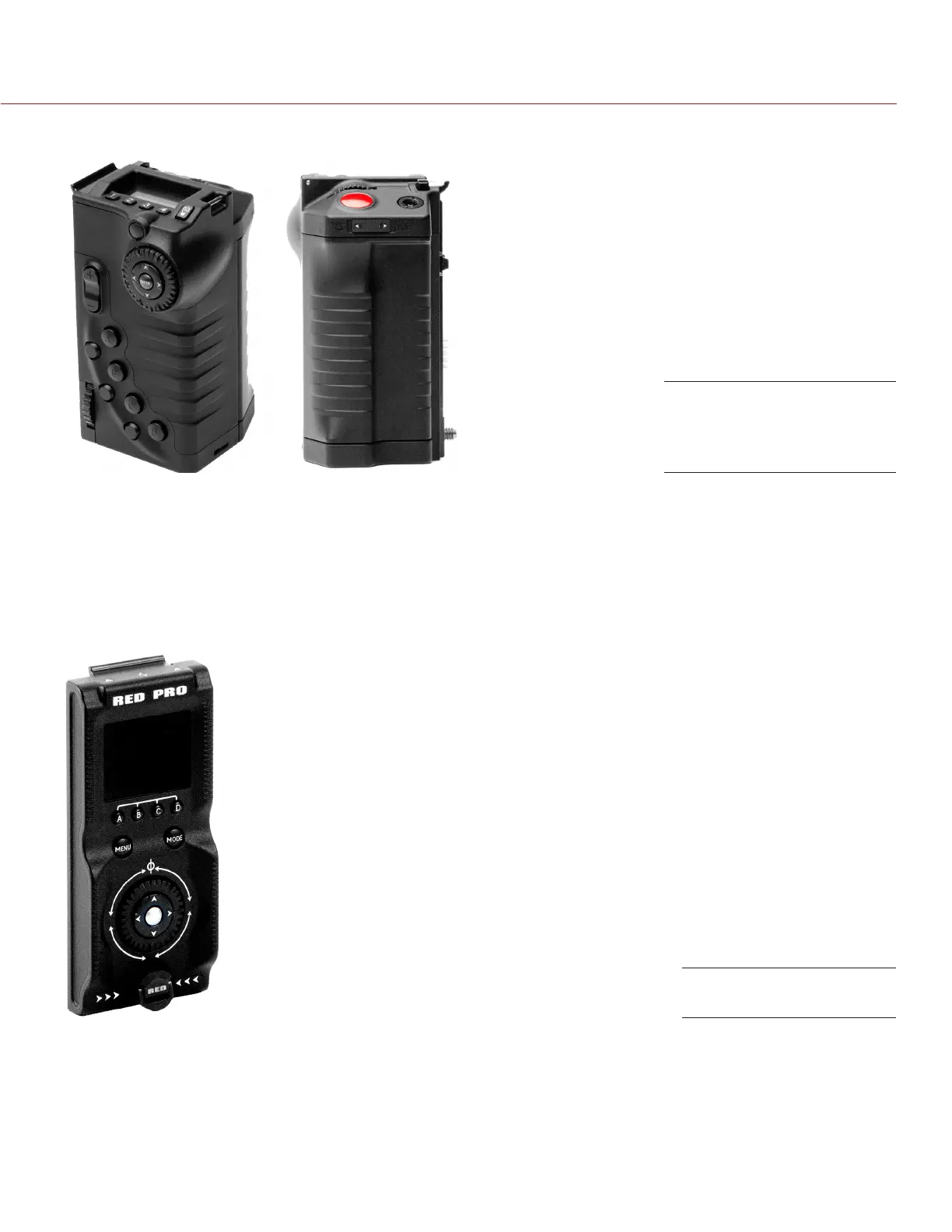
DSMC SIDE HANDLE
The DSMC Side Handle provides user programmable menu controls and a battery compartment that holds one
(1) REDVOLT battery. The DSMC Side Handle LCD display shows camera parameter values and illuminates for
operation in dark environments. When a REDVOLT is installed in the DSMC Side Handle, batteries connected
to other DSMC power modules may be hot-swapped, providing uninterrupted operation.
For a full list of DSMC Side Handle user keys and default actions, go to “Default Key Functions” on page 191.
RED SWITCHBLADE-M
The RED Switchblade-M is a low-profile and lightweight interface solution that mounts to the side of the DSMC
BRAIN. A 1.7” OLED display and full navigation controls, the RED Switchblade-M grants full access to DSMC
menus while optimizing the size and weight of y our camera configuration.
For a full list of RED Switchblade-M user keys and default actions, go to “Default Key Functions” on page 191.
NOTE: The RED Switchblade-M requires DSMC firmware v5.2.28 or later. Full functionality requires DSMC
firmware v5.3 or later.
DSMC Side Handle Front
(left), DSMC Side Handle
Rear (right)
RED Switchblade-M



 To Next Page