RED DSMC OPERATION GUIDE: EPIC/SCARLET
COPYRIGHT © 2015 RED.COM, INC 955-0020_V6.0, REV-J | 47
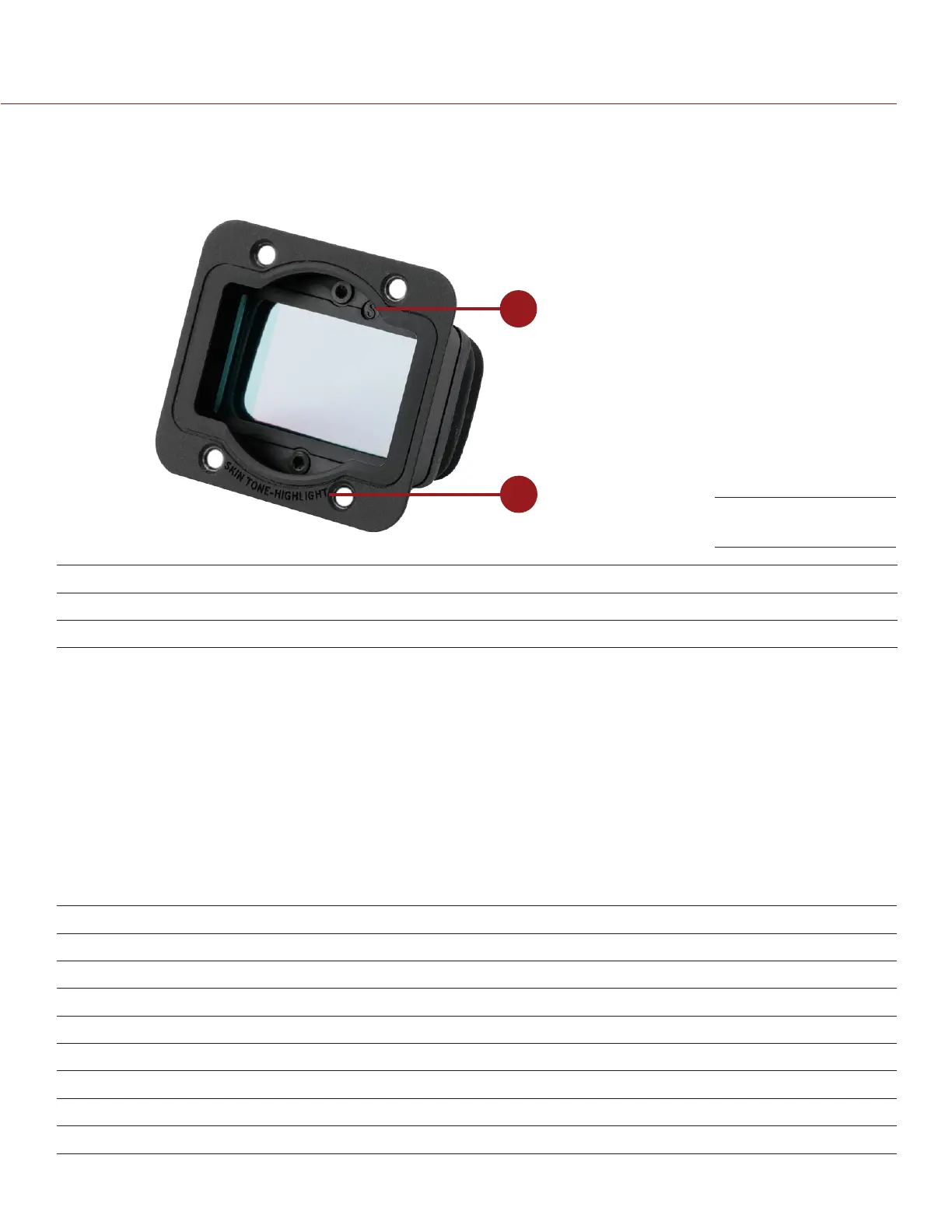
VERIFY INSTALLED OLPF
You can see which DSMC Interchangeable OLPF is installed even when a DSMC lens mount is attached. The
OLPF type is labeled in two (2) locations on each DSMC Interchangeable OLPF.
1
2
# LOCATION ON ASSEMBLY LABEL VISIBLE WITH
1 Top inside Identifier symbol, such as (S) DSMC PL mounts
2 Front bottom OLPF type All DSMC mounts
USE A TRIPOD OR MONOPOD
This section describes the DSMC mounting points and mounting equipment for use with a tripod or monopod.
The DSMC is equipped with two (2) 3/8-16 mounting holes and one (1) 1/4-20 mounting hole on the bottom
of the BRAIN. These mounting points are designed for use with a variety of mounting plates and hardware, to
support tripods and other support systems.
WARNING: Ensure that the tripod, monopod, or support system is designed and rated to handle the weight of
your DSMC configuration. RED is not responsible for any damage caused by using a tripod, monopod, mount,
or support system that does not provide sufficient support.
WARNING: DO NOT use excessive force to mount a support accessory, as this may damage the screw threading.
RED offers the following products for use with tripods and other support systems:
ITEM PART NUMBER
Mounting Plate (DSMC) 790-0094
DSMC Modular Assault Plate Pack 790-0224
DSMC Quick Release Platform Pack 790-0183
Quick Release Platform Pack (Bolt-On) 790-0078
Quick Release Platform (Dovetail) 790-0079
Quick Release Platform (Mini) 790-0390
Dovetail Mounting Plate (Long) 790-0083
Dovetail Mounting Plate (Short) 790-0084
For more information, visit the RED store at www.red.com/store.
OLPF Type Labels



 To Next Page