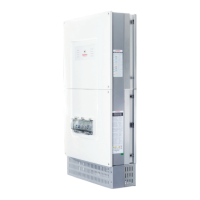
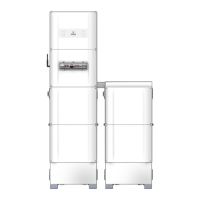
Installation
12 Installation Manual - Redback Smart Hybrid System - v2.0
2.1 Installation overview
2.1.1 BEFORE YOU GO TO SITE
A few simple preparations will help the installation run smoothly.
If you think you will require assistance, book a support call at redback.link/support
Register the installation at redback.link/register (+Add device)
Gather the required tools
o Normal electrician’s tools including crimping kit and Cat 5 cable tools
o Electric drill/driver with 4mm Hex bit; Phillips head screwdriver bit; drill bits suitable for drilling walls
o Tape measure and spirit level
o Internet connected device with RedbackINSTALL app
Gather information required
Gather the following information for use during registration, installation, onboarding, and commissioning.
Your Redback Installer Login:
Apply at redback.link/apply
details
(required)
Wi-Fi details
Installation configuration
Installation by non-approved installers may void the product warranty.
You are approved to install Redback products if you:
• Are a Redback registered and qualified installer, and
• Hold the required qualifications for installing grid-connected inverters, and
• Have a Redback Installer login.
1300-240-182 if you are
unsure of your approval
status.


 To Next Page