Redback Technologies
Installation Manual - Redback Smart Hybrid System - v 2.0
63
Close-up and handover
9.1 Close-up
After the Inverter is commissioned:
Replace and secure PV ARRAY DC isolator knob.
Clean worksite and dispose of rubbish appropriately.
9.2 Handover
With the homeowner:
Walk through the installation, ensuring the homeowner understands what has been installed
(and where), including any Backup circuits.
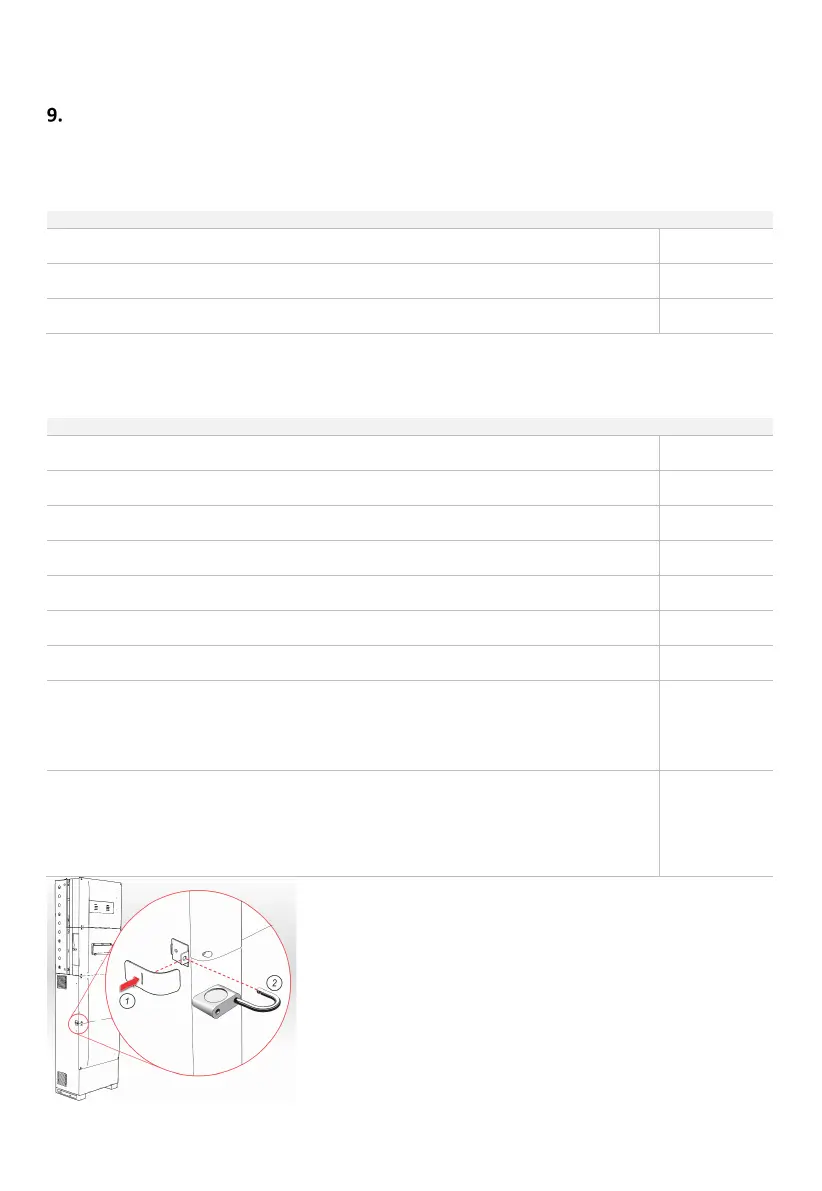
Have the owner fit the Security Clamps and padlocks (Optional; 2x padlocks per enclosure
required). Ensure the owner has the keys.
Explain the limitations of the system, including the possibility of overloading the backup circuit by
using too many devices simultaneously, even when the grid is connected.
Demonstrate how to recover after a BACKUP circuit overload.
Demonstrate how and when to use the BYPASS switch.
Assist owner to compete their Redback Account setup, if not already done.
Assist owner to download the app, demonstrate features and answer questions.
Assist owner to log on to portal and demonstrate, including how to:
• Review performance
• Setup battery charge/discharge schedules
• Setup relay schedules
•
Raise an on-line support request
Handover to the homeowner, including:
• Homeowner’s Guide
• Warranty Booklet
• Padlock keys (if fitted)
• Installation Manuals (optional)
Fit Security Clamps and Padlock



 To Next Page