Preview Font
Apply the fonts installed on the computer to the character string and preview the shape to select the font you will
use.
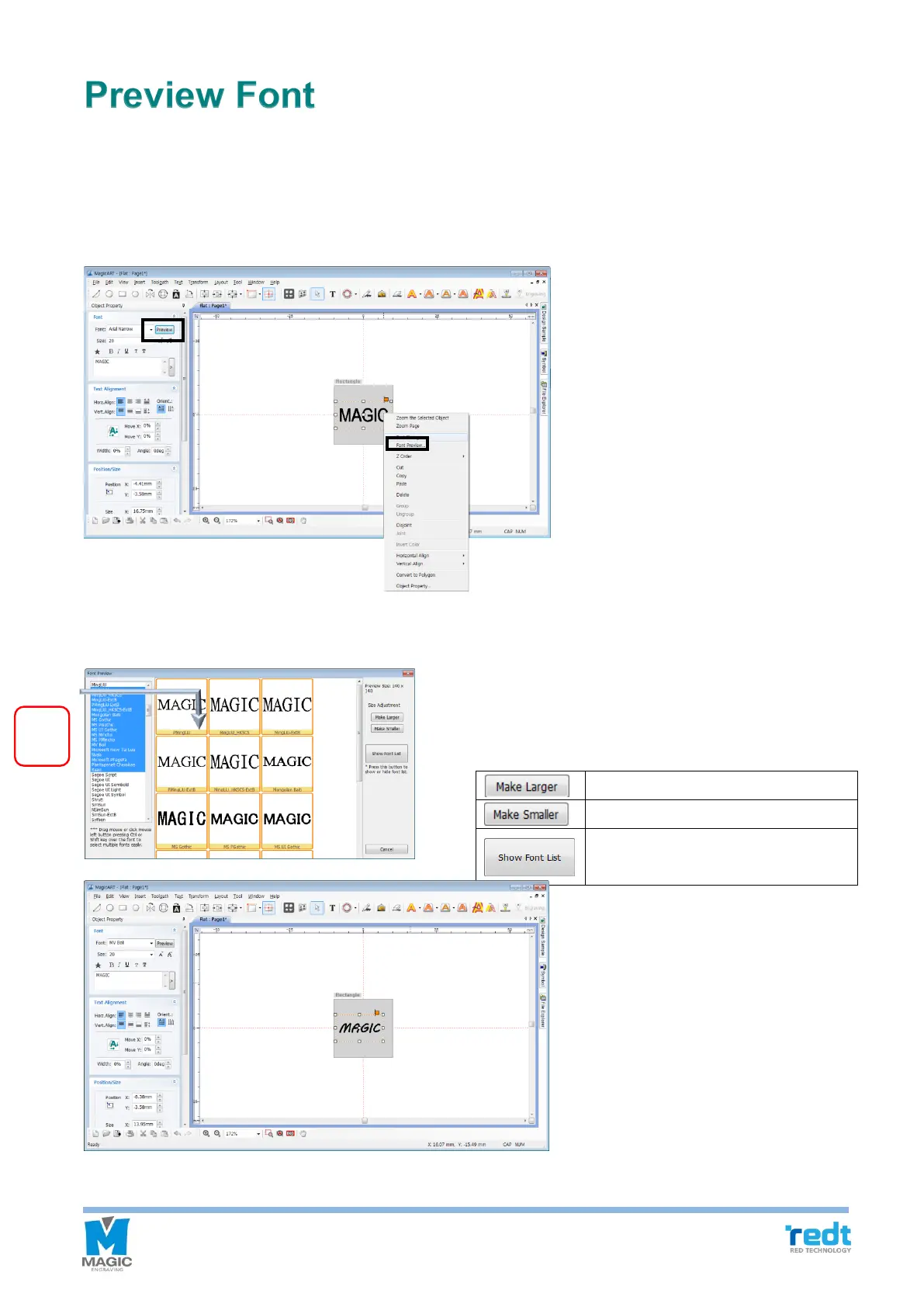
After entering characters, click “Preview” button in the object registration information window or click mouse
right button, and click “Font preview.” Then, “Font preview” window will appear.
If you drag the font list in the font preview window, or click a font while pressing “Ctrl” or “Shift” key, then the preview
of the selected font appears automatically. Double click the preview image of font to select it.



 To Next Page