7) Transfer NC data
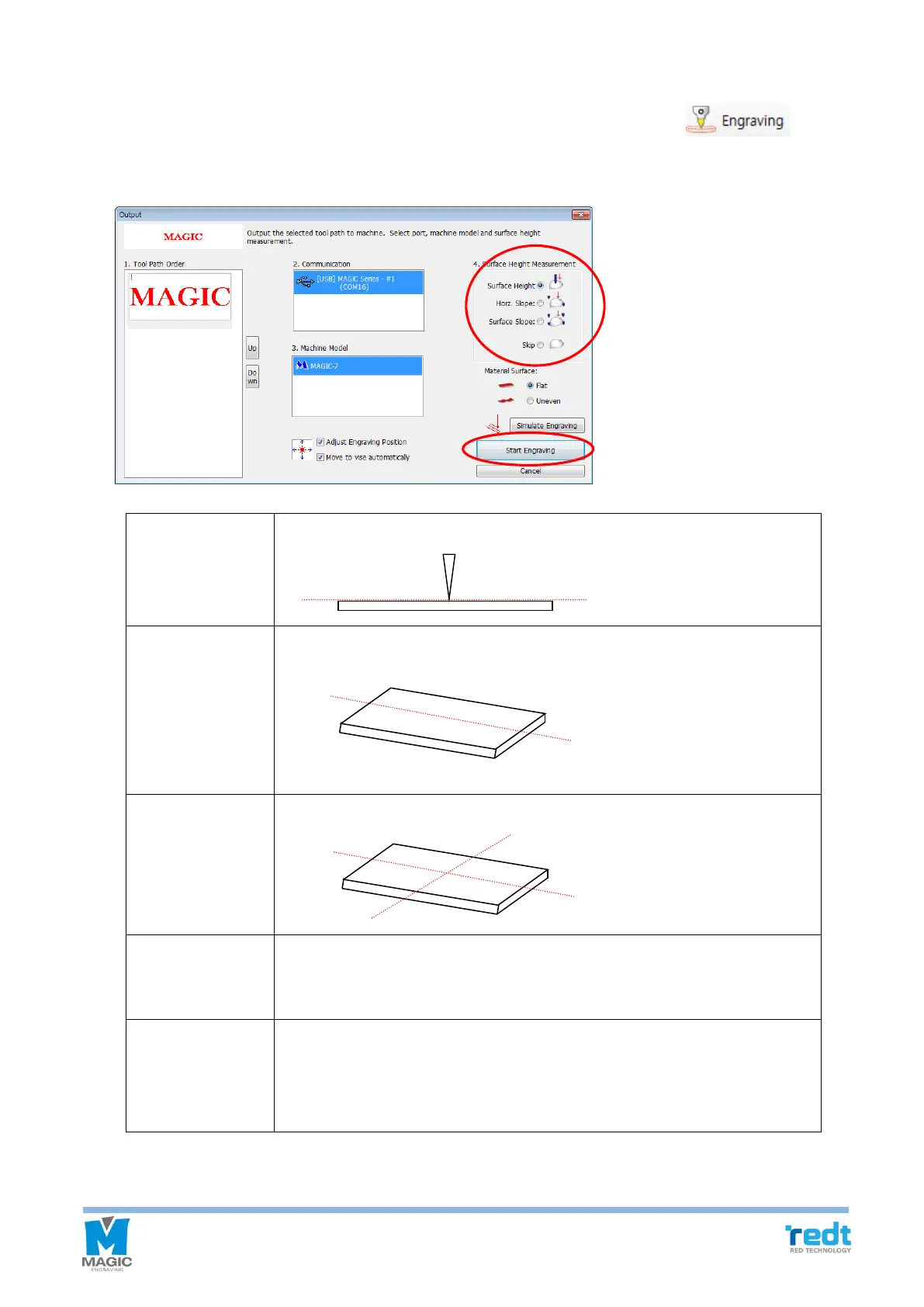
Transfer the selected tool path to the engraver. Select a tool path object and click button to
make the transfer NC data window appear. Select a measuring method and click “Start engraving” button.
Measure material height only.
Measure material’s horizontal gradient.
Measure material’s top, bottom, left and right gradient.
Do not measure its height. In this case, the height previously measured can
be used. If the material is not removed from the clamp during the previous
engraving work, the measuring time can be saved with this option.
Adjust engraving
Position
Designate whether to re-adjust the engraving location. If this option is
selected, the laser pointer will be turned on to allow the user to adjust the
engraving location before engraving. If this option is not used, engraving will
begin immediately.



 To Next Page