Auto Change of Serial Number
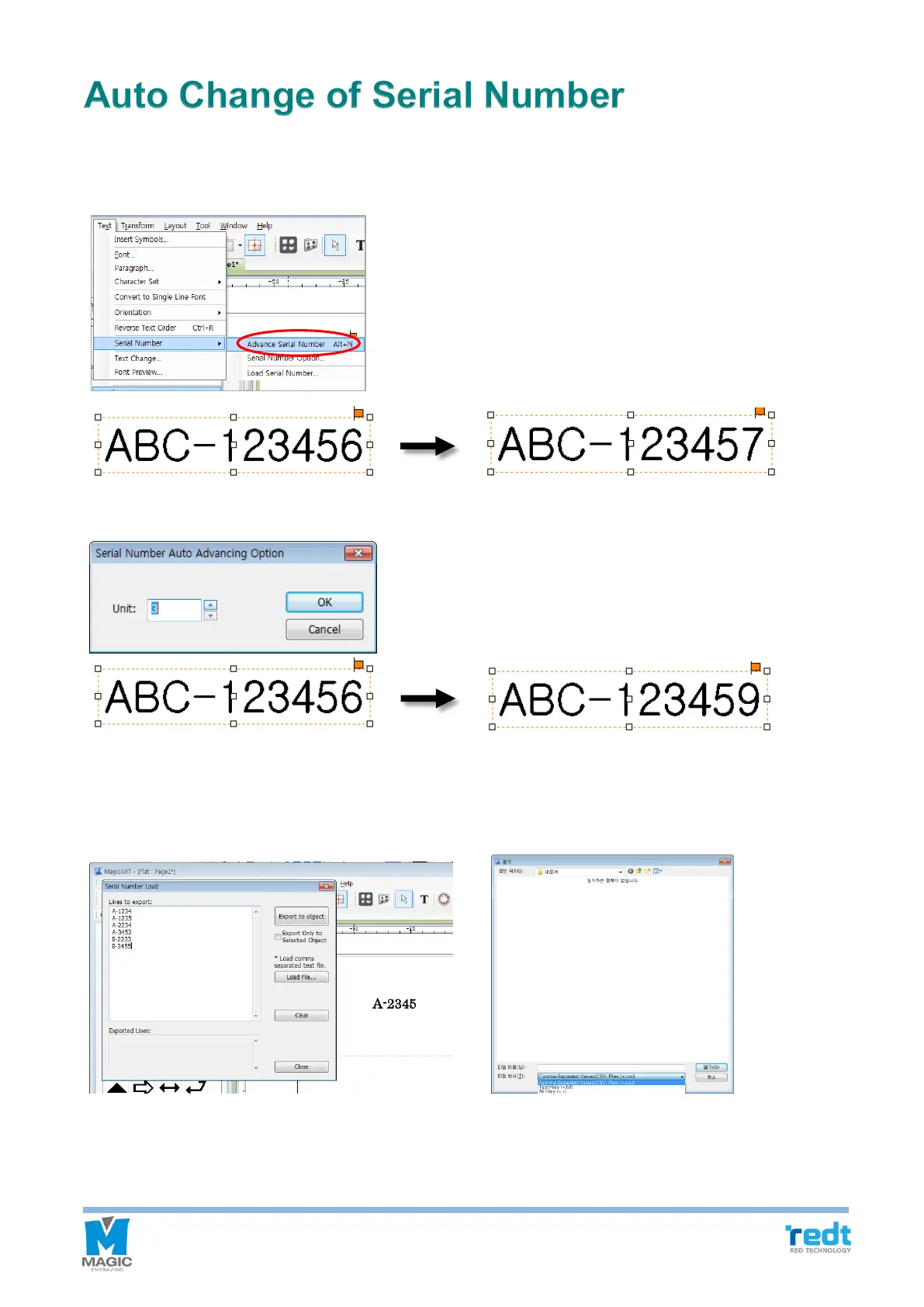
Use this function when you change numbers by certain unit.
Edit the font and size of character, and press “Alt+N” key on a keyboard, or click “Text → serial number → Advance
Serial Number” to change the number automatically.
Click “Text → serial number → Serial Number option” and designate a unit from the “Serial Number Auto
Advancing Option” to change the serial number by the designated unit automatically.
If the serial number is not regular, then click “Text → Serial Number → Load Serial Number” in the menu. Enter
serial number in the “Load File…” field or click import. Import the serial number and click “Export to object”
button. The screen texts are automatically changed, and the serial number will be deleted from the list. The
deleted numbers will be shown in the “Exported Lines”.



 To Next Page