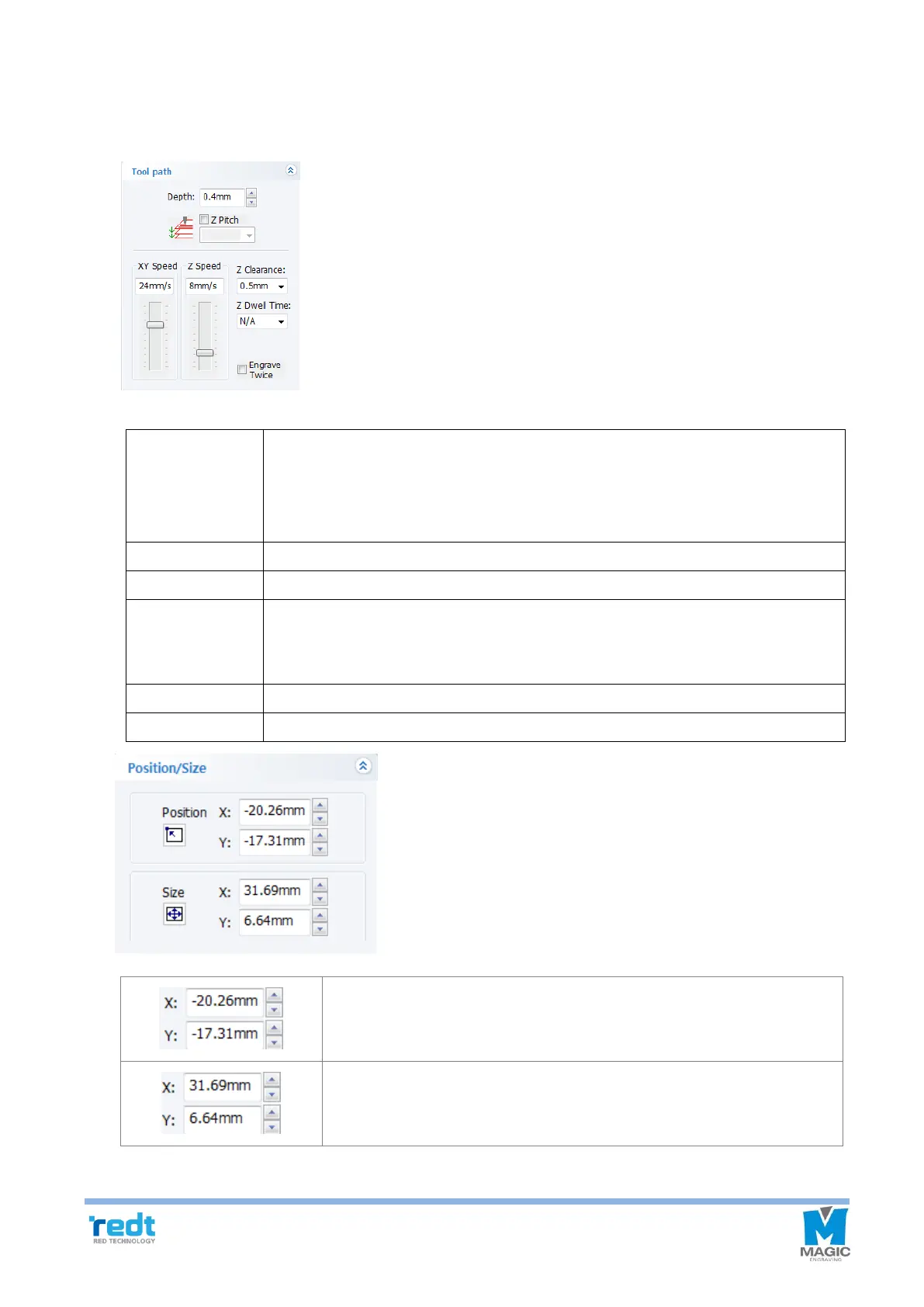
6) Registration Information of Tool path
If tool path object is selected, the registration information of tool path window will appears in the left of the
screen to allow the user to adjust its depth and speed once again.
Engraving: It does not mean the actual engraving depth but refers to “Applied
pressure” and the higher depth value is, the bigger the applied pressure
is.
Cutting: Designate an engraving depth actually used for using rotation tools.
Designate a speed at which XY axis will move during the engraving.
Designate a speed at which Z axis will move during the engraving.
When moving to another engraving location, It is necessary to lift Z axis to prevent
the tool from contacting with the material surface before moving. For this,
designate the height to be applied at this time.
Designate time gap before Z axis touches the material and it is moved.
Engrave the design twice.
The location of the selected tool path appears. Click the arrow button to
move the location.
The overall size of the selected tool path appears. Click the arrow button
to change the size.



 To Next Page