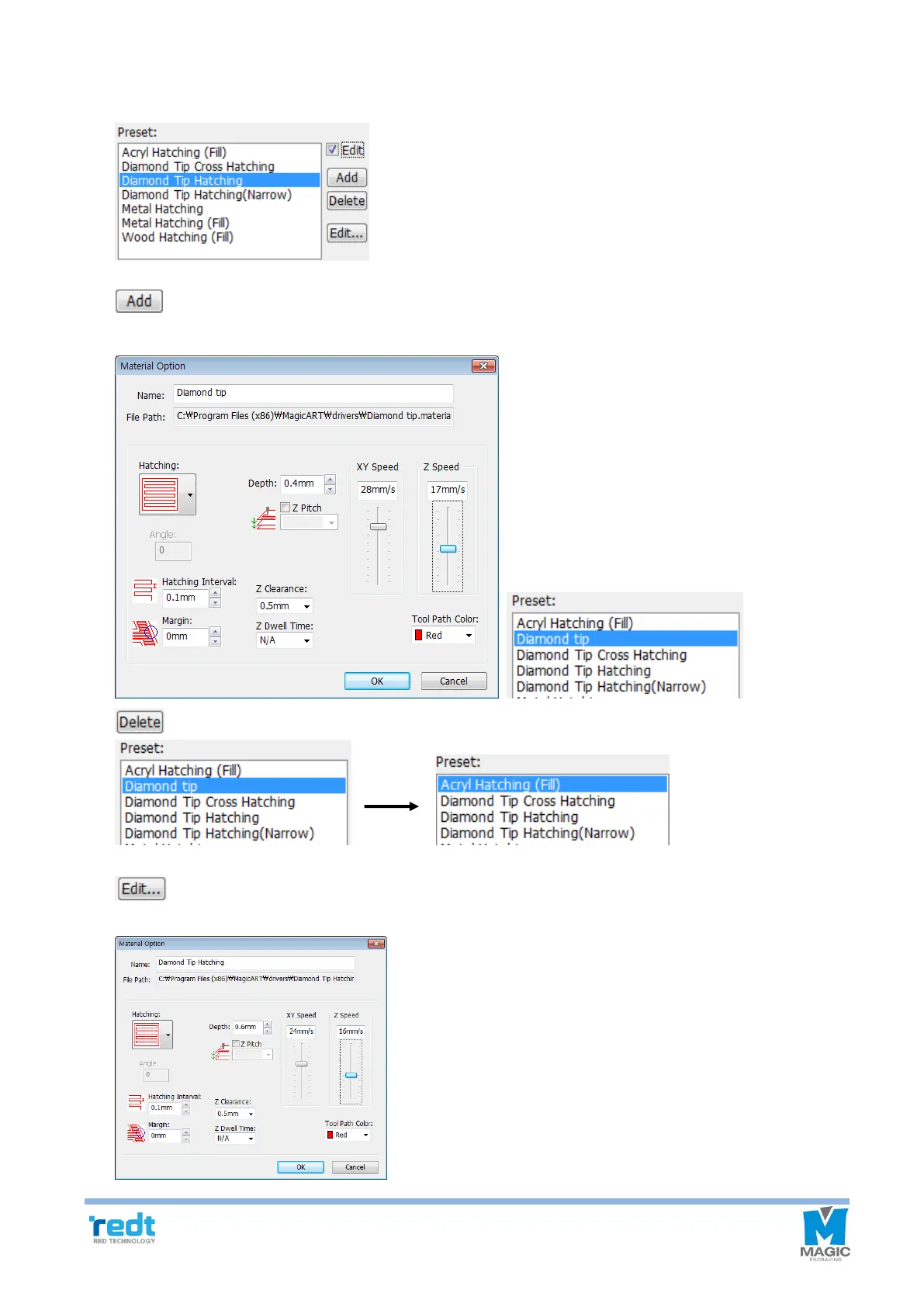
5-1) Engraving Option: Add/Delete/Edit
If Select engraving option is checked, Add/Delete/Edit buttons will appear.
Enter a name to the engraving option setting window and designate hatching gap, engraving depth
and speed before clicking “OK” button. They will be added to the engraving option selection list.
Select an option to be deleted and click “Delete” button to delete the option from the list.
Select an option to be modified and click “Edit” button. If “OK” button is clicked after a setting value
is modified on the option setting window, the modified setting value will be saved.



 To Next Page